ThurayaIP Satellite Modem User Guide
23
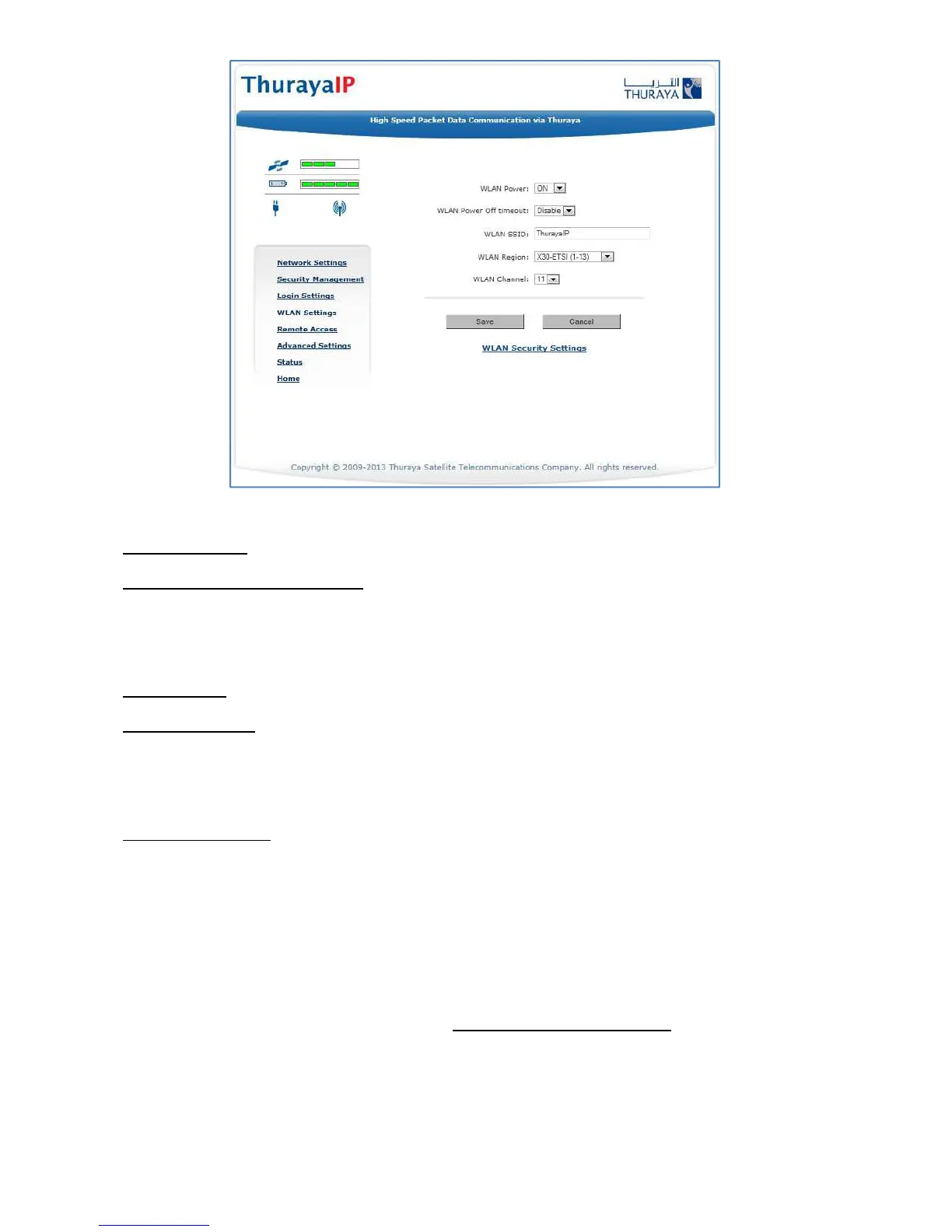
WLAN Configuration Screen
WLAN Power: Select ON or OFF to turn the feature on or off.
WLAN Power Off timeout: If disabled, there is no timeout. If this
parameter is enabled, the WLAN will remain powered up for the
selected timeout value after the terminal powers on. If no WLAN activity
is detected during the timeout, the WLAN card will power down.
WLAN SSID: The WLAN network ID (SSID) can be entered as desired.
WLAN Region: Select the WLAN region from a drop down list (X10, X20,
X30, X31, X32, X40 and X41). If you try to activate a channel not
supported in the selected region, the request shall be rejected with an
error message.
WLAN Channel: Select the WLAN channel from a drop down list (1
through 14).
WLAN
S
ECURITY
S
CREEN
The WLAN Security screen allows you to configure WLAN security
parameters, including enabling/disabling Wired Equivalent Privacy
(WEP), hiding the SSID and setting Media Access Control (MAC) filters.
Access this screen by clicking the WLAN Security Settings link towards
the bottom of the WLAN Configuration Screen.



 To Next Page