Tinius Olsen MP1200 Extrusion Plastometer Page 13-4
Operation Manual # 02002215
13.2.14If the MP1200 is equipped with the Auto-Cutter option, you can turn it on or off
on this screen. Press the CONTINUE button.
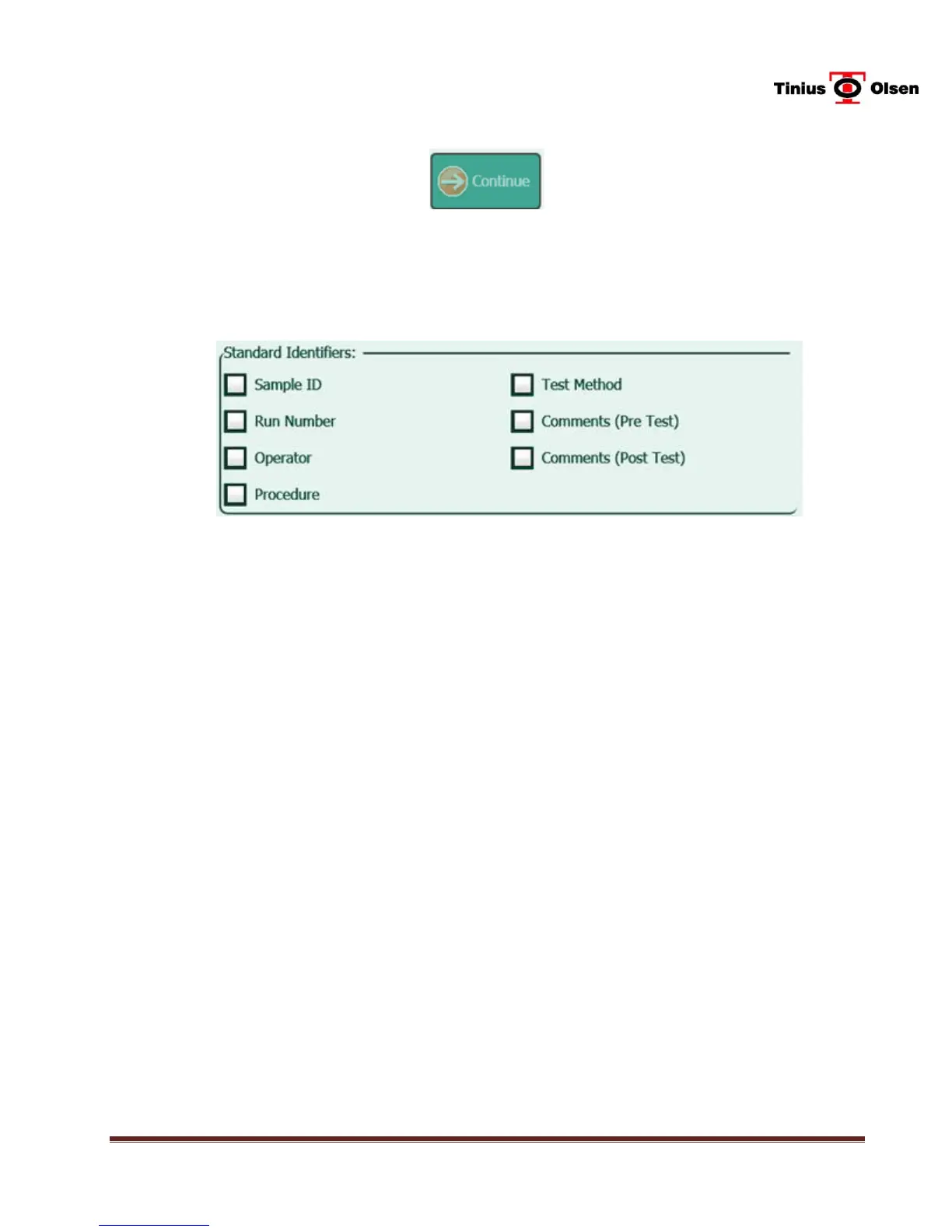
13.2.15The next screen that appears allows the operator to select the Standard
Identifiers used to identify the specimens. Use of the Standard Identifiers is
optional.
13.2.16If desired, press the box next to Sample ID. This will allow the operator to
enter the sample ID, in alphanumeric format, prior to the test. A check mark
will appear in the box to confirm the selection. This is used only for
identification purposes on a printed test report.
13.2.17If desired, press the box next to Run Number. This will allow the operator to
enter the run number, in alphanumeric format, prior to the test. A check mark
will appear in the box to confirm the selection. This is used only for
identification purposes on a printed test report.
13.2.18If desired, press the box next to Operator. This will allow the operator to enter
the name of the operator that is conducting the test, in alphanumeric format,
prior to the test. A check mark will appear in the box to confirm the selection.
13.2.19If desired, press the box next to Procedure. This will allow the operator to
enter the procedure, prior to the test (in this case, it would be Procedure A). A
check mark will appear in the box to confirm the selection.
13.2.20If desired, press the box next to Test Method. This will allow the operator to
enter the test method, prior to the test. A check mark will appear in the box to
confirm the selection.
13.2.21Comments (Pre-Test) - If desired, press the box next to Comments (Pre-
Test). This will allow the operator to enter comments, prior to the test. A
check mark will appear in the box to confirm the selection.


 To Next Page