EasyManua.ls Logo

TIPTEL 333 - User Manual

TIPTEL 333
48 pages
Print Icon
To Next Page IconTo Next Page
Loading...
Operating instructions (en)
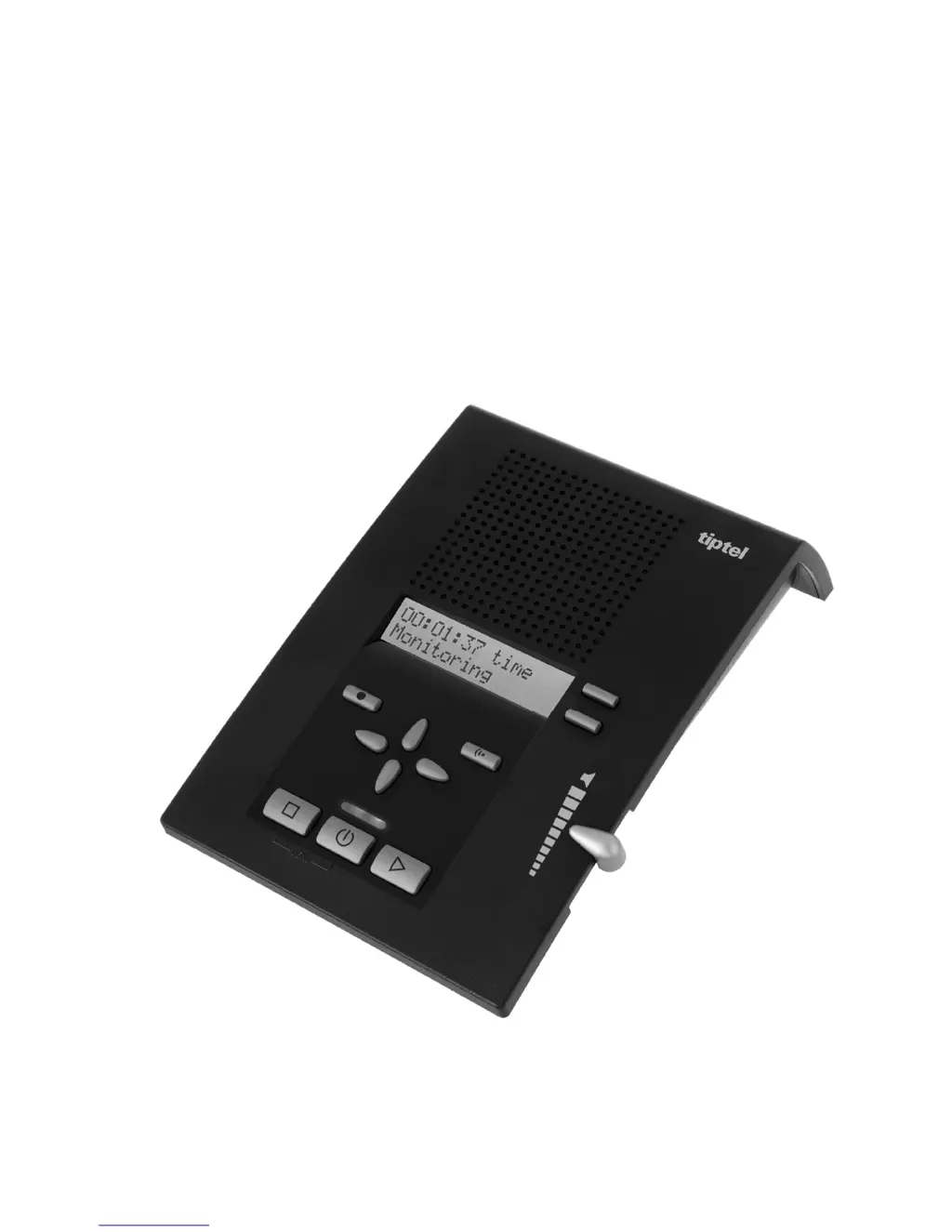
Professional answering machine
with caller ID and message transfer
tiptel 333
tiptel

Questions and Answers

  • K
    Kara CruzAug 16, 2025
    How to fix a TIPTEL 333 with no display?
    • K
      Kathryn YoungAug 16, 2025
      If your TIPTEL Answering Machine has no display, the device might not be properly connected. Ensure all cables are correctly plugged in and try using a different wall socket to rule out power issues.
  • P
    pittsjamesAug 22, 2025
    What to do if TIPTEL 333 Answering Machine is not recording messages?
    • A
      Angela McconnellAug 22, 2025
      If your TIPTEL Answering Machine is not recording incoming messages, check if the device is set to a non-recordable announcement. Change the announcement setting or record a new one.
  • J
    Jeffery PowellAug 25, 2025
    Why is caller ID not working on my TIPTEL 333?
    • R
      Ryan WallerAug 26, 2025
      If you're not seeing caller ID on your TIPTEL Answering Machine, it could be due to several reasons: * Your network provider or telecommunications system might not support or have activated this function. * The caller may have hidden their number or has an unlisted number. * The call could be originating from a public telephone. To resolve this, ask your network provider or telecommunications system manufacturer if the function is available or if it must be activated.
  • P
    pamelaanthonyAug 28, 2025
    What to do if TIPTEL 333 Answering Machine has no incoming calls and connected telephone not working?
    • M
      Melissa GuzmanAug 28, 2025
      If you have no incoming calls and the connected telephone is not working with your TIPTEL Answering Machine, the issue might be due to an incorrect connection cable or incorrectly wired sockets. Use only original cables and check that the sockets are working. If needed, you may wish to call in a technician.
  • M
    Mrs. Kelli MendezAug 31, 2025
    How to stop buzzing during playback on TIPTEL 333 Answering Machine?
    • A
      Andrew FisherAug 31, 2025
      If you experience buzzing or other disturbances during playback on your TIPTEL Answering Machine, it may be due to interference from devices like cordless telephones or monitors. Try changing the installation location.
  • A
    aperrySep 3, 2025
    Why is the announcement number flashing on my TIPTEL Answering Machine?
    • G
      ghaleySep 3, 2025
      If the announcement number is flashing on your TIPTEL Answering Machine, it indicates that no announcement has been recorded. Record an announcement to resolve this.
  • T
    Tamara JohnsonSep 6, 2025
    What to do if TIPTEL 333 has wrong connection with a telephone system?
    • J
      Jenna PhillipsSep 6, 2025
      If you experience a wrong or no connection when operating your TIPTEL Answering Machine with a telephone system, it could be because you have not entered the exchange identification code, or the telephone system does not support tone dialling. Enter the exchange identification code to solve this issue.
  • D
    Daniel CaldwellSep 9, 2025
    Why TIPTEL 333 does not answer with telecommunications system?
    • S
      Sandra RogersSep 9, 2025
      If your TIPTEL Answering Machine does not answer with the telecommunications system, the telecommunications system may have no signal. Check the telecommunications system's programming.
  • M
    Michele BarrySep 10, 2025
    How to fix no tone on TIPTEL 333 Answering Machine?
    • E
      erika99Sep 12, 2025
      If there is no tone on your TIPTEL Answering Machine, the volume might be set to zero. Try turning the volume up.
  • B
    Brian ThompsonSep 12, 2025
    How to adjust display contrast on TIPTEL Answering Machine?
    • B
      Brandon JohnsonSep 12, 2025
      If the display on your TIPTEL Answering Machine is too light or dark, set the contrast to adjust the display to a comfortable viewing level.

Summary

Safety, Controls, and Setup

Safety Precautions

Essential safety guidelines for device operation and maintenance.

Device Controls and Key Functions

Overview of physical buttons, display, and their primary operations.

Connecting the Device

Instructions for connecting the device to power and phone lines, including slot types.

Answering Machine Features

Managing Announcements

Creating, recording, checking, and deleting voice announcements.

Message Playback and Management

How to play, pause, skip, and delete incoming messages.

Recording, Transfer, and Call Lists

Recording calls/memos, message transfer, and managing the call list.

Message Function and Absence Management

Using message codes and setting absence messages.

Advanced Operations and Settings

Remote Operation Guide

Instructions for accessing and controlling the device remotely.

System Settings and Customization

Customizing device settings like language, time, and access codes.

Support and Specifications

Service, Warranty, and Troubleshooting

Information on service, guarantee, compliance, and problem resolution.

Technical Specifications

Detailed technical data, dimensions, and performance metrics.

TIPTEL 333 Specifications

General IconGeneral
Product colorBlack
Power requirements100-240 V, 50/60 Hz
Display typeLCD
Weight and Dimensions IconWeight and Dimensions
Weight80 g
Dimensions (WxDxH)140 x 50 x 210 mm

Related product manuals