52
20. DQ-C01 Settings
Here, an optional DQ-C01 Remote Control Module will be described.
1. Outline
Installing the DQ-C01 permits the DP-0206’s memory selection, output volume adjustment,
and output muting to be remotely controlled from external equipment. For its installation, refer
to the instruction manual attached to the DP-0206 or the DQ-C01.
The DQ-C01 is initially set to the memory selection function, with terminals 1-8 set to memory
numbers 1-8, respectively. You can recall memory numbers 1-8 by shorting terminals 1-8
with terminal C. Refer to the following explanations when changing the memory number to be
recalled, or when setting the memory number for other function.
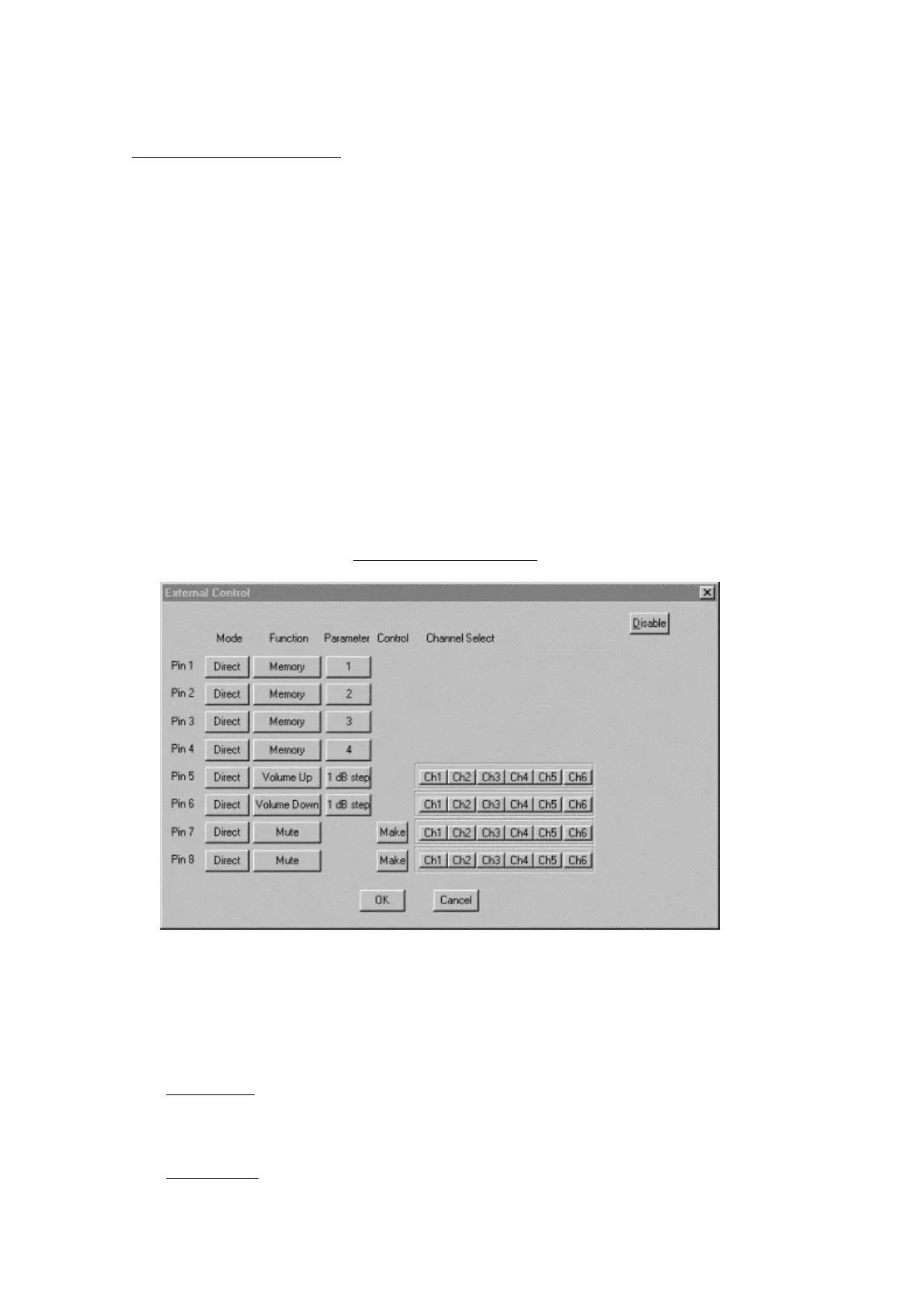
2. Setting Screen
Select from the menu bar Option
→ External Control,and the dialog below appears.
- Mode
Either Direct or Binary Mode is assigned to the DQ-C01. Terminals 1-3 can only be used for
the Direct Mode.
Direct Mode
Controls terminals 1-8 and terminal C by shorting them.
Binary Mode
Provides any one of terminals 4-8 and terminal C with "short" or "open" mode to control



 To Next Page