13
19. MUTE SENSE control (PRIORITY 1, PRIORITY 2)
Adjust the threshold (sensitivity) of the mute function of the PRIORITY 1, PRIORITY 2 inputs. In other
words, if PRIORITY 1, PRIORITY 2 input signal exceed the threshold that set by MUTE SENSE, it will
mute the LINE 1, LINE 2, LINE 3, LINE 4 signal to CH1, CH2, CH3, CH4 outputs. Rotate clockwise will
raise the sensitivity, counter-clockwise will lower the sensitivity.
20. HOLD TIME control (PRIORITY 1, PRIORITY 2)
Adjust the recovery time of the LINE 1, LINE 2, LINE 3, LINE 4 to CH1, CH2, CH3, CH4 outputs. Rotate
clockwise will increase the recovery time (maximum 10sec), counter-clockwise will decrease the
recovery time (minimum 50ms)
21. PRIORITY FUNCTIONAL DIP SWITCH (PRIORITY 1, PRIORITY 2)
Control the functionality of the PRIORITY 1 and PRIORITY 2
Switch No. ON OFF
1 PRIORITY 1/2 can be switched to CH1 output PRIORITY 1/2 cannot be switched to CH1 output
2 PRIORITY 1/2 can be switched to CH2 output PRIORITY 1/2 cannot be switched to CH2 output
3 PRIORITY 1/2 can be switched to CH3 output PRIORITY 1/2 cannot be switched to CH3 output
4 PRIORITY 1/2 can be switched to CH4 output PRIORITY 1/2 cannot be switched to CH4 output
5 The mute function is controlled by the PRIORITY
1/2 input signal or manual mute (16)
The mute function is only controlled by the
manual mute (16)
6 PRIORITY 1/2 input gain switch to MIC level PRIORITY 1/2 input gain switch to LINE level
22. PRIORITY MIX1+2 switch
Control the input mode of the PRIORITY 1/2
ON OFF
PRIORITY 1 and PRIORITY 2 will be mixed and output
to CH1, CH2, CH3, CH4 when mute activated. The
PRIORITY FUNCTIONAL DIP SWITCH (20), MUTE
SENSE control (18), HOLD TIME control (19) will be
followed by PRIORITY 1’s setting
The PRIORITY 1 has the higher priority level than
PRIORITY 2. When There is mute function activated.
Unit will output PRIORITY 1’s input first.
23. EQ BANKS and PRESETS SELECTION
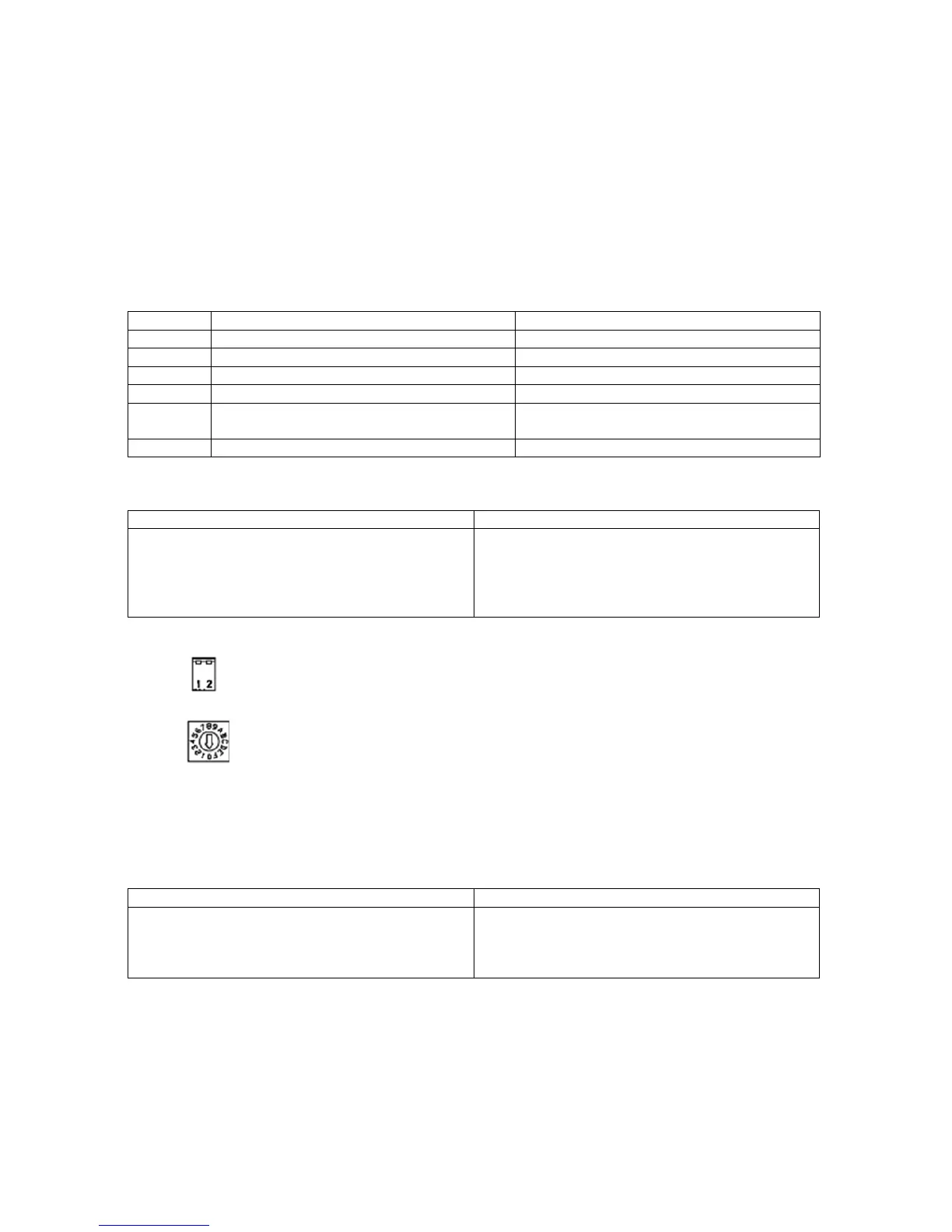
The 2-bit DIP switch select the bank of respect to the 16 EQ presets. Total 4 banks.
The 4-bit rotary switch selects 16 EQ presets from each banks.
Note: The functionality of CH2, CH3, CH4 is the same as CH1.
Please see page 23, "11.2 EQ preset selections" for more details.
24. HPF SWITCH (*)
Control the activation of HPF (High Pass filter) on outputs.
ON OFF
The CH1, CH2, CH3, CH4 will has 50Hz, -12dB/oct. high
pass filter on output. This is useful to protect the speaker
when the transformer of the distribute speaker couldn’t
handle low frequency.
The output frequency response is flat from 20Hz to
20kHz.
25. REMOTE TERMINALS (CH1, CH2, CH3, CH4 remote controls)
RJ45 connector, use for connecting the remote module WP-700.
After connecting WP-700 could provide the following functionality:
1) Switch the input source LINE 1, LINE 2, LINE 3, LINE 4 to CH1, CH2, CH3, CH4 outputs.
2) Adjust the volume of connected channel.
Note: When the WP-700 is connected, the OUTPUT LEVEL CONTROL (3) on front panel and INPUT
SELECT SWITCH (10) won’t be functional. It means this two function will follow WP-700 setting. Also,
the REMOTE INDICATOR (8) will light.



 To Next Page