16
User
Manual
Replacing the Recording Assistant battery and memory card between recordings
Using the AC adapter with Tobii Glasses
The Tobii Glasses can also be used with the supplied AC adapter to avoid using the battery when power is available.
1. Connect the AC adapter (with appropriate wall socket adapter) to a power outlet and plug it into the
Recording Assistant.
2. Turn the Recording Assistant on by holding the ON/OFF button. Confirm that the charging signal is shown in
the top left corner of the Recording Assistant display, indicating the AC adapter is connected.
3. It is recommended to always leave a battery in the Recording Assistant. Only remove the battery whenever
the Recording Assistant is completely turned off.
The Memory card cannot be Hot-swapped!
To remove or replace the memory card:
1. First, make sure the Recording Assistant is off. Turn the unit off by holding the ON/OFF button.
2. Remove the memory card and insert a new memory card.
3. Use the ON/OFF button to turn the device back on and continue recording.
Changing the Memory card or formatting the Memory card keeps the numbering of the recording sessions
continuously.
To replace the clock battery:
1. Make sure the Recording Assistant is turned off before continuing with the next step.
2. Hold the unit with the front display facing the palm of your hand.
3. Open the battery compartment by pressing down the bracket on top of the cover and pulling the cover off.
4. Remove the old battery from the battery compartment (remove the main battery first to create more space).
5. Place the new battery (CR1220, 3V cell battery), with the positive side facing upwards, between the two
contacts in the compartment.
6. Replace the main battery and the battery cover, making sure it snaps firmly into place.
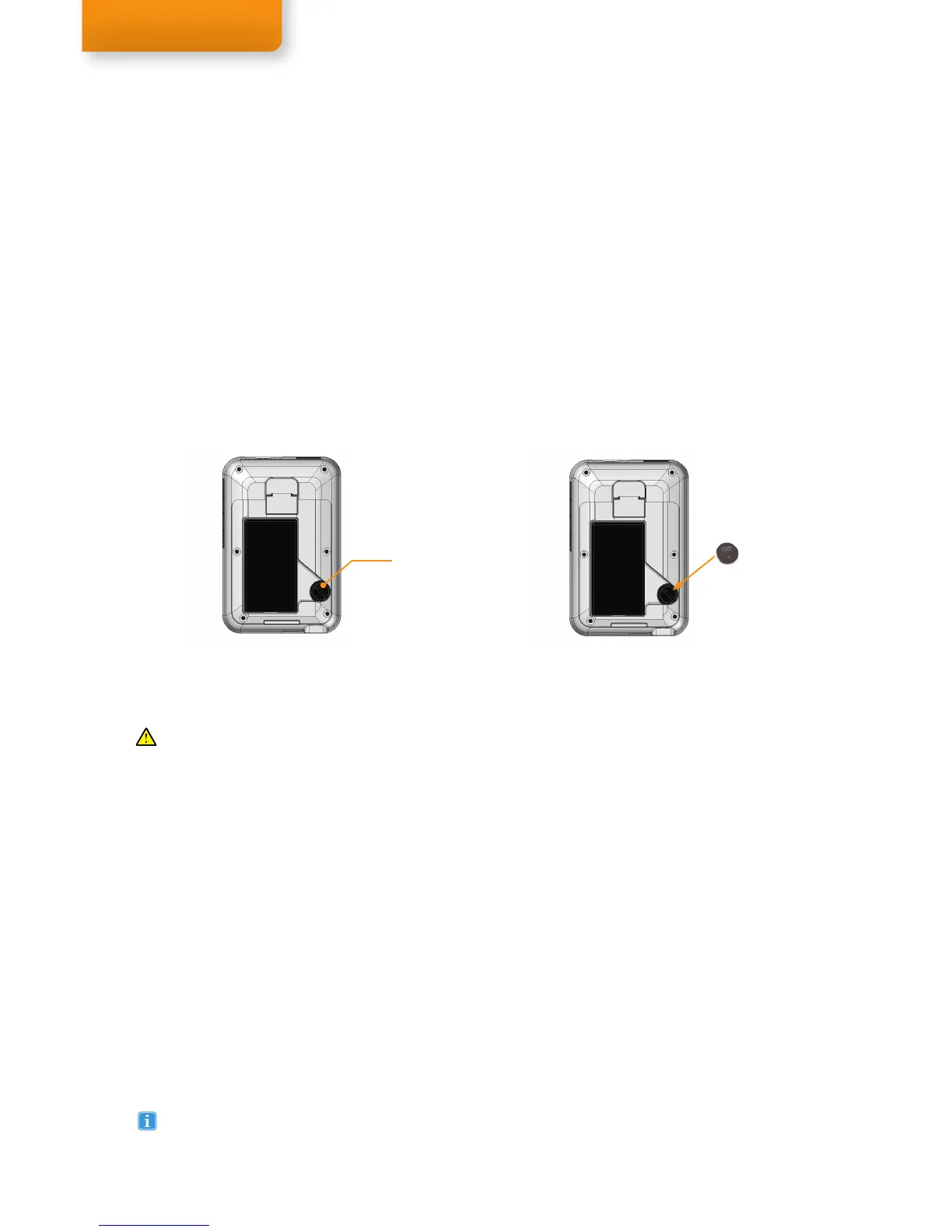
Clock battery
compartment
Clock battery
The clock battery powers the Recording Assistant´s internal clock, saving the time and date settings even when the
main battery is removed. The clock battery should last for at least a month on its own (without any battery or power
connected). When storing the Tobii Glasses for a longer period of time, place a fully charged battery in the Recording
Assistant to prevent the clock battery from draining. The battery that powers the unit’s internal clock is located in the
back of the unit in the main battery compartment (see figures below).
The Recording Assistant battery and memory card should not be removed while the Recording Assistant
is recording. Loss of power to the Recording Assistant for even a moment during a recording will shut the
Recording Assistant down and can result in lost recording data or could cause damage to the Recording
Assistant and/or the memory card.


 To Next Page
 Loading...