31
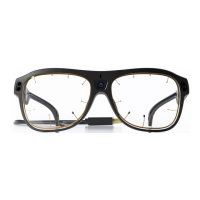
Tobii Glasses Eye Tracker
31
Tobii Glasses Eye Tracker
Tobii Glasses Workflow
Preparation (pages 10-21)
Charge the Recording Assistant batteries
Charge the Calibration IR Markers
Insert the charged Recording Assistant battery
Insert the memory card
Connect the glasses to the Recording Assistant
Check date and time settings
Check to ensure the participant is wearing the glasses properly
Using Tobii Glasses without IR Markers including Analysis with Tobii Studio
If you are using IR Markers, go to page 44 for the Workflow with IR Markers.
7 Tobii Glasses Workflow (Pages 31-43)
Tobii Glasses Checklist
Recording (pages 22-26)
1. Check the battery and memory status before starting a recording
2. Create a new session for each participant or task
3. Log participant data and related session information
(e.g. session number, duration, memory card used) in a Research Log
4. Calibrate (before OR after recording)
5. Record
6. Calibrate (before OR after recording)
7. Repeat lines 3-7 to make additional recordings
Pilot Study (page 29)
Before conducting an actual study, follow the steps below to perform a complete pilot study:
1. Complete a pilot recording including calibration
2. Analyze and replay the data in Tobii Studio
3. Confirm that the data is correct and your setup is working and can be analyzed as expected
4. If necessary, make adjustments and confirm with another pilot recording
5. Continue with your study once a pilot study has been completed successfully
Analyzing the Recording(s) (pages 32-42)
1. Import the desired recording(s)
2. Set independent variables for each participant/recording
3. Create parallax adjustments for each recording using the Parallax Correction Tool
4. Review Glasses Data using the Glasses Data Viewer for in-depth frame by frame analysis
5. If applicable, create a Coding Scheme for manual coding and manually code events in each recording
6. Export data, such as Raw data or Event data (manual coding), for further analysis


 To Next Page