64
User
Manual
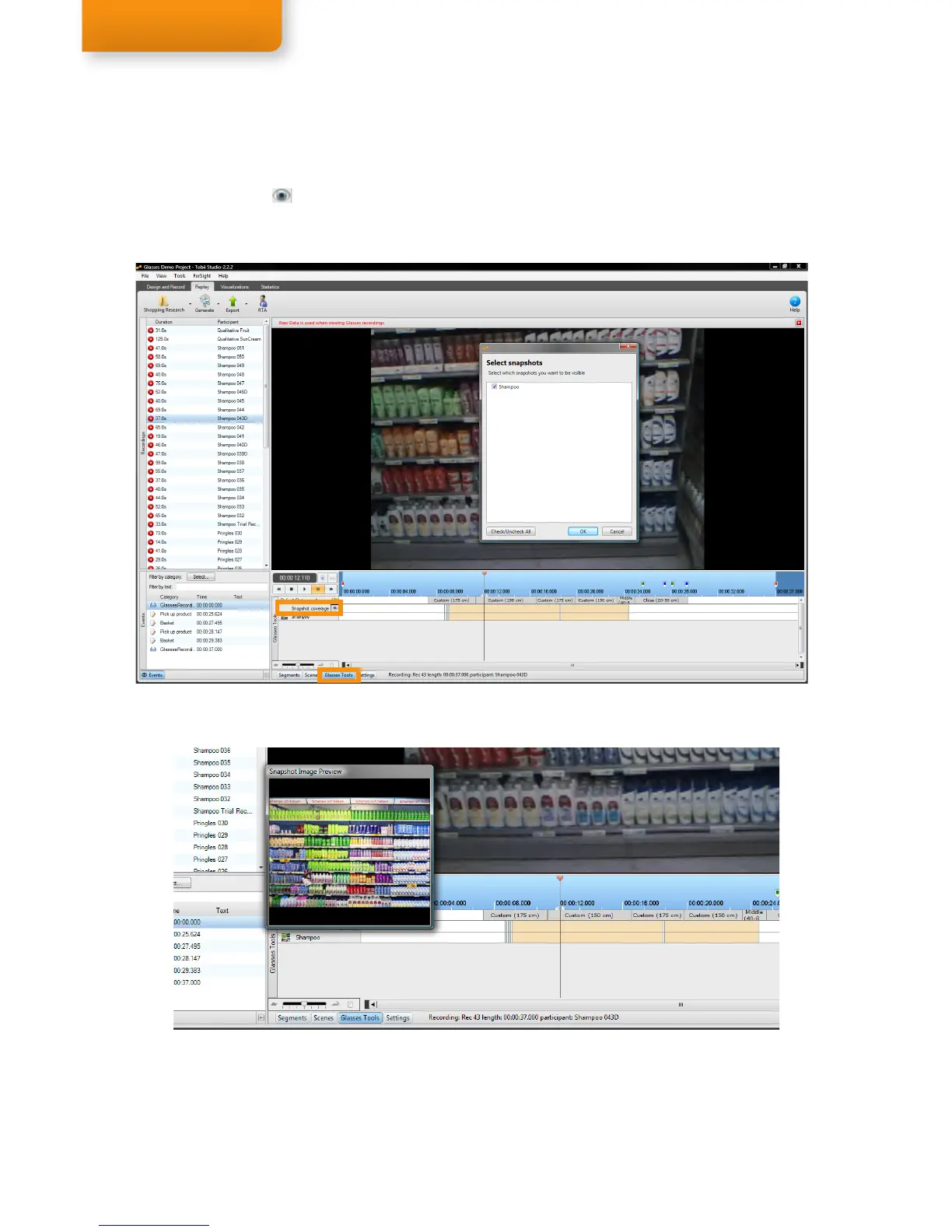
To view the total IR Marker coverage (whenever at least 4 IR Markers were detected) from all imported snapshots,
of a selected recording, open the Glasses Tools (see screenshot below). To see individual IR Marker coverage per
snapshot, click the eye button to open a selection window. Select the snapshots and click OK to add them to the
Glasses tools IR Marker coverage overview. Hold the mouse cursor over a snapshot name to see a preview of the
snapshot.
Snapshot IR Marker Coverage


 To Next Page