@
ToolkitRC
2019
Drone charging
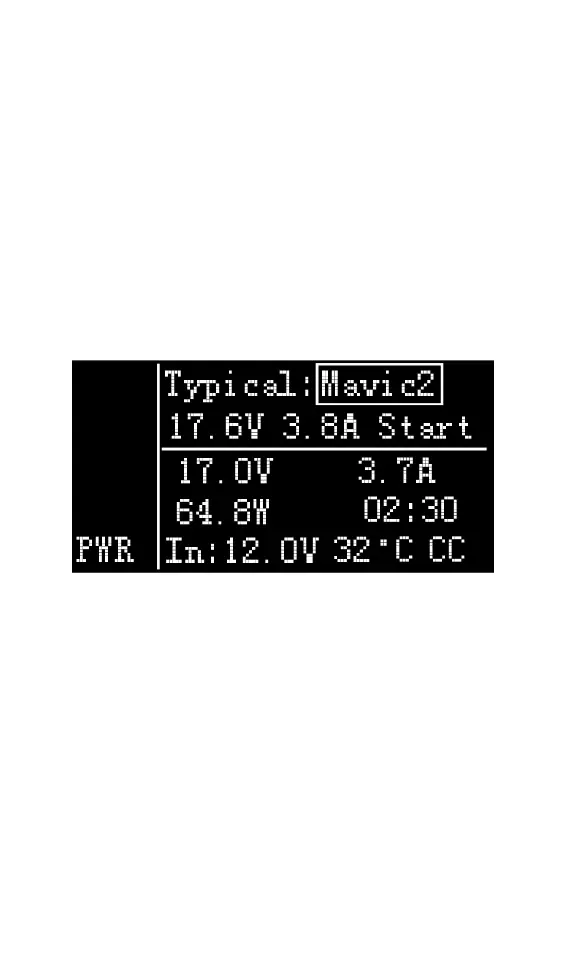
Rotate the Jog wheel disk on the output main
interface to move the cursor to the [PWR] item,
press [OK] to enter, then move the cursor to the
typical value, and change the output mode to the
model of the drone that needs to be charged. Move
the cursor to [START] and press the enter key. The
charger will output the set voltage. The display
interface is as shown below
Typical: For common drone models, it can be set
to the following four types of drones. Mavic2, Mavic,
Phantom, Inspire.
17.6V: The voltage value when the current battery
is full cannot be changed.
3.8AV: Maximum current for charging, adjustable
current.
Start: Start output, stop output button
17.0V 3.7.0A 64..8W: Voltage, current and power
output from the main port.



 To Next Page