36
1 NOMENCLATURE AND FUNCTIONS
1.12 Auto Power Off
To save battery power, the IS would automatically turn the power off (suspend) by itself
when it’s not in use. You can adjust the settings of this function.
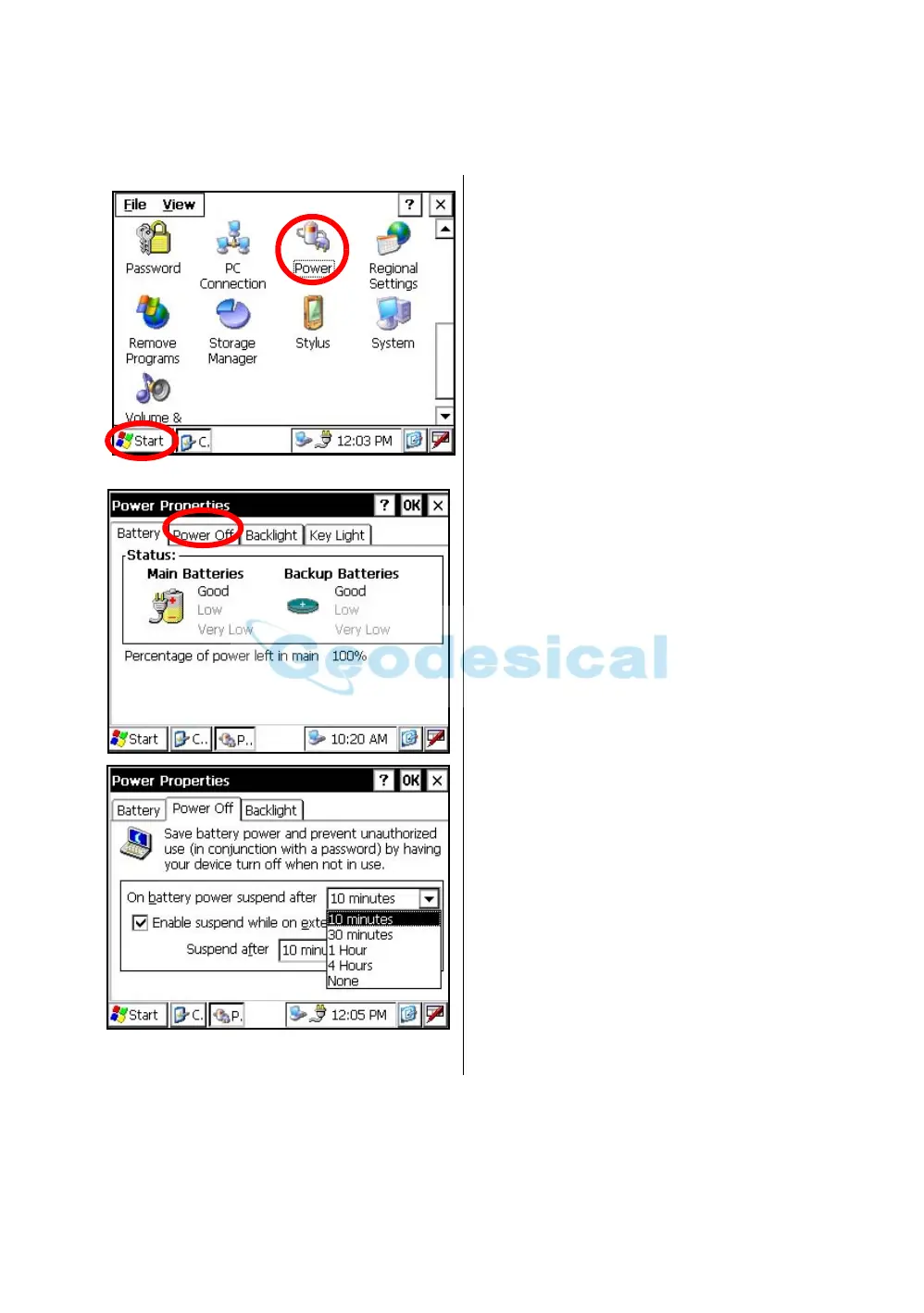
• How to adjust the settings of auto power off function
1
Press the icon [Start]-[Settings]-
[Control Panel]-[Power].
You can see the "Power Properties" screen on
Display.
2
Press the tab “Power Off”.
3
Press the time-menu down arrow to select the
auto power off time.
(Factory setting is '10 minutes' as default)



 To Next Page