34
SETTING
SETTING
SETTING THE LIQUID CRYSTAL DISPLAY
You can set data for the liquid crystal display by using the function switches on the bottom of the instru-
ment body.
Only when the image cable is connected, the setting menu of the instrument is displayed.
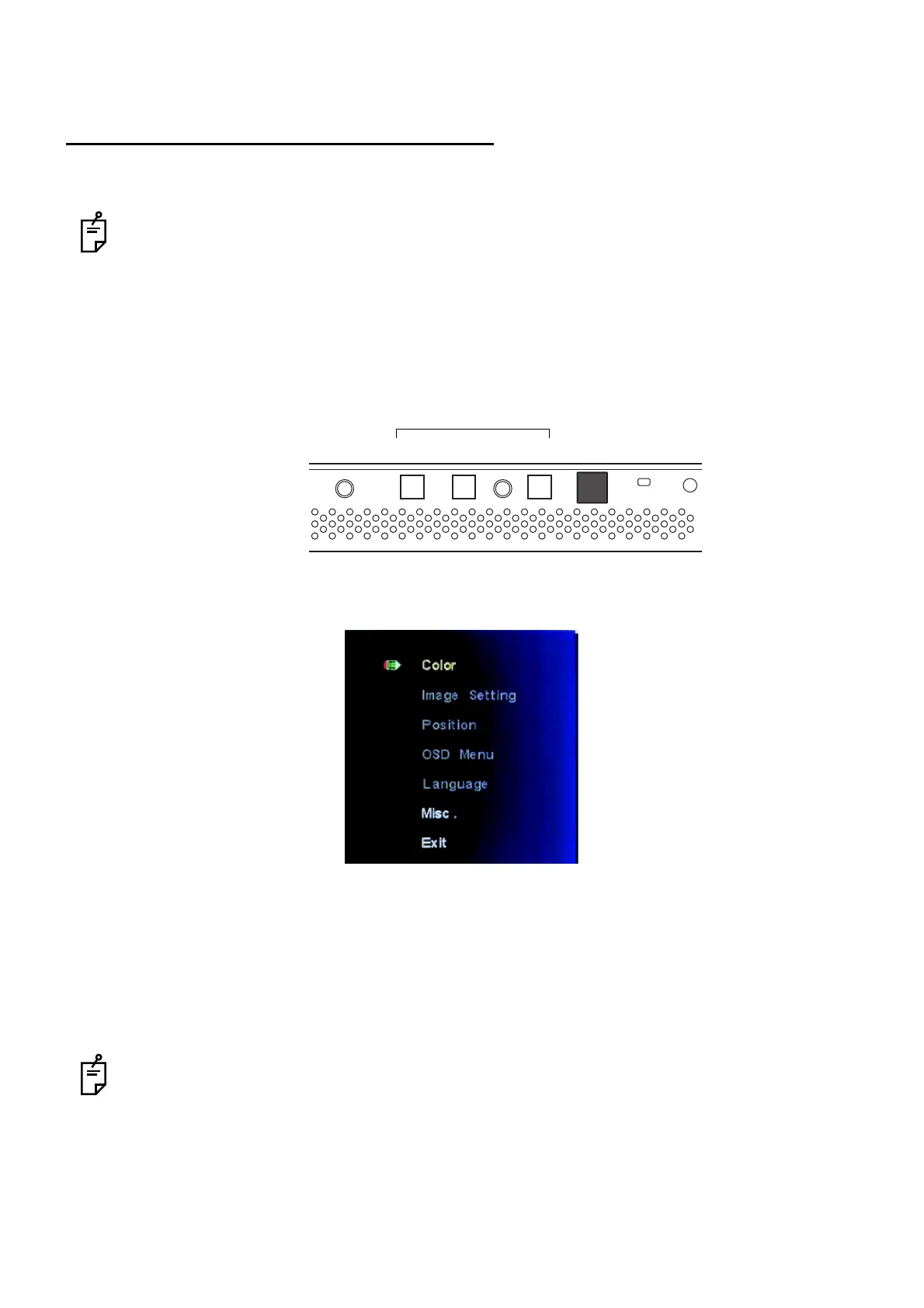
From the rightmost, the power switch and the function switches [1] to [3] are arranged in order.
The function switches operate as mentioned below.
Function switch [1]: Displays the setting menu of the instrument. This works as the decision button.
Function switch [2]: Moves the cursor upward on the setting menu of the instrument.
Function switch [3]: Moves the cursor downward on the setting menu of the instrument.
Press the function switch [1] to display the setting menu of the instrument. You can change "Color" and
"Misc." on the setting menu of the instrument.
Select "Color", and "Brightness" and "Back" are displayed on the menu. On "Brightness", you can
change the luminance of the liquid crystal display. Fit the cursor to "Brightness" and press the function
switch [1]. The bar is displayed.
While the bar is displayed, press the function switch [2]. The luminance is increased.
While the bar is displayed, press the function switch [3]. The luminance is decreased.
After the luminance is changed, press the function switch [1]. Then, select "Back". The setting menu
of the instrument appears again.
To perform the test of the contrast chart accurately, set "Brightness" to the default when shipped.
Changing "Brightness" in a great degree has influence on the contrast value of the low-contrast
chart from time to time.
Select "Misc.", and "Signal Source", "Reset" and "Back" are displayed on the menu.
Select "Signal Source". "RGB" and "DVI" are indicated. The arrow points out the DVI which is in use.
Select "Reset". You can return the setting in "Brightness" to the default when shipped.
[3] [2] [1] [Power switch]
Function switch



 To Next Page