35
SETTING
SETTING THE CHART
You can set the chart through the CV system.
SETTING PROCEDURE
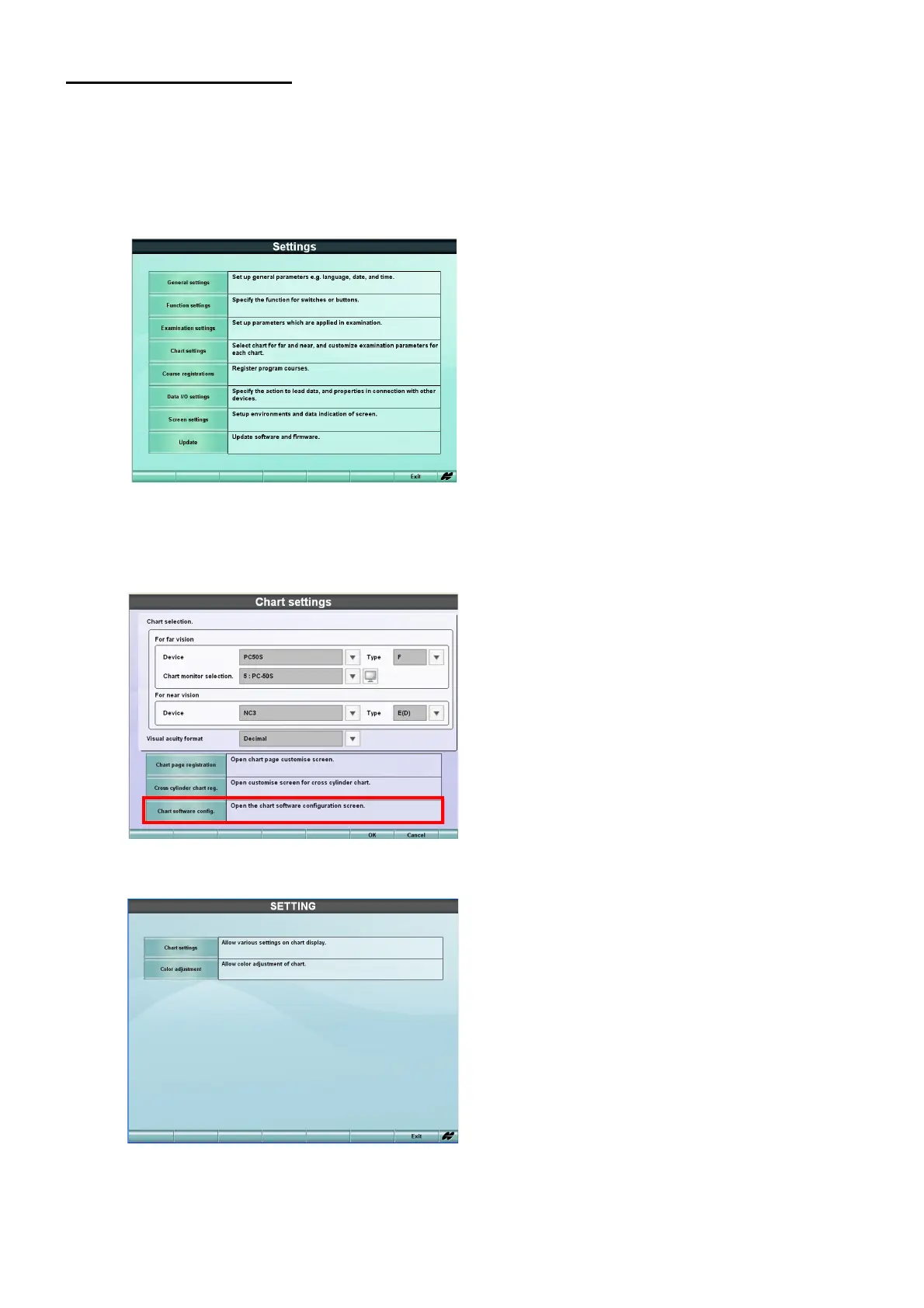
1 As pressing the [Shift] switch, press the [Menu] switch.
The "Settings" menu is displayed.
2 Touch the [Chart settings] button.
The menu to select the chart that should be connected is displayed. Touch the [Chart software
config.] button.
3 The chart setting menu appears.



 To Next Page