38
TROUBLE SHOOTING
TROUBLE SHOOTING
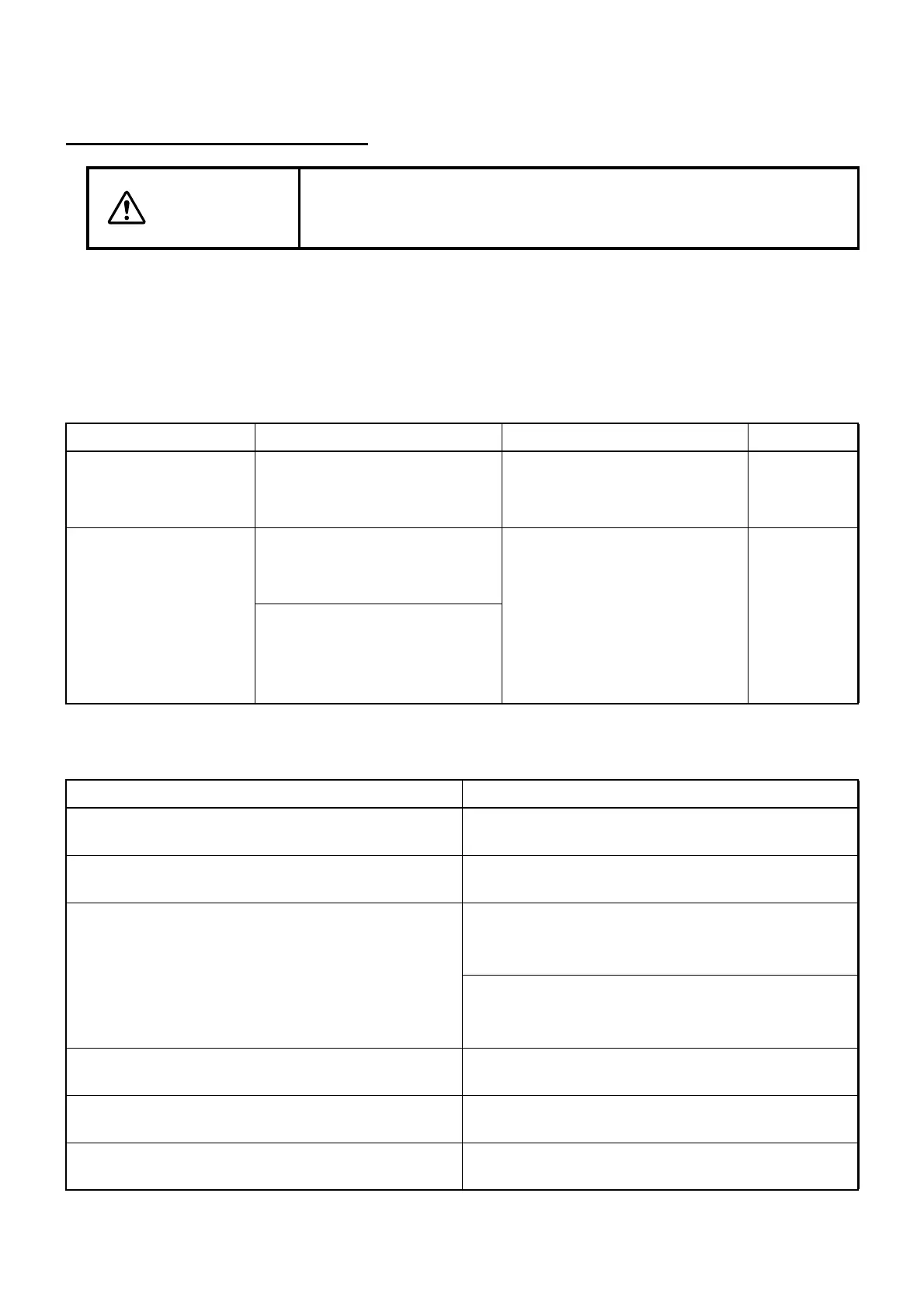
TROUBLE SHOOTING GUIDE
Refer to the following check list when you encountered problem.
If, after following the instructions below, you still cannot restore the instrument to a normal condition
or if the problem does not fall into any of the categories below, contact your dealer or TOPCON
office (listed in the back cover).
Check list
Error check list
WARNING
To avoid electric shock, do not remove the cover. Contact your local
authorized dealer or Topcon office (listed in back cover) to repair the
instrument.
Trouble Condition Remedial measure Page
The liquid crystal dis-
play is suddenly
turned off.
The image signal is not input
from CV-5000.
Check the connection with
CV-5000.
16
The pilot lamp is not lit
in green.
If the pilot lamp is lit in orange,
the power switch is not turned
on.
Check the power switch and
the power cord or AC adapter
connection.
18
If the pilot lamp is OFF, the
power cord or AC adapter is
not connected to the instru-
ment.
Error message displayed on CV-5000 Remedial measure
"Fail to execute chart software. (Error Code 601)" Insert the PC adapter into 1Dial Controller and
turn on the switch of the power supply unit again.
"Fail to execute chart software. (Error Code 602)" Turn on the switch of the power supply unit again
or restart the CV software. *1
"Could NOT find the selected chart monitor.
Please confirm the chart monitor setting and the
connection."
or
"Fail to execute chart software. (Error Code 603)"
Use the image cable to connect with PC-50S.
After connecting, turn on the switch of the power
supply unit again.
Insert the device adapter into the docking base
and the PC adapter into 1Dial Controller. Then,
turn on the switch of the power supply unit again.
"Fail to execute chart software. (Error Code 604)" Set "PC-50S" in "Chart monitor selection" of
"Chart settings".
"Fail to execute chart software. (Error Code 605)" Turn on the switch of the power supply unit again
or restart the CV software. *1
"Fail to execute chart software. (Error Code 606)" Turn on the switch of the power supply unit again
or restart the CV software. *1



 To Next Page