18
PREPARATION BEFORE USE
PILOT LAMP STATUS
The pilot lamp color in each instrument status is shown below.
(1) OFF: AC adapter; Not connected.
Power switch; ON/OFF
(2) Lit in orange: AC adapter; Connected.
Power switch; OFF
(3) Lit in green: AC adapter; Connected.
Power switch; ON
REGISTERING THE VISUAL ACUITY CHART
Operate this instrument through CV system. This chapter will explain the setting procedure of the
visual acuity chart that is necessary to use this instrument.
1 Turn on this instrument and the power supply unit.
* When operating through personal computer:
Turn on this instrument, the power supply unit and the personal computer to start the CV
software.
2 As pressing the [Shift] switch, press the [Menu] switch.
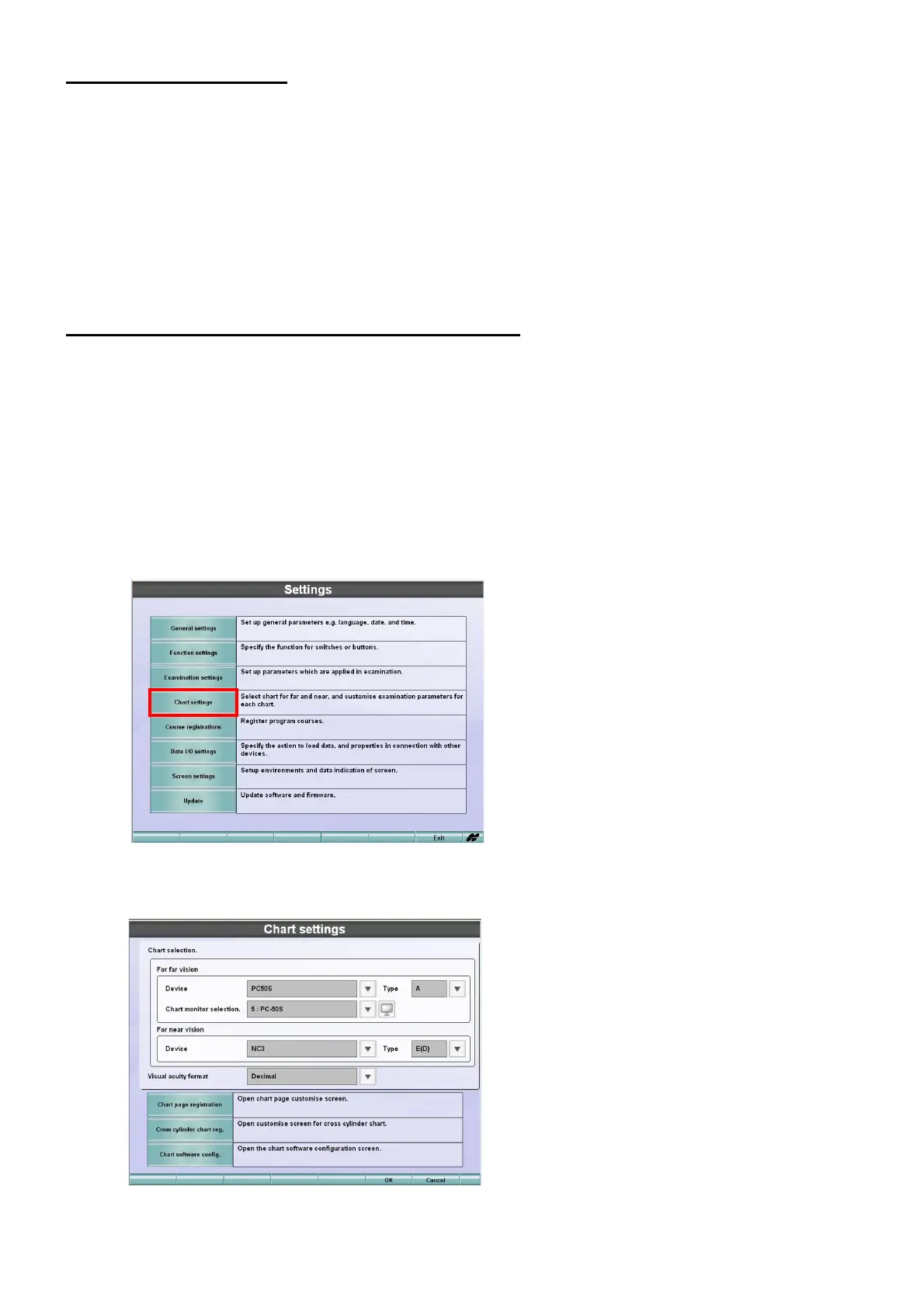
The "Settings" menu is displayed.
3 Touch the [Chart settings] button.
The menu to select the chart that should be connected is displayed.



 To Next Page