41
MAINTENANCE
Checking the mounting screws for looseness
When the PC-50S instrument is fixed with the wall-mounting metal fixture or Floorstand, the loosened
fixing screws may cause an unexpected accident.
To use the instrument safely, perform the daily inspection.
When using the wall-mounting metal fixture
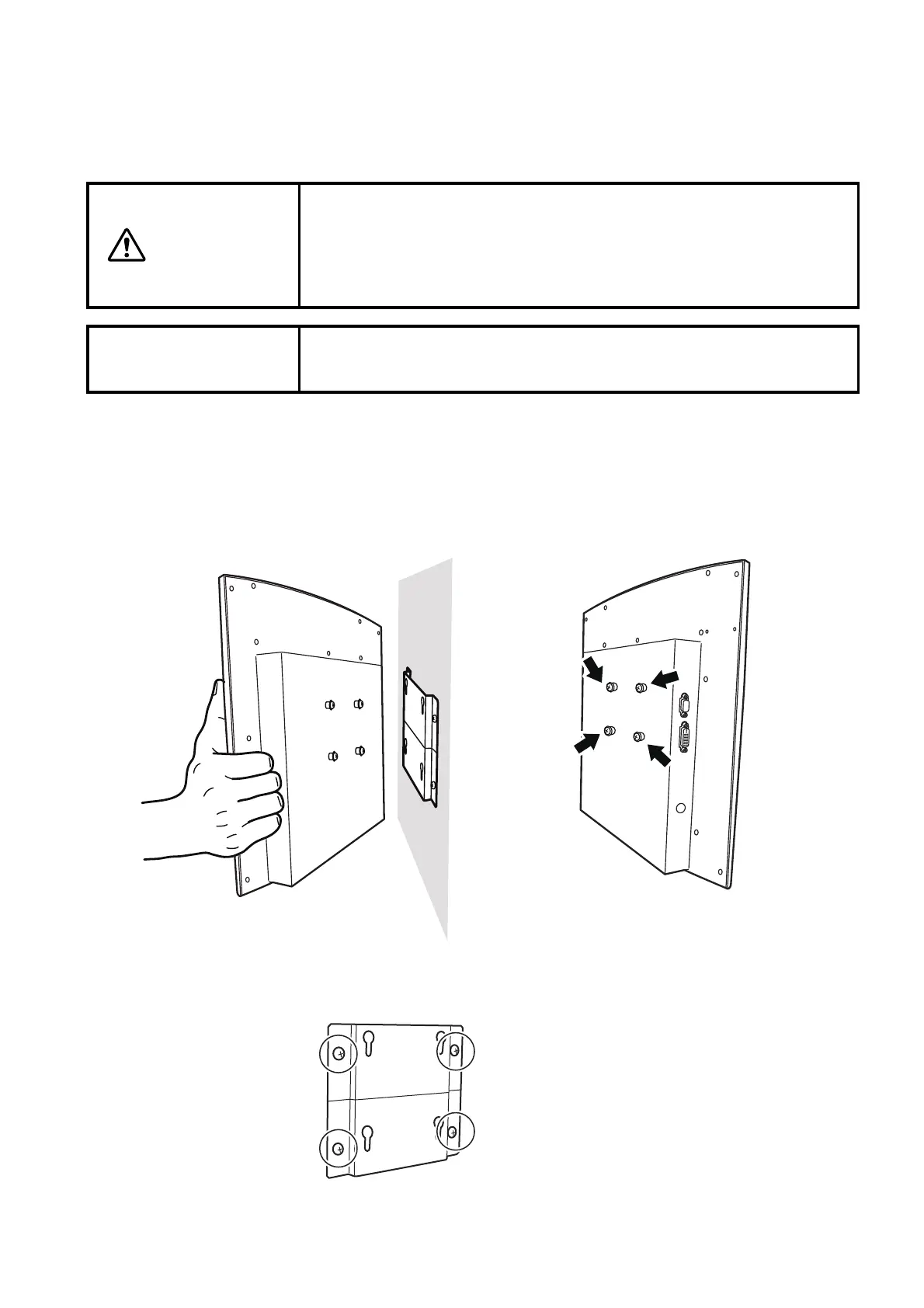
Check the PC-50S mounting screws for looseness and besides, check the looseness between the
wall-mounting metal fixture and wall.
Remove the PC-50S instrument from the wall and check the four wall-mounting screws on it for
looseness.
In addition, check the wooden screws, which fix the wall-mounting metal fixture on the wall, for
looseness.
CAUTION
When using the wall-mounting metal fixture, pass the clearance rings,
which are the accessories, through the wall-mounting screws to be
installed on the instrument body. In this condition, fix the screws
securely. If not, the instrument may fall off to cause a trouble or injure
someone.
NOTICE
Check the fixing screws for looseness periodically. (Topcon recom-
mends once a month.)



 To Next Page