31
MAINTENANCE AND CHECKUPS
REPLACING ILLUMINATION LAMPS
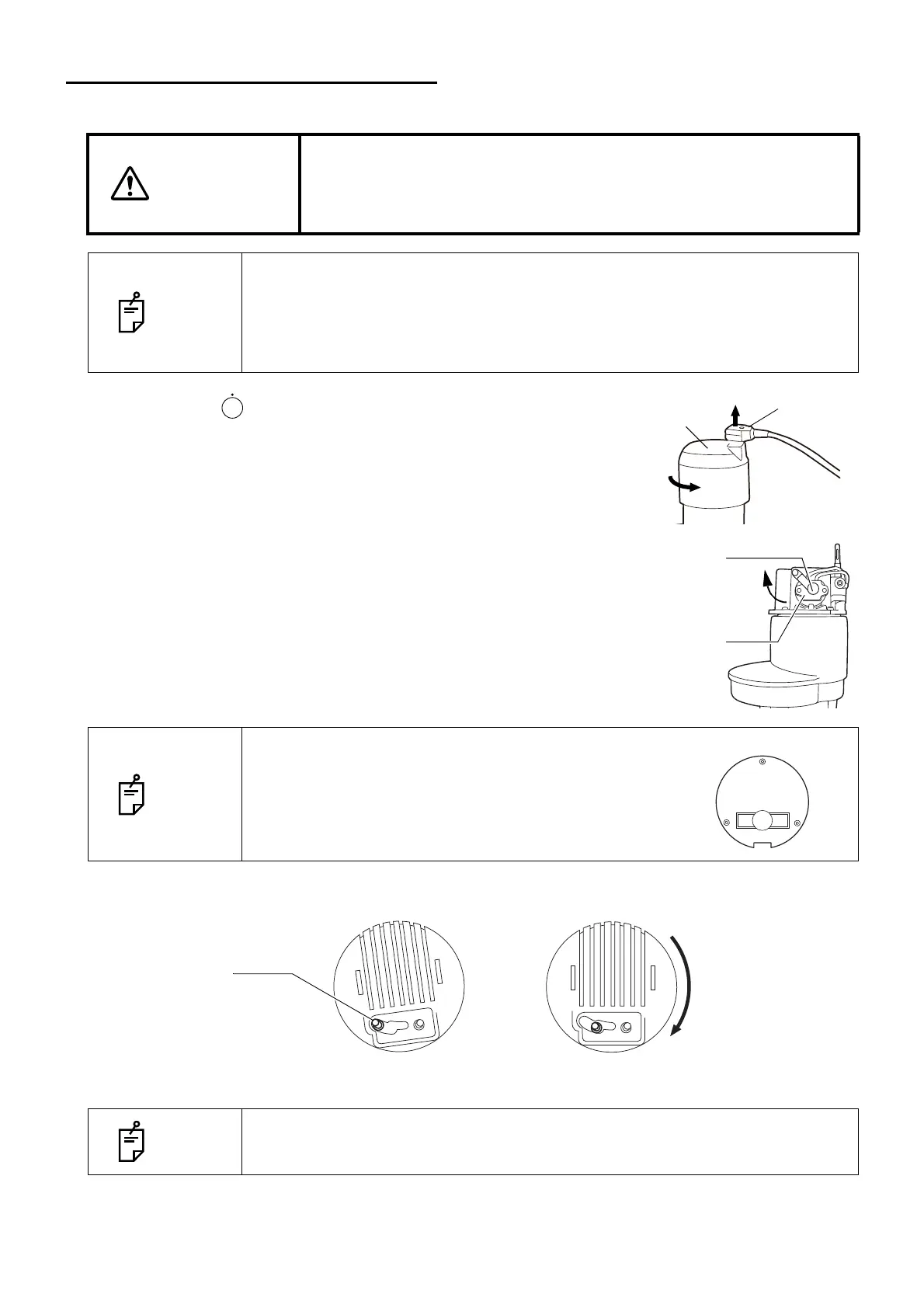
1 Turn OFF ( ) the POWER switch and remove the cable
plug.
Pull out the plug from the lamp house cover. Turn the lamp
house cover counterclockwise and remove upward.
2 Lightly pull the socket fixing lever and turn in the direction indicated
by the arrow.
3 Pull out the lamp unit.
4 Remove the illumination lamp from the socket and fit the new lamp.
When fitting the new lamp, make sure the direction of the illumination
lamp and socket is correct.
∗ For the article name and product code of the illumination lamp,
refer to PLACING AN ORDER FOR CONSUMABLES on P.30.
5 Fit the pin into the groove on the lamp house cover as shown below. Turn the lamp house cover clockwise
to fix it.
6 Connect the plug.
CAUTION
• When replacing the lamp, switch off the power supply and remove the
power cord to avoid electric shock.
• Beware of high temperatures when replacing the lamp immediately
after switching it off: these could cause burns.
NOTE
• To ensure perfect illumination, make sure that the socket flange and notch are
firmly fitted to the lamp house.
• Use a soft cloth and do not touch the illumination lamp with bare fingers: fin-
gerprints and stains may affect illumination and cause premature failure of the
lamp.
NOTE
Check the marked "L" on the illumination lamp.
If "L" is not marked, it can not use.
NOTE
Unless the pin is fitted into the groove correctly, the plug is not connected prop-
erly and the illumination is not turned on.
Socket fixing
Lamp unit
lever



 To Next Page