24 Preference Settings
4.2.5 Video scaling
By adjusting the Video Output Scaling option, you can inflate
or shrink pictures from -20 to +20 percent so that they could fit
tight to the frame of your television without black space.
4.2.6 Audio mode
Basically, there are two audio sources as you can find two audio
sockets on the back panel of the digital receiver. You can enjoy
only one source or both of them in either stereo or mono. Set
the Sound Mode option as you desire.
Apart from this setting, you can change the sound mode with
the button. See §5.2.4 for a detailed description.
4.3 Local time setting
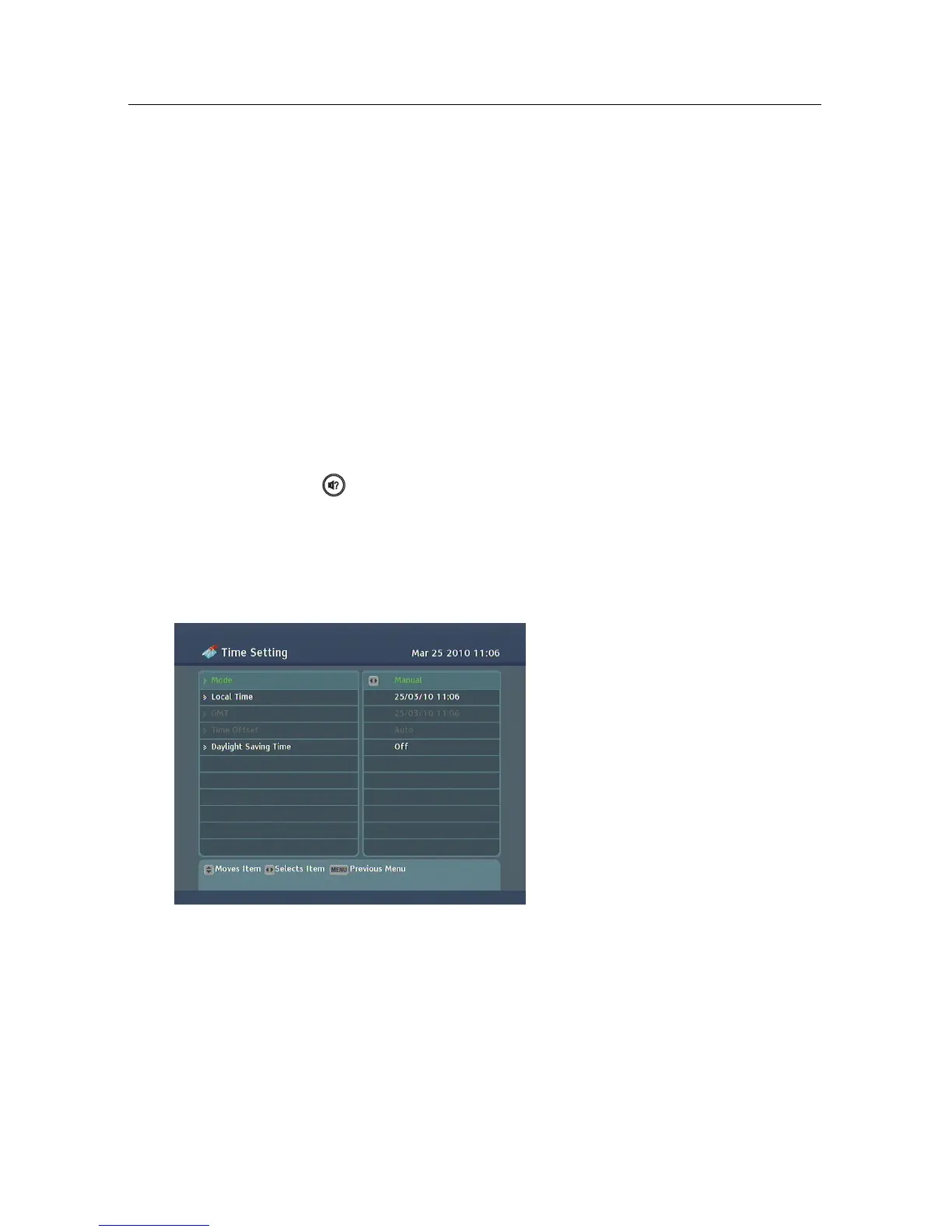
You should set your local time for timer events.
Select the System Setting >
Time Setting menu. You should
see a screen like the left figure.
You can set the clock manually
or use the time signal, Green-
wich Mean Time (GMT), carried
as part of the digital television
broadcast. To use Greenwich
Mean Time, take the following
steps:
1. Set the Mode option to Auto, then the Time Offset option
becomes enabled.
2. Set the Time Offset option to the time difference between
your time zone and GMT referring to Table 4.1.
3. Make sure that your local time is correctly displayed on
the Local Time item.



 To Next Page