5
5.2 Watching television 31
• To add the highlighted service into a favourite group, se-
lect the Add to Fav option, then the favourite groups will
be displayed. Put the highlight bar on a desired group
and press the
OK button.
• To delete the highlighted service, select the Delete op-
tion, then you get asked for confirmation. With the
choice of Yes, it will be deleted. If you want to restore
it as before, you have to perform service search again.
5.2.2 The favourite service lists
You can select a service to watch on a favourite list as well as
on the services list.
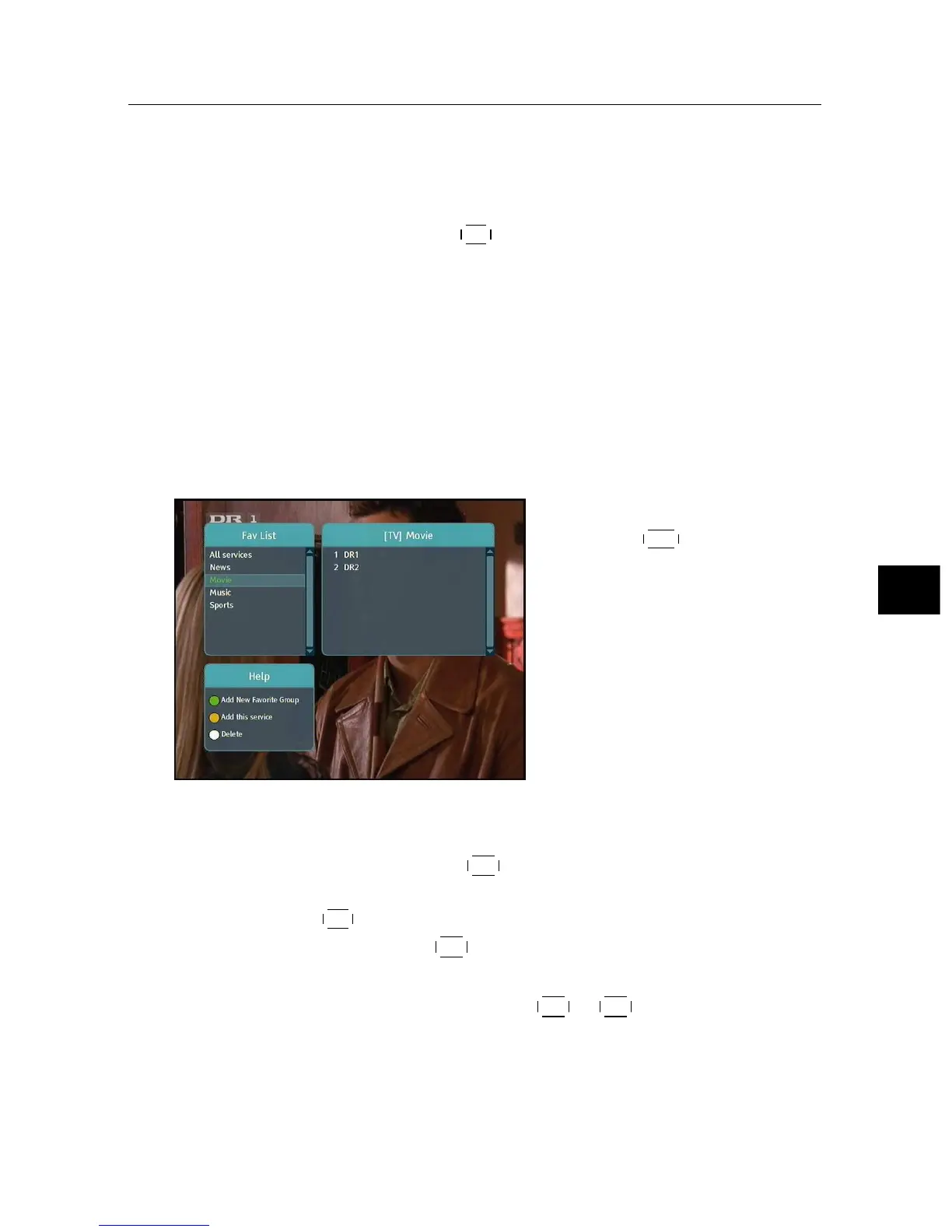
To display the favourite lists,
press the
FAV button. You
should see a screen like the left
figure. As you move the high-
light bar up or down on the
favourite group list at the left
box, favourite services belong-
ing to the highlighted group are
listed on the right box.
As to how to edit the favourite lists, refer to §6.1.
To select a favourite service, put the hightlight bar on a desired
group and press the
V+ button; a highlight bar appears on its
favourite services list. Once you select a desired service with
the
OK button, it will be presented. Otherwise, to select other
group, press the
V− button.
After you have selected a favourite service, if you then switch
to another service using the
P+ or
P− button, it will be also
another favourite service of the selected group. The digital re-
ceiver will remind you what group you have selected by dis-
playing its name at the top right of the screen whenever you



 To Next Page