7
7.1 Recording a programme 43
7.1.1 Instant recording
To instantly record a programme you are watching at present,
press the button.
Pressing the button will not pause the current recording
like it does with a video recorder. Instead, pressing the but-
ton will pause the live show and begin time-shifting within the
current recording even with the Time Shifting option disabled.
However, it is still possible to pause a recording.
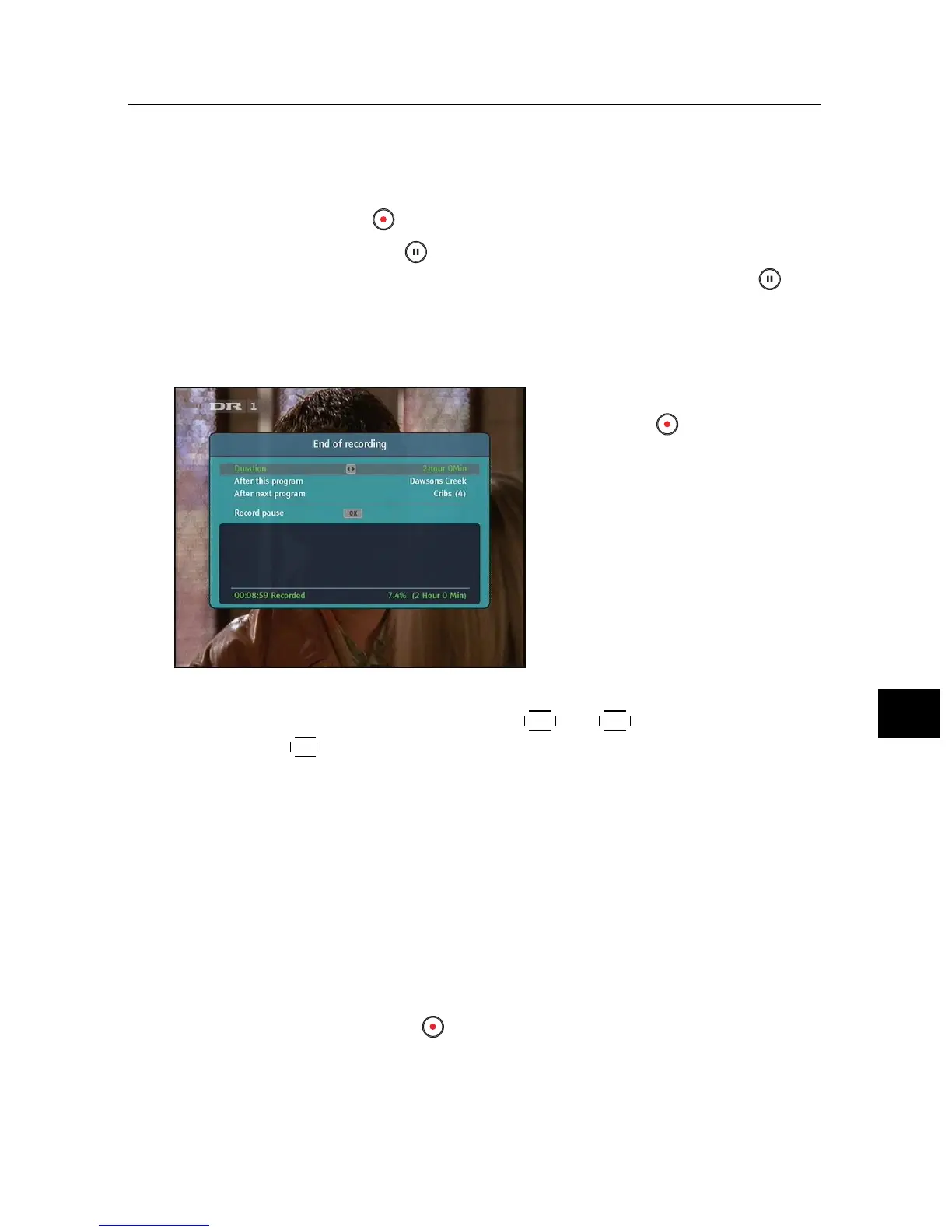
After a recording is started,
pressing the button displays
a menu like the left figure, in
which you can set the recording
duration.
To specify an arbitrary recording duration, set the Duration op-
tion as you desire with the
V− and
V+ buttons and press the
OK button; the recording will end at the specified time.
If the information about the next programme is provided by
the electronic programme guide, the After this program and
After next program options will be available. Once the Af-
ter this program option is selected, the current recording will
stop when the current programme is scheduled to end. Like-
wise, once the After next program option is selected, the current
recording will stop when the next programme is scheduled to
end.
Selecting the Record pause option pauses recording. When
you press the button again, you will see this option is
changed to Record continue. To resume recording, select it.



 To Next Page