32 Recording and Playback
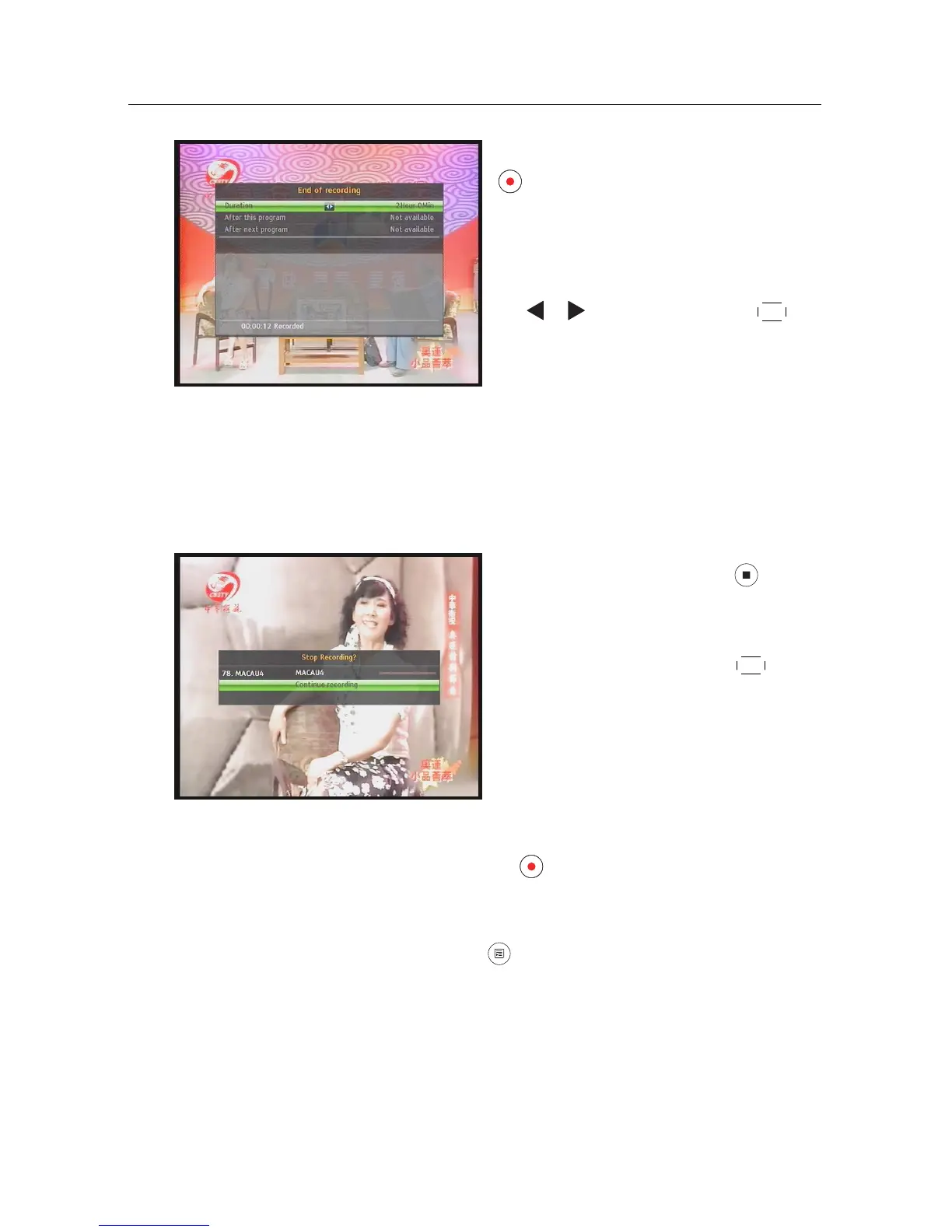
After a recording has started, pressing the
button displays a menu like the left fig-
ure, in which you can set the recording du-
ration.
To specify an arbitrary recording duration,
set the Duration option as you desire with
the or buttons and press the
OK but-
ton; the recording will end at the specified
time.
If the information about the next programme is provided by the elec-
tronic programme guide, the After this program and After next pro-
gram options will be enabled. Once the After this program option is
selected, the current recording will stop at the time when the current
programme is scheduled to end. Likewise, once the After next program
option is selected, the current recording will stop at the time when the
next programme is scheduled to end.
To stop recording, press the button;
then a box like the left figure appears,
which shows the programmes currently
being recorded. Select recording by using
navigation buttons then press
OK button
to stop the recording.
While a recording is going on, you can watch or record another ser-
vice. To additionally record another service, switch to the service you
want to record, and press the button. Once a recording is started,
it is put on the recorded programme list even though it is not finished
yet. The recording file is named the program name if available or af-
ter its service name with a suffix of a number. To view the recorded
programme list, press the button or alternatively select the PVR >
Recorded Program menu. See §7.2 for detailed description about the
recorded programme list.














 To Next Page