8 Accessing via Network
8.4 Accessing the FTP server 47
8.4 Accessing the FTP server
To Access to the FTP server, set the Installation > Network Setting >
FTP Server option to Enable.
Select the Installation > Network Setting > User Info menu. At this
time, you have to enter Personal Identification Number (PIN). Then
set the User ID and Password options as you desire. And select OK to
save the settings. When you access to the FTP server, you will be asked
for the account that was made with these options.
NOTE
You can access the FTP server with an anonymous account. How-
ever, with an anonymous account you can only download files. You
cannot upload files.
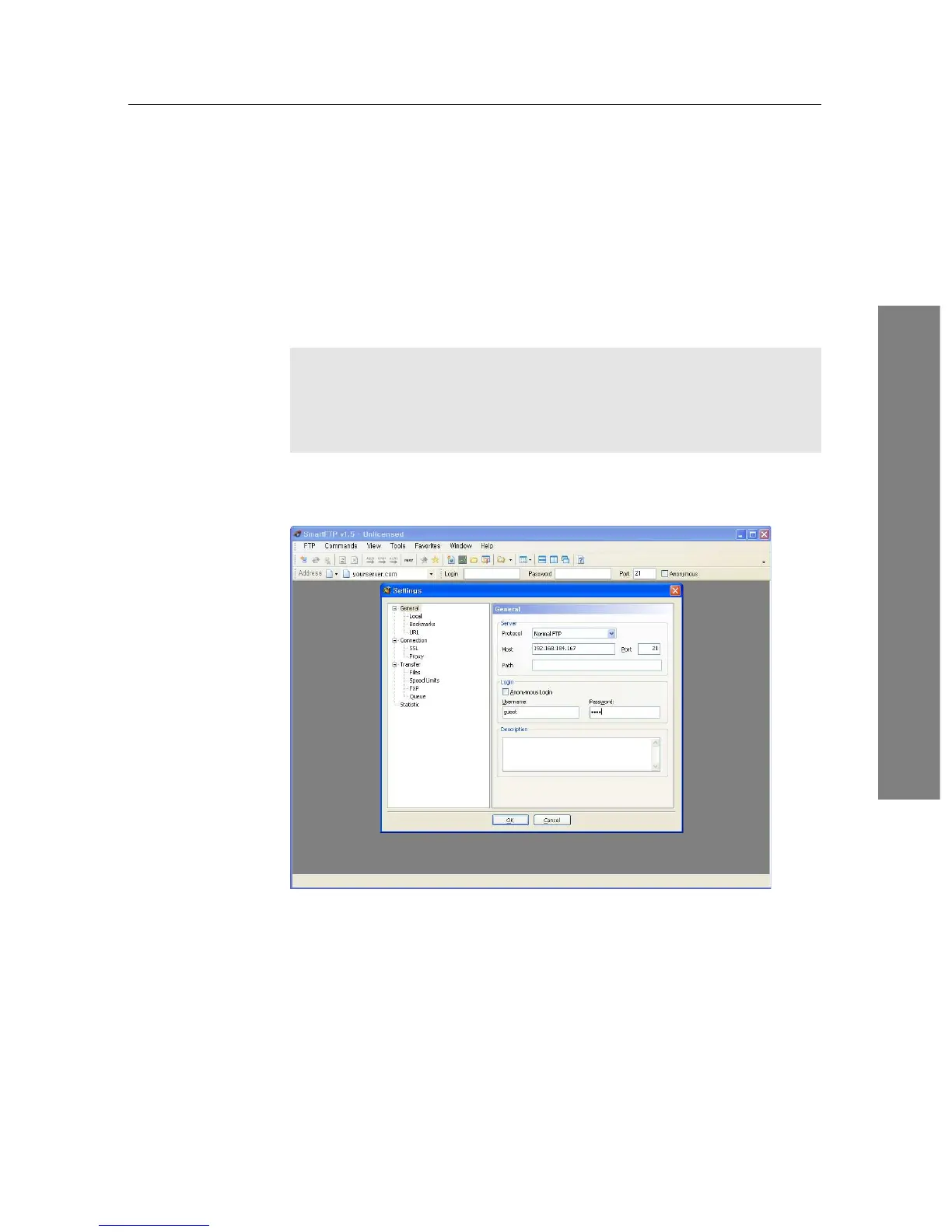
You need an FTP client program to access the FTP server of the digital
receiver.
You can log into the FTP server with the user name and password spec-
ified in the Installation > Network Setting > User Info menu.











 To Next Page