Childr en or bystander s may be injur ed if they
mo v e or attempt to operate the tractor while it
is unattended.
Al w ays r emo v e the ignition and K eyChoice®
k eys and set the par king brak e when lea ving
the machine unattended, ev en if just f or a few
min utes.
Operating the Attachment
Lift Lever
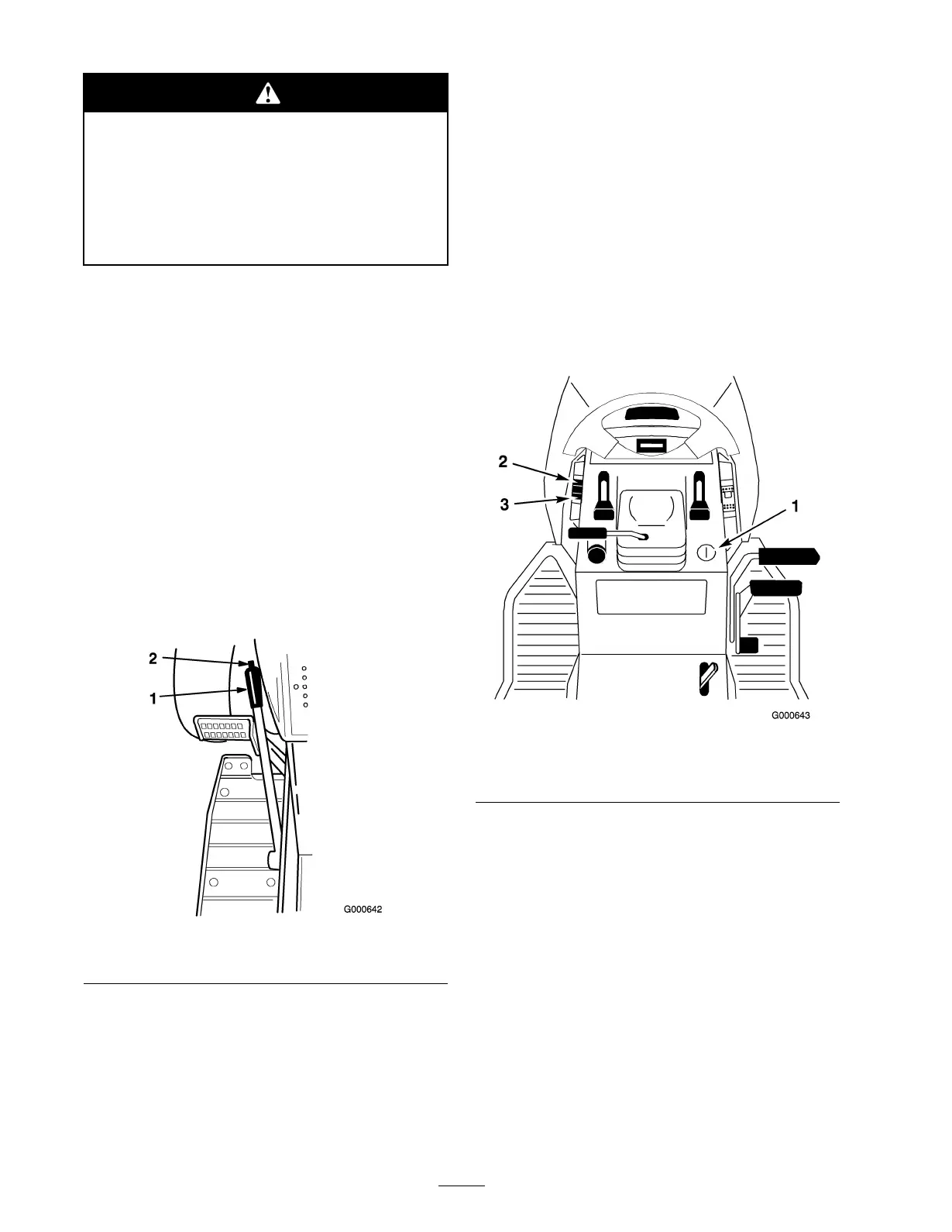
T he attac hment lift lev er ( Figure 22 ) is used to raise
and lo w er v arious attac hments .
Raising an Attachment
Pull attac hment lift lev er rearw ard until latc h loc ks . In
this position the lift will hold the attac hment in the up ,
or raised position.
Lowering an Attachment
Pull attac hment lift lev er rearw ard, to release lift
pressure , and push the button on top to release the
latc h. Mo v e lift lev er forw ard to lo w er attac hment.
Figure 22
1. Lift lever
2. Button
Using the Attachment Power
Lift
T he attac hment po w er lift ( Figure 23 ) is used to raise
and lo w er attac hments .
Raising Attachments
1. T ur n k ey to the on or r un position ( Figure 23 ).
2. Push the lift switc h in the up direction to raise the
attac hment lift ( Figure 23 ).
T his will lift and hold the attac hment in the up , or
raised position.
Lowering Attachments
1. T ur n k ey to the on or r un position ( Figure 23 ).
2. Push the lift switc h in the do wn direction to lo w er
the attac hment lift ( Figure 23 ).
T his will lo w er the attac hment lift.
Figure 23
1. Key
3. Lift switch -down
2. Lift switch -up
Positioning the Seat
T he seat can mo v e forw ard and bac kw ard. P osition the
seat where y ou ha v e the best control of the mac hine
and are most comfor table .
1. Raise the seat and loosen the adjustment knobs
( Figure 24 ).
2. Slide the seat to the desired position and tighten
the knobs .
24


 To Next Page