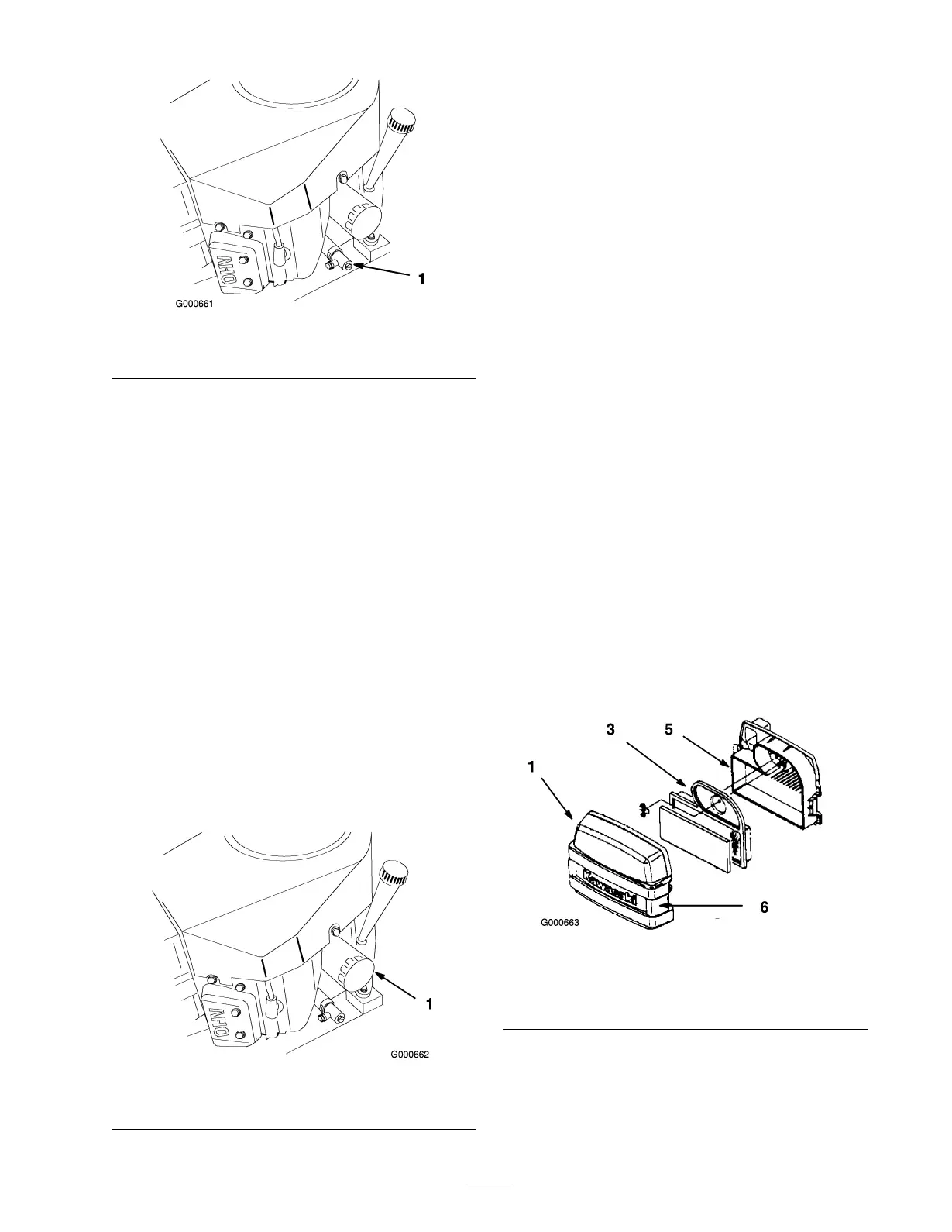
Figure 32
1. Oil drain
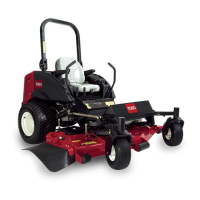
6. Clean around the oil dipstic k and unscrew the cap
( Figure 31 ).
7. Slo wly pour appro ximately 80% of the specified oil
into the filler cap ( Figure 31 ). R efer to Ser vicing
the Engine Oil in Engine Maintenance , pag e 28 .
8. Chec k the oil lev el; refer to Chec king the Engine
Oil Lev el in Engine Maintenance , pag e 28 .
9. Slo wly add additional oil to bring it to the full mark.
Changing the Oil Filter
R e place the oil filter ev er y 200 hours or ev er y other
oil c hang e .
Note: Chang e the oil filter more frequently when
operating conditions are extremely dusty or sandy .
1. Drain the oil from the engine; refer to Changing and
Draining the Engine Oil in Engine Maintenance ,
pag e 28 .
2. R emo v e the old filter ( Figure 33 ).
3. Apply a thin coat of new oil to the r ubber g ask et
on the re placement filter .
Figure 33
1. Oil lter
4. Install the re placement oil filter to the adapter .
T ur n the oil filter cloc kwise until the r ubber g ask et
contacts the filter adapter , then tighten the filter an
additional 3/4 tur n ( Figure 33 ).
5. Fill the crankcase with the proper type of new oil;
refer to Changing and Draining the Engine Oil in
Engine Maintenance , pag e 28 .
Servicing the Air Cleaner
F oam Element: Clean and oil after ev er y 25 operating
hours .
P aper Element: Clean after ev er y 50 operating hours .
R e place after ev er y 200 operating hours or yearly ,
whic hev er comes first.
Note: Ser vice the air cleaner more frequently (ev er y
few hours) if operating conditions are extremely dusty
or sandy .
Removing the Foam and Paper
Elements
1. Diseng ag e the PTO and set the parking brak e .
2. Stop the engine , remo v e the k ey , and w ait for all
mo ving par ts to stop before lea ving the operating
position.
3. Clean around the air cleaner to prev ent dir t from
g etting into the engine and causing damag e .
Unlatc h the tw o side latc hes and remo v e the air
cleaner co v er ( Figure 34 ).
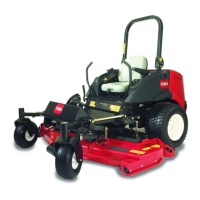
Figure 34
1. Cover
4. Wing nut
2. Foam element 5. Air cleaner base
3. Paper element 6. Latches
4. Carefully remo v e the foam element from the paper
element ( Figure 34 ).
5. Unscrew the wing n ut and remo v e the paper
element ( Figure 34 ).
29


 To Next Page