Service
MenuItemDescription
Hours
Liststhetotalnumberofhours
thatthemachine,engine,and
auxiliaryhydraulicshavebeen
on,aswellasthenumberof
hoursforengineserviceand
hydraulicservice.
CountsListsthenumberofstartsthat
themachinehasexperienced,
thenumberoftimesthe
machinehaswarnedthatthe
enginetemperatureistoo
high,andthenumberoftimes
theenginehasshutoffdueto
hightemperatures.
DPFRegenerationTheDPFregenerationoption
andDPFsubmenus.
InhibitRegenUsetocontrolreset
regeneration.
ParkedRegenUsetoinitiateaparked
regeneration.
LastRegenListsthenumberhourssince
thelastreset,parked,or
recoveryregeneration.
RecoverRegenUsetoinitiatearecovery
regeneration.
Diagnostics
MenuItemDescription
TractionIndicatestheinputsand
outputsfordrivingthe
machine.
AuxiliaryIndicatestheinputsand
outputsforengagingauxiliary
hydraulics.
EngineIndicatestheinputsand
outputsforstartingtheengine.
BoomIndicatestheinputsand
outputsforextendingand
retractingthetelescoping
arms.
Settings
MenuItemDescription
Units
Controlstheunitsusedonthe
InfoCenter;themenuchoices
areImperialorMetric.
Language
Controlsthelanguageused
ontheInfoCenter.
Brightness
Controlsthebrightnessofthe
LCDdisplay.
ContrastControlsthecontrastofthe
LCDdisplay.
ProtectedMenus
Grantsaccesstoprotected
menus.
ProtectSettingsChangeswhetherapinis
requiredinProtectedMenus.
About
MenuItemDescription
Model
Liststhemodelnumberofthe
machine
SerialListstheserialnumberofthe
machine
SoftwareListsthesystemsoftware
revisionofthemachine.
Display
Liststhedisplaysoftware
revisionoftheInfoCenter.
AccessingProtectedMenus
Note:ThefactorydefaultPINcodeforyoumachine
iseither0000or1234.
IfyouchangedthePINcodeandforgotthecode,
contactyourAuthorizedServiceDealerforassistance.
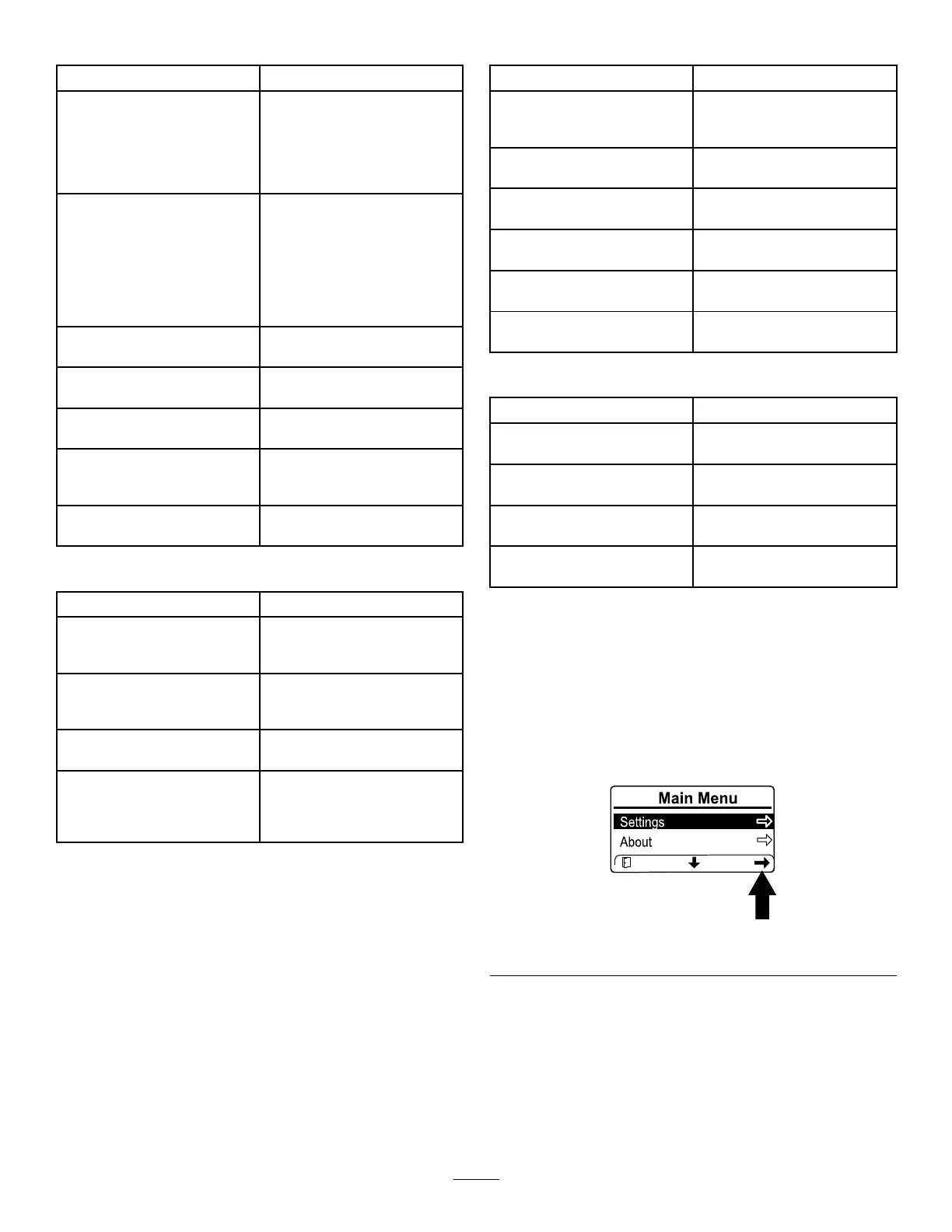
1.FromtheMAINMENU,scrolldowntothe
SETTINGSMENUandpresstherightbutton.
g364600
Figure16
17


 To Next Page