20
Getting started
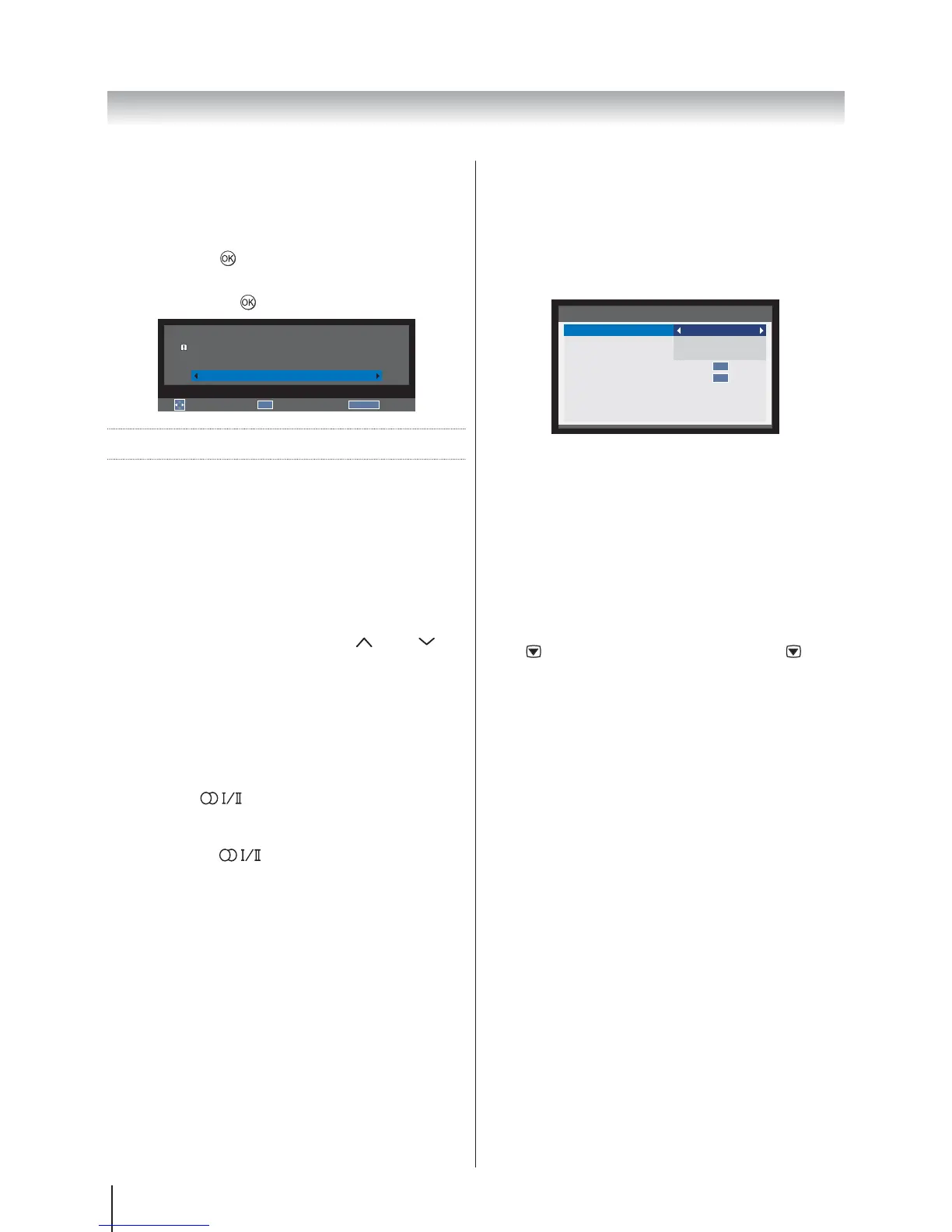
Quick Access
Quick access helps you access some options quickly
such as Picture Size, Picture Mode, Sleep Timer,
Media Player, System Information, HDMI CEC
Control, Speakers and MHL Control. Press the QUICK
button to display the Quick access
Quick access
Picture Size
Picture Mode
Sleep Timer
Media Player
System information
HDMI CEC Control
Speakers
MHL Control
Wide
Standard
00:00
TV Speakers
OK
OK
Note: Quick access items are different depending on
the current mode.
Subtitles
If Subtitles are available for your current programme,
pressing the SUBTITLE button will toggle Subtitles on or
off.
Picture Still
This feature is used to hold a still image on the screen.
Press
to hold an image on the screen, press again
to cancel.
Reset TV
Selecting Reset TV will reset all TV settings to their
original factory values.
1. In the SETUPReset
TV and press
.
2.
YES to confirm or select NO
to exit and press
.
Select
OK
Enter
RETURN
Back
Reset TV
Previous settings will be lost !
Press EXIT for no change.
NO
General Control
The General Functions allow you to select channels
and information, adjust sound features, personalise
the picture style and select any connected external
equipment.
Selecting Channels
To select a channel use the numbered buttons on the
remote control.
Channels can also be selected using P
and P .
Stereo and Bilingual Transmissions
If stereo or dual language broadcasts are transmitted
the word Stereo or Dual will appear on the screen each
time channels are changed, disappearing after a few
seconds. If the broadcast is not in stereo the word Mono
will appear.
Stereo: Press
to select Stereo or Mono.
Bilingual: If a bilingual programme is offered, the
word Dual will display on screen. To change between
languages, press
to switch between Dual 1 and
Dual 2.








 To Next Page