32
Using the TV’s features (General)
Using MHL TV function
You can use the following functions by connecting
between the TV HDMI 2 port and micro USB port of
mobile phones etc. with a MHL cable.
Charge with mobile phone from TV
Video/Audio output from mobile phone
Access mobile content through TV remote
controller
Supports transfer of HD video resolution up to
1080p
MHL functions may not perform properly as some
mobile devices may not incorporate the full MHL
functionality
Note: These functions may not be available depending
on the connected equipment.
Connecting an MHL-compatible
Device
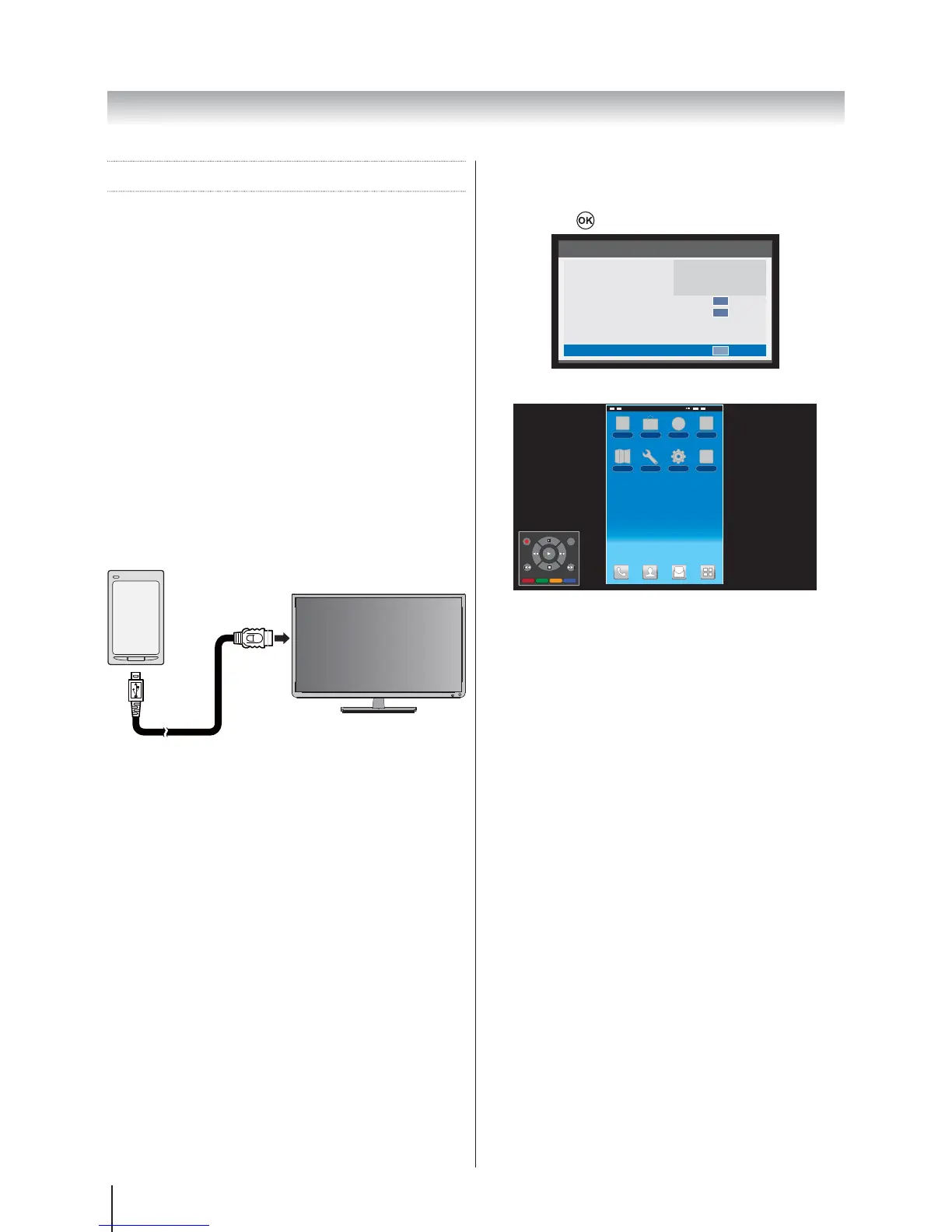
Connect the device to the HDMI 2 port on the TV using
an MHL cable (not supplied).
2
HDMI 2
MHL cable (not supplied)
micro USB
When you connect an MHL-compatible device to the
HDMI 2 port on the TV with the MHL cable, charging
starts automatically.
Note: Do not connect an MHL-compatible device to any
port other than the HDMI 2 port.
MHL Control
1. Press QUICKMHL Control
and press
.
Quick access
Picture Size
Picture Mode
Sleep Timer
Media Player
System information
HDMI CEC Control
Speakers
MHL Control
Wide
Standard
00:00
TV Speakers
OK
OK
OK
2. The Pass-Through Control Panel appears.
GUIDE EXIT
MENU RETURN
14:21
Note: The Pass-Through Control Panel is only
available when viewing photo/video or listening to music.








 To Next Page