29
Using the TV’s features (General)
Input Selection
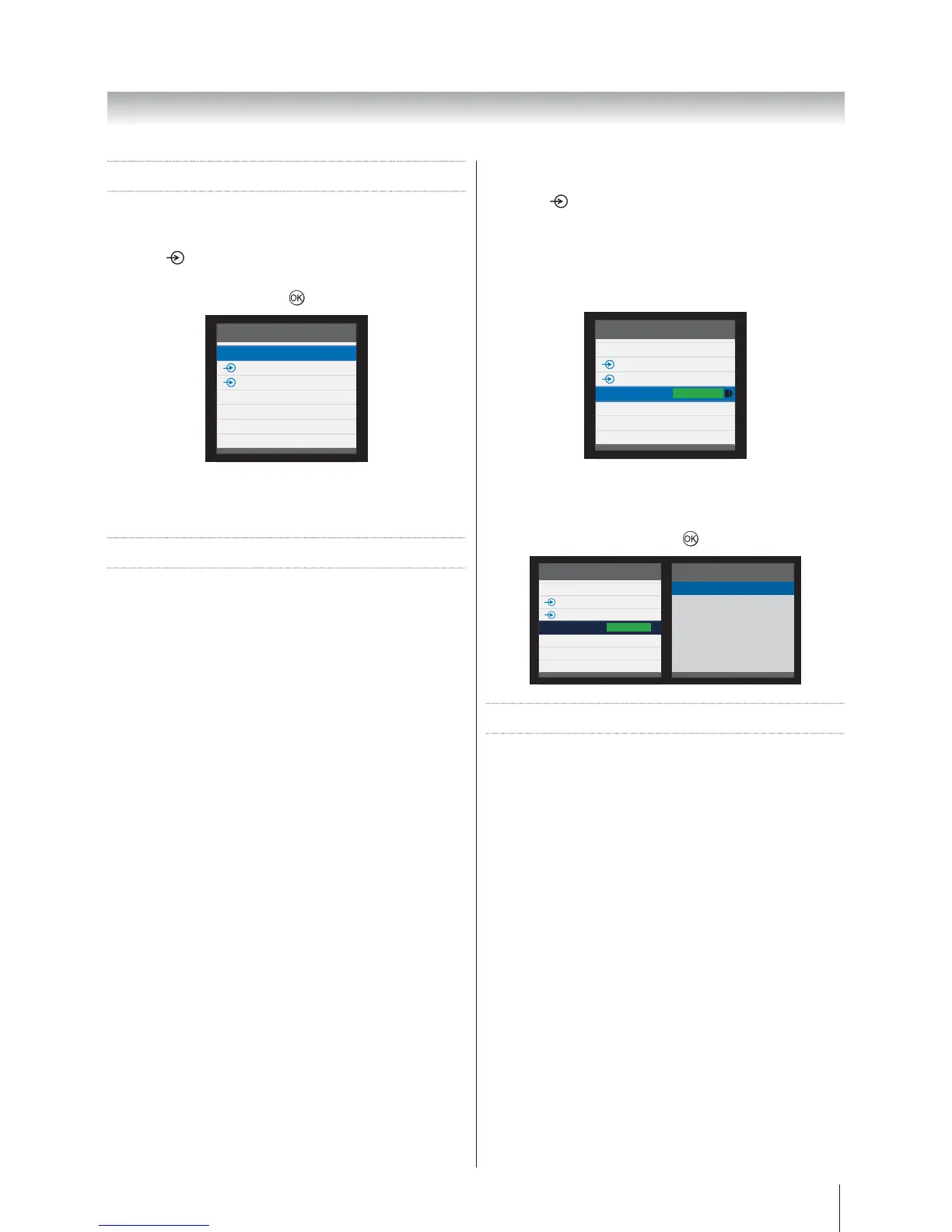
Use the Input Selection feature if the television does not
switch over automatically when using an external device.
Pressing
, a list will appear on-screen showing all
external equipment.
to select.
Inputs
TV
1
2
HDMI1
HDMI2
MEDIA
PC
HDMI
®
displays equipment connected to Input HDMI
on the back of the television. It is designed for best
performance with 1080i/1080p high definition signals.
HDMI CEC Control
This feature uses CEC (Consumer Electronics Control)
technology, and allows the control of Toshiba HDMI
CEC compatible equipment from the television’s remote
control.
Note: Not all Toshiba products currently support HDMI
CEC.
Equipment Control
The HDMI CEC mode on the television’s remote control
allows the control of connected HDMI CEC equipment
being watched.
To control the HDMI CEC input source, first select the
equipment with HDMI CEC input source selection, then
switch the mode on the remote control to HDMI CEC and
press any buttons.
The available functions are dependent on the equipment
connected. Not all the remote control keys may be
available. Please refer to the operation manual for each
piece of equipment connected.
Select HDMI CEC Device
1. Press . A list appears on screen showing modes
and all stored external equipment.
2. The HDMI-LINK icon appears automatically after
detected with HDMI CEC compatible equipment.
with the HDMI-LINK icon.
Inputs
TV
1
2
HDMI1
HDMI2
MEDIA
PC
HDMI
-
LINK
3.
showing all connected HDMI CEC equipment.
4. HDMI CEC
equipment, and then press
to select.
Inputs
TV
1
2
HDMI1
HDMI2
MEDIA
PC
HDMI
-
LINK
HDMI1
Disc Player
HDMI CEC Menus
By activating the Enable HDMI-LINK feature in the HDMI
CEC Control menu, individual HDMI-LINK features can
then be activated.
One Touch Play
The function of HDMI CEC will automatically power on
the television that was in standby mode and switch the
television’s input source to the port connected with the
audio/video equipment by powering-on or playing from
the audio/video equipment.
Note: This feature is dependent on the connected
equipment and television setting.








 To Next Page