22
Using the TV’s features (General)
Picture Control
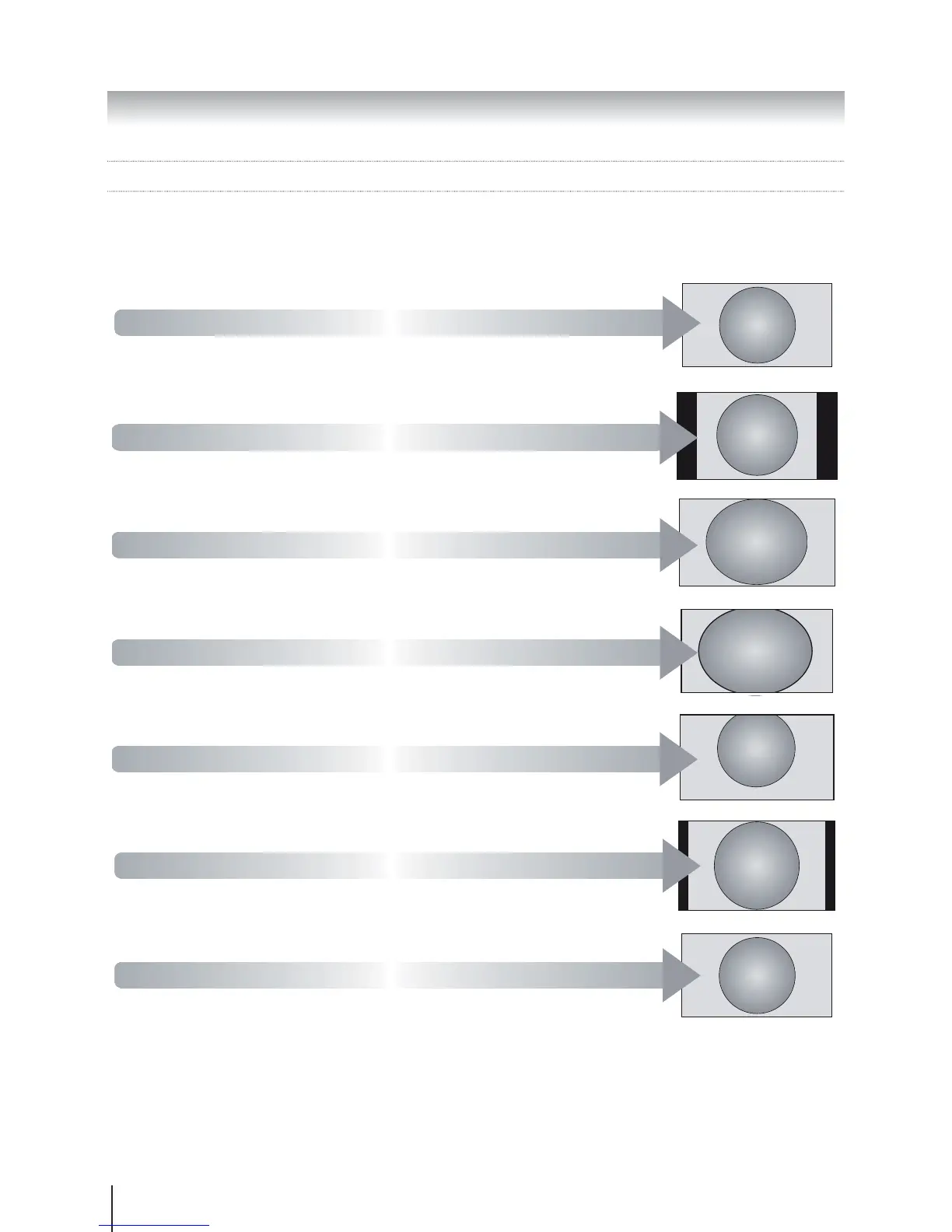
Widescreen viewing
Using the TV's features (General)
Subtitle
Wide
Use this setting when watching a
widescreen DVD, widescreen video tape
or a 16:9 broadcast (when available). Due
to the range of widescreen formats (16:9,
14:9, 20:9 etc.) black bars may be visible
on the top and bottom of the screen.
4:3
Use this setting to view a true 4:3
broadcast.
Super Live
This setting will enlarge a 4:3 image to
horizontally and vertically, holding better
proportions at the centre of the image.
Some distortion may occur.
Cinema
video tapes, this setting will eliminate or
reduce the black bars at the top and bottom
of the screen by zooming in and selecting
the image without distortion.
Subtitle
When subtitles are included on a letterbox
format broadcast, this setting will raise
the picture to ensure that all the text is
displayed.
14:9
Use this setting when watching a 14:9
broadcast.
Native
The setting will show the picture without over
scan, i.e. WYSIWYG. This option is available
when watching video signal source via HDMI
or watching DTV (HD signal).








 To Next Page