28
Using the TV’s features (General)
Applications Control
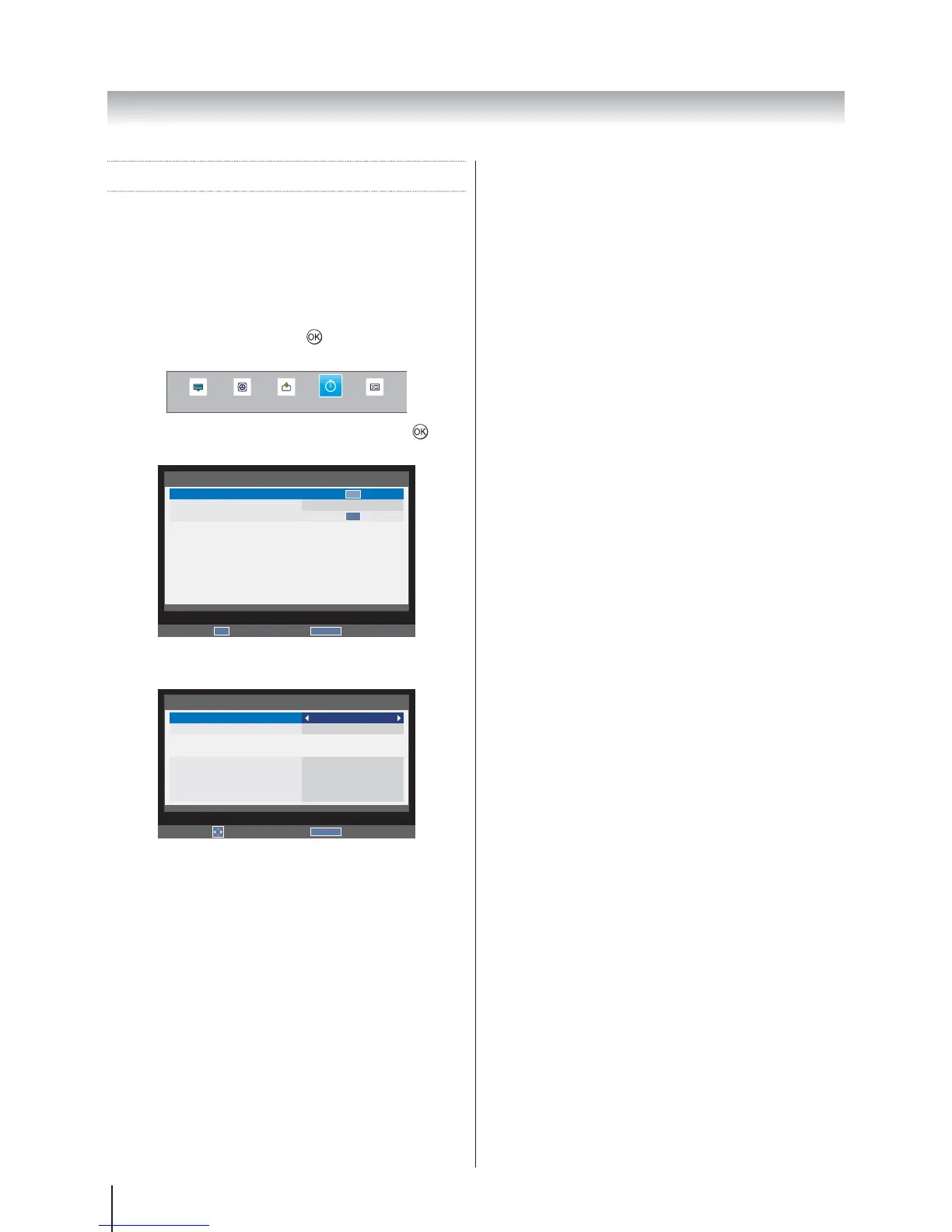
On Timer
This feature allows you to set the television to turn on
automatically to a preset channel at a certain time of day
or after a certain length of time.
1. Press MENU
APPLICATIONS and press
to enter the
submenu.
SOUND
APPLICATIONS
PREFERENCESPICTURE SETUP
2. On timer and press to
enter the submenu.
RETURN
Back
APPLICATIONS
On timer
Sleep Timer
Demo
00:00
OK
OK
Enter
OK
3. Enable On Timer and press
On or Off.
RETURN
Back
On timer
Enable On Timer
Enable DTV Clock
Power On Time
Repeat
Input
Channel
Volume
Time Until Power On
On
Off
00:00
ONCE
ATV
0
30
00:00
Edit
Note: The settings are only available when Enable On
Timer is On.
4. Enable DTV Clock and
On or Off.
Note: Power On Time and Repeat are only available
when Enable DTV Clock is On.
5. Power On Time and press
enter the time.
6. Repeat
to select ONCE, DAILY, Mon.~Fri., Mon.~Sat. or
Sat.~Sun.
7. Input
select ATV, EXT 1, EXT 2, HDMI 1, HDMI 2, PC or
DTV.
8. Channel
to change the channel number or use the number
key pad on the remote to enter the channel number.
Note:
Channel is only available when the Input is ATV or
DTV.
Blank screen will appear if not tuned.
9. Volume
to modify the volume, or use the number key pad on
the remote to enter the volume.
10. Time Until Power On
the remote to enter the time for the TV to turn on
automatically.
Note: Time Until Power On is only available when
Enable DTV Clock is Off.
Sleep Timer
The television can be set to turn itself Off after a certain
length of time.
1. Press MENU
APPLICATIONS.
2. Sleep Timer (Turn off the
TV).
3.
off, or use the number key pad on the remote to
enter the time.








 To Next Page