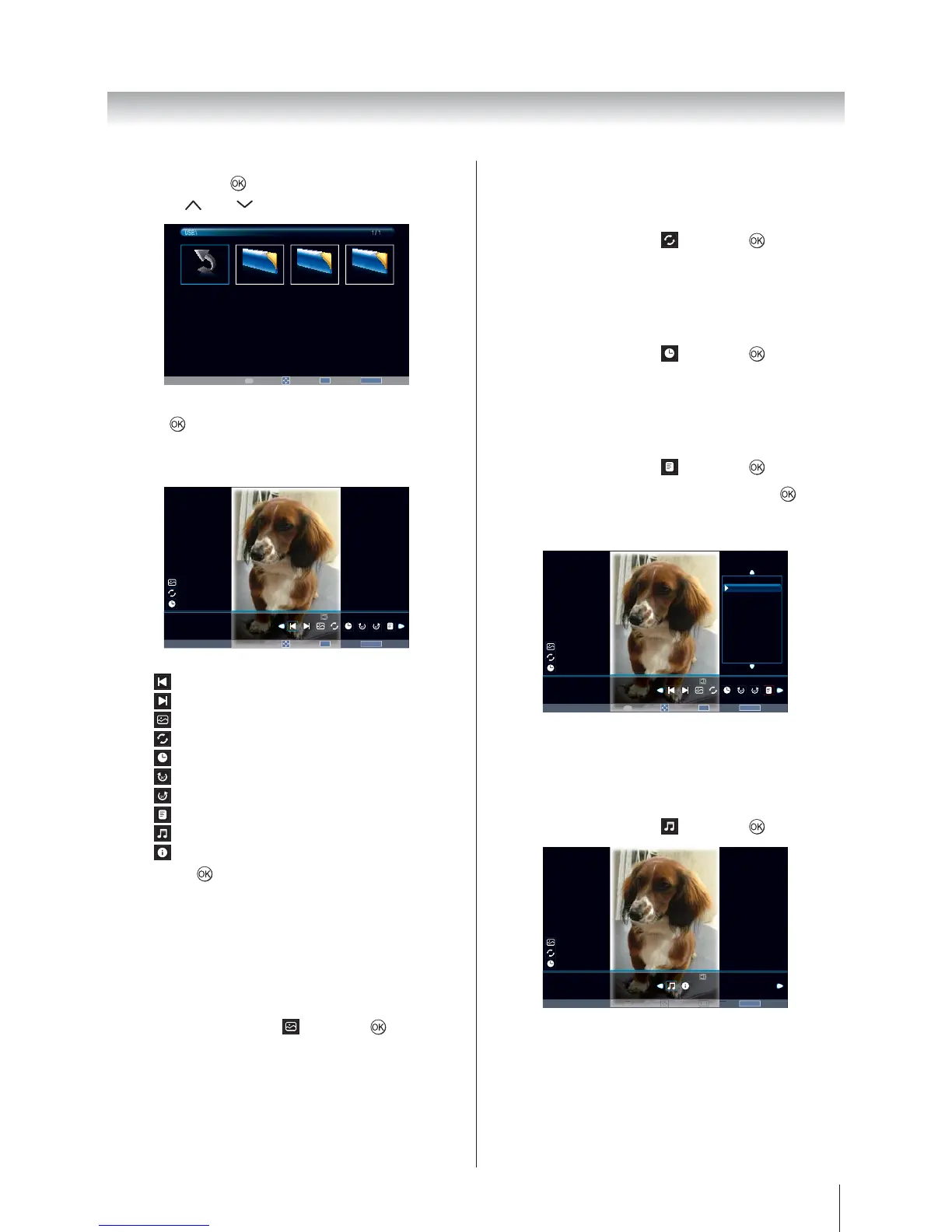
1 / 1
RETURN
BackPage
P
4.
press
to view.
5. Press MENU to change the settings when viewing
a photo.
Move
OK
Select
RETURN
Back
788 X 1157
00001 / 00004
0000−1.jpg
Off
On
15 sec
−−−−
/
−−
/
−−
−−
:
−−
Previous
: Go to the previous photo
: Go to the next photo
: Select slide show mode
: Select repeat mode
: Select the desired interval time
: Clockwise rotation 90°
: Counterclockwise rotation 90°
: Show play list
: Set the background music
: Photo information
and press
to confirm the setting.
Using Slide Show
This view allows you to watch a slide show of the photos.
In this view mode, the only content that locates on the
same directory shall be played.
1. Press MENU to change the settings when viewing
a photo.
2.
and press to turn On
or Off.
Note: If Repeat is On, slide show starts photo viewing
from the first photo in the folder after reaching the final
photo.
Repeat Settings for Slideshow
1. Press MENU to change the settings when viewing
a photo.
2.
and press to turn On
or Off.
Set Interval Time
1. Press MENU to change the settings when viewing
a photo.
2.
and press to select
the desired interval time (3/5/10/15/30/60/90 Sec).
Using the Play List
1. Press MENU to change the settings when viewing
a photo.
2.
and press .
3.
to
show the photo.
Press RETURN on the remote to collapse the list.
Move
OK
Select
RETURN
Back
788 X 1157
00001 / 00004
0000−1.jpg
Off
On
15 sec
−−−−
/
−−
/
−−
−−
:
−−
Play List
0000−1.jpg
0000−2.jpg
0000−3.jpg
0000−4.jpg
1 / 3
Page
P
Background Music
Set the background music when viewing photo.
1. Press MENU to change the settings when viewing
a photo.
2.
and press .








 To Next Page