40
Using the TV’s features (General)
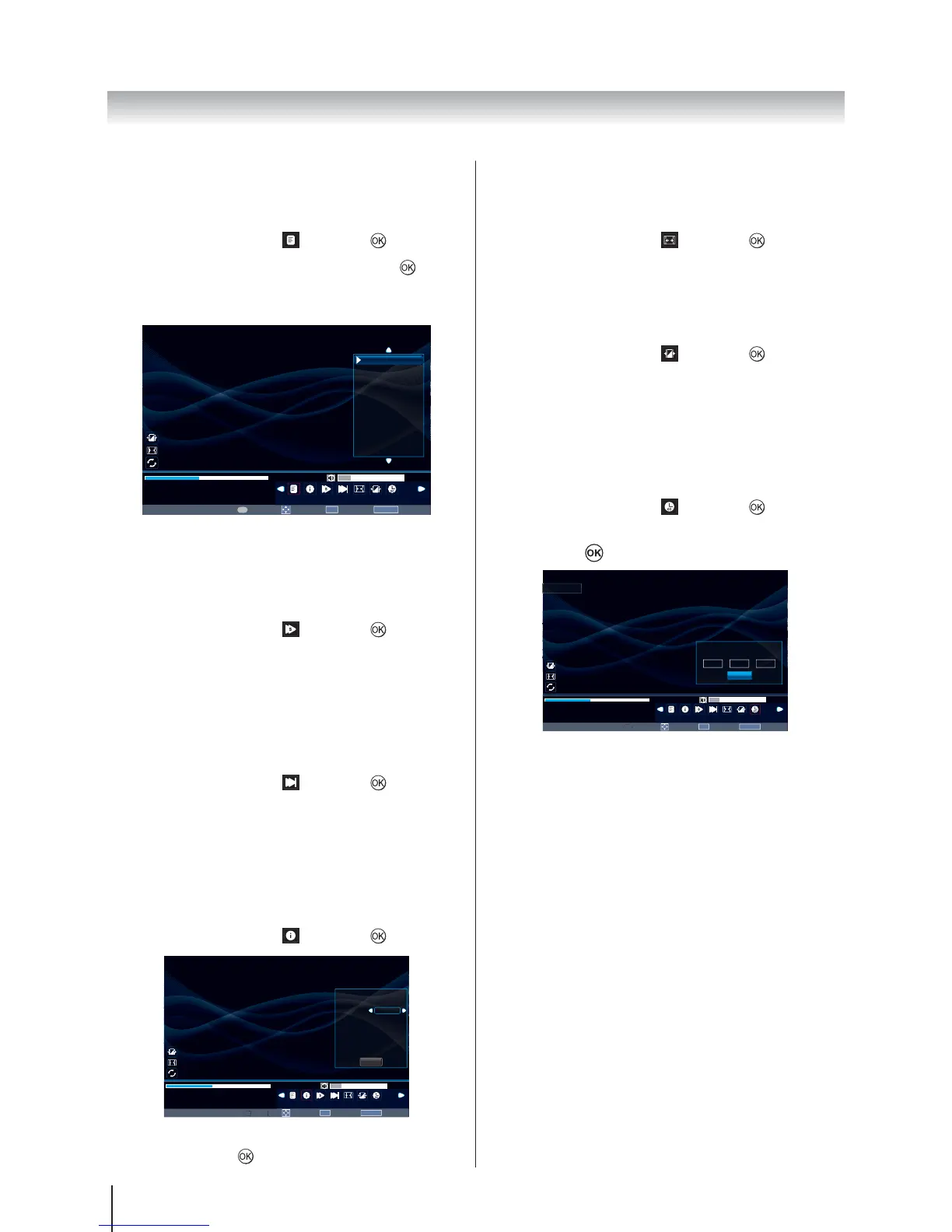
Using the Play List
1. Press MENU to change the settings when viewing
a video.
2.
and press .
3.
to play
the video.
Press RETURN on the remote to collapse the list.
Move
OK
Select
RETURN
Back
00001 / 0003
001.avi
Play List
Play
00:00:16 / 00:02:28
Page
P
16
Standard
Native
Folder
001.avi
002.avi
003.avi
1 / 1
Slow Forward
The feature changes forward speeds.
1. Press MENU to change the settings when viewing
a video.
2.
and press to select
SF2X, SF4X, SF8X, SF16X or Play.
Step Forward
The feature allows you to view a video one frame at a
time.
1. Press MENU to change the settings when viewing
a video.
2.
and press to play step
by step.
Video Info
Info display file status information (content number, video
title, audio track, subtitle, program, size, etc.).
1. Press MENU to change the settings when viewing
a video.
2.
and press .
Move
OK
Select
RETURN
Back
00001 / 0003
001.avi
Info
Pla
16
Standard
Native
Folder
001.avi
Resolution:
AudioTrack:
Subtitle:
Program:
Size:
Audio Type:
720 x 576
1 / 1
−− / 0
−− / 0
9172 KBytes
MPG
Close
3. The information will be removed by time-out (about
15 sec) or press
to exit.
Aspect Ratio
1. Press MENU to change the settings when viewing
a video.
2.
and press to select
Native, 4:3 or 16:9.
Picture Mode
1. Press MENU to change the settings when viewing
a video.
2.
and press to select
Standard, Mild, Movie or Dynamic.
Goto Time
The feature allows you to view a selected time during the
video.
1. Press MENU to change the settings when viewing
a video.
2.
and press .
3. Use the number key pad on the remote to enter
time. Press
to go to the input time.
Move
OK
Select
RETURN
Back
00001 / 0003
001.avi
Goto Time
y
00:00:16 / 00:02:28
Page








 To Next Page