1. OUTLINE EO10-33016A
1.3 Appearance and Dimensions (Approximate)
1- 2
1.3 Appearance and Dimensions (Approximate)
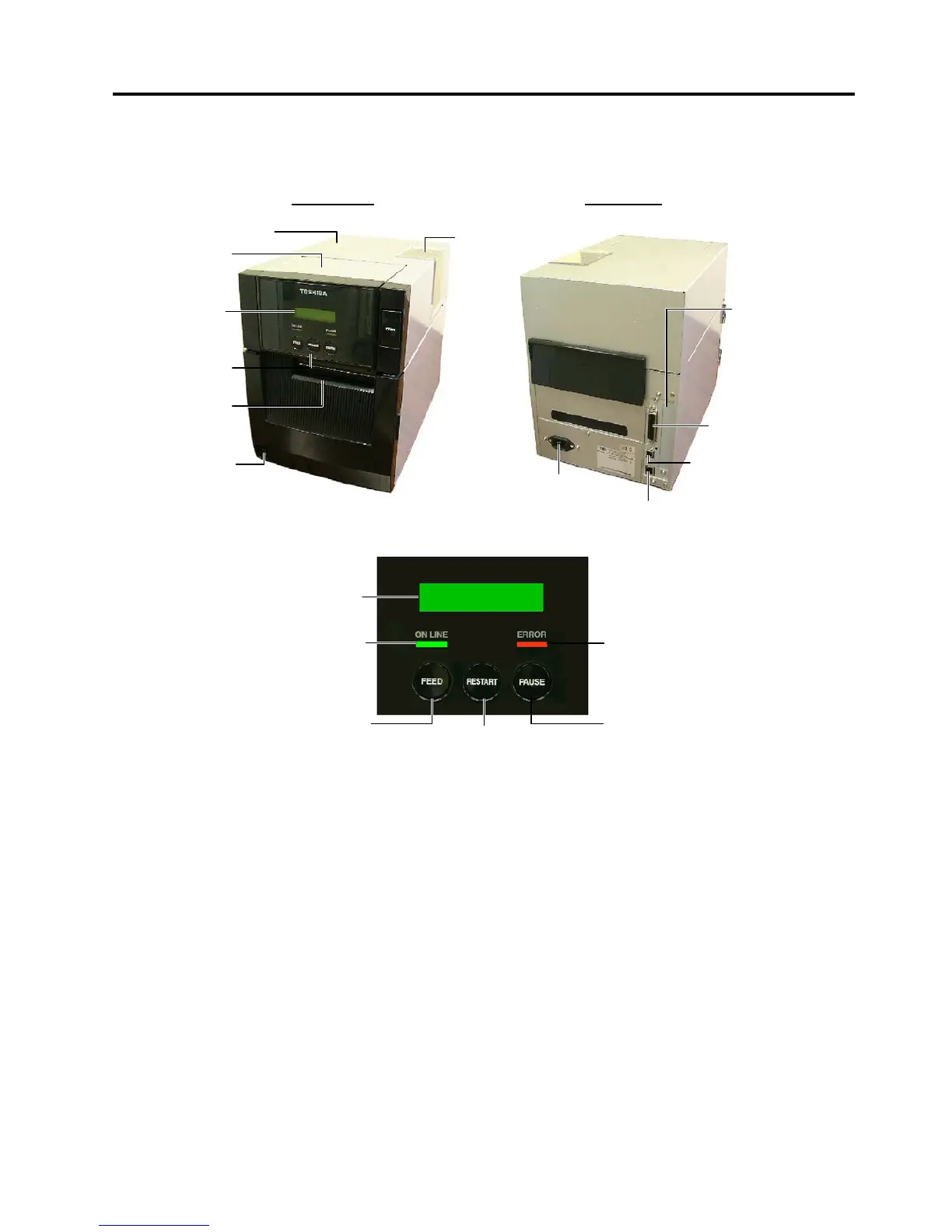
1.3.1 Front View/Rear View
Front View Rear View
1.3.2 Operation Panel
LCD Message Display: When the power is turned on and it is ready to print, ON LINE is displayed.
ON LINE LED (Green): 1) Flashes when communicating with a host PC.
2) Lights while printing.
ERROR LED (Red): Lights when the printer is in an erroneous state.
FEED key: Feeds media.
RESTART key: Resets the printer when paused or when an error occurs.
Used to set a threshold. (Refer to the Owner’s Manual.)
PAUSE key: Pauses printing.
Message display shows PAUSE and a remaining count.
Used to set a threshold (Refer to the Owner’s Manual.)
1.3.3 Dimensions (Approximate)
B-SA4TM (Metal cover type): 238 mm (W) x 402 mm (D) x 332 mm (H)
B-SA4TP (Plastic cover type): 238 mm (W) x 339 mm (D) x 332 mm (H)
1.3.4 Weight
B-SA4TM (Metal cover type): 15Kg
B-SA4TP (Plastic cover type): 12Kg
L



 To Next Page
 Loading...









