10. PROGRAMMING PROCEDURES
■ How to enter characters
10- 3
■ How to enter characters
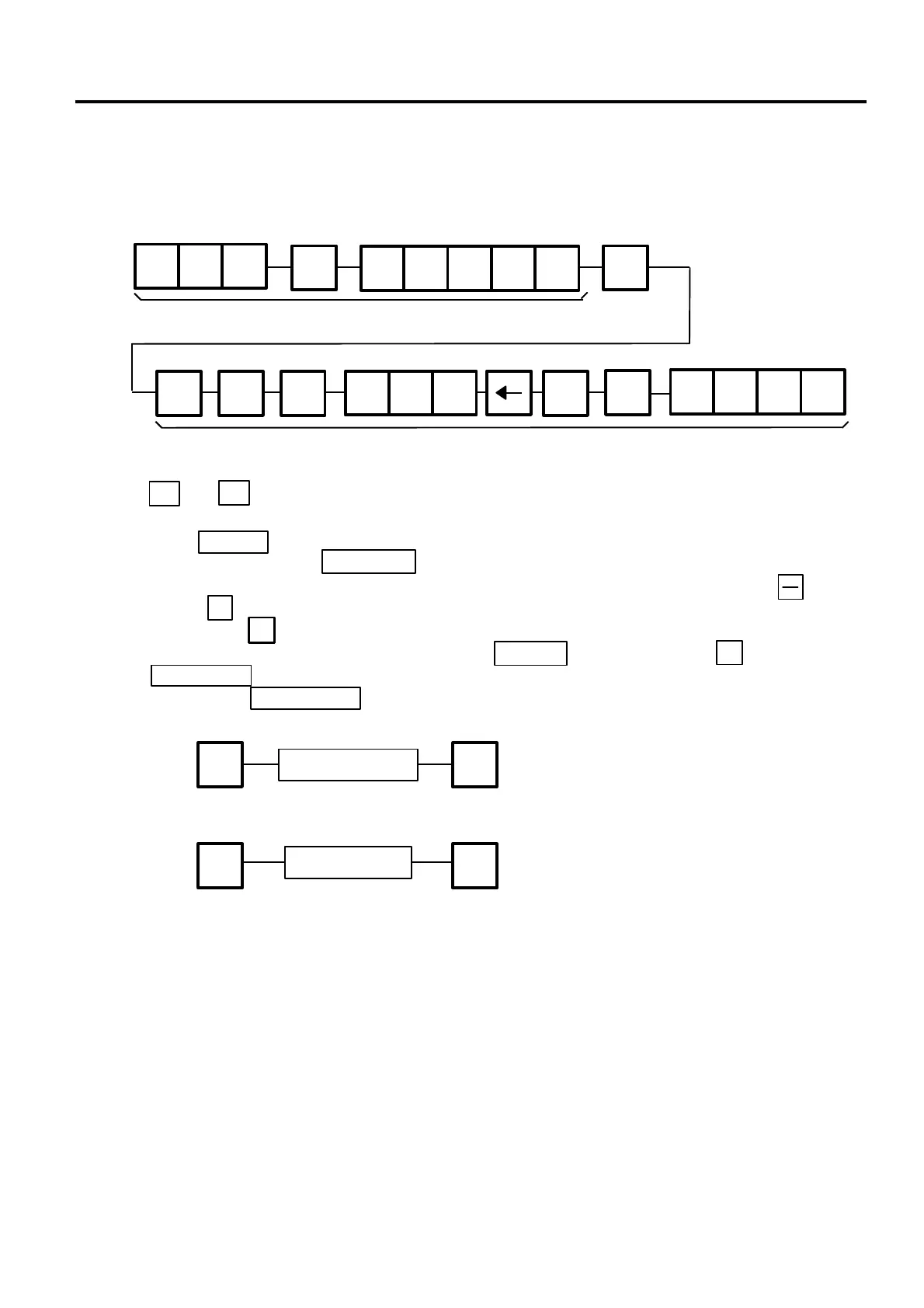
Use the following procedure to enter a commodity name, address and ingredient message.
Example) 1st line: TEC STORE
2nd line: (TEL) 0123-45-6789
1 st line content
2 nd line content
NOTES:
1. and keys are the cursor keys.
2. To insert a space, move the cursor to the next character to the space to be inserted, and
press key.
3. To delete a line, press key.
4. To move the cursor to the preceding line when entering a commodity name, press
key, or key.
5. Pressing the key toggles between the capital and small letter.
6. When entering a commodity name, press the key instead of the key to
return.
7. Pressing the key toggles the type font between normal and boldface.
8. To call a preset ingredient message idiom, follow the procedure below:
INSERT
←
→
DELETE (B)
↑
ENTER
RETURN 1/4
↓
SPACE
RETURN
1/4
SHIFT ( SHIFT
DELETE
(A)
1/2
L
PLU
NEXT
RETURN
1/4
Enter the idiom #.
9. To skip a line when entering an ingredient message, follow the procedure below:
SET
NEXT
RETURN
1/4
CHANGE PLU
Enter the line #.
T E C
S T
E
T E E
6 7 8 9
O R
◇



 To Next Page