10. PROGRAMMING PROCEDURES
10.13 CMT/PL-3
10-21
■
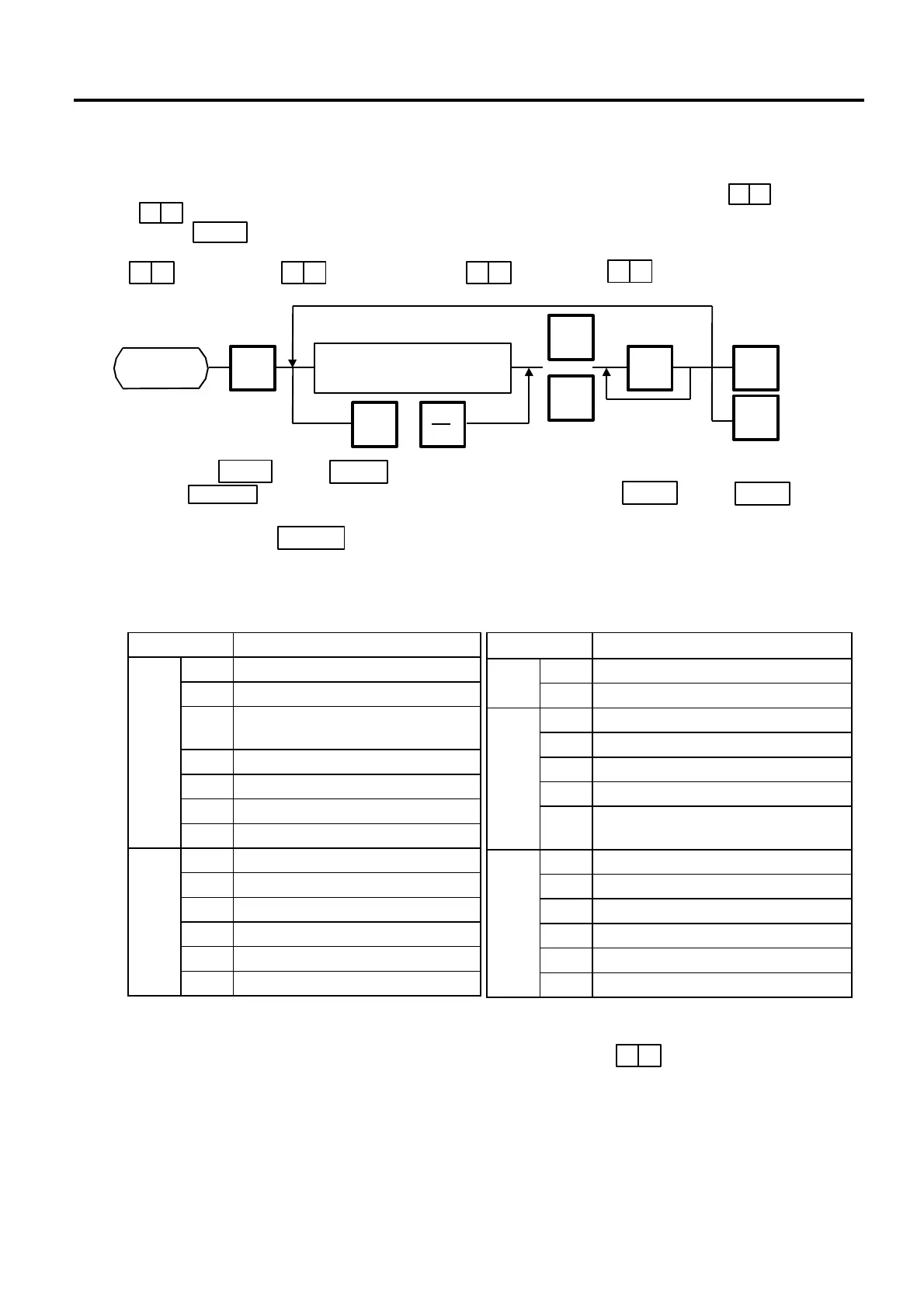
PL-3 Operation
Error Code Error Message
0 FDC ERROR
1 FDK MISINSERTION ERROR
2 UNAVAILABLE FDK INSERTION
ERROR
3 VOL. LABEL UNMATCH ERROR
4 FDK MEMORY FULL ERROR
5 WRITE PROTECT ERROR
1
6 NO SEARCH FILE ERROR
1 TIME OUT ERROR
2 LOAD ERROR
3 FDK ERROR
4 BUSY STATUS
5 POWER FAIL ERROR
3
6 OVERRUN ERROR
Error Code Error Message
7 FRAMING ERROR3
8 PARITY ERROR
0 DATA ERROR
1 STATUS ERROR
2 TIME OUT ERROR
3 FDK READ/WRITE ERROR
7
F DESIGNATED SELECT KEY
ERROR
0 RAM READ/WRITE ERROR
1 ROM CRC ERROR
2 RAM BACK UP BATTERY ERROR
3 FDC DIAG LEVEL 0 ERROR
E SYSTEM FDK LOADING ERROR
8
F SYSTEM ERROR
NOTES:
1. Press the or the key on the PL-3.
2. In the Key is not pressed within 10 seconds after the or the key is
pressed, a Time Out Error results.
3. After pressing the key, the operation ends when “00” appears in the 7 seg. display
and LAMP goes off. Remove the data disc and turn the power off.
4. Be sure to start the PL-3 before the main operation.
Connect the PL-3 to the H-9100N by using RS-232C Cable, then turn on the power of the H-
9100N and the PL-3.
Insert a data disc into the PL-3 and adjust the transmission rate to the H-9100N ( :4800 BPS
or : 2400 BPS) by using the rotary switch.
Press the key of the PL-3, then check whether the SAVE LED is on.
Program the file number of the data disc by using the rotary switch.
( : File No. 1, : File No. 2, ....... : File No. 8, : File No.9)
SAVE
2
PROG.
ESC.
Page 2
<MENU>
Set the transmission item.
(Refer to table 4)
ENTER
SAVE
LOAD
SAVE
LOAD
ENTER
■
Table 3: Error code for PL-3 operation
1) When the error code is FF, this system enters stop mode. (Turn the power off/on for
release.)
2) When the error code is F2 or FE, perform the status clear ( ).
3) If an error occurs, refer to the PL-3 Owner’s Manual to solve the problem.
7 2
7 3
NEXT
PLU
or
SAVE
LOAD
or
9 9



 To Next Page