16 Installation and Operation Guide
PolyVision
®
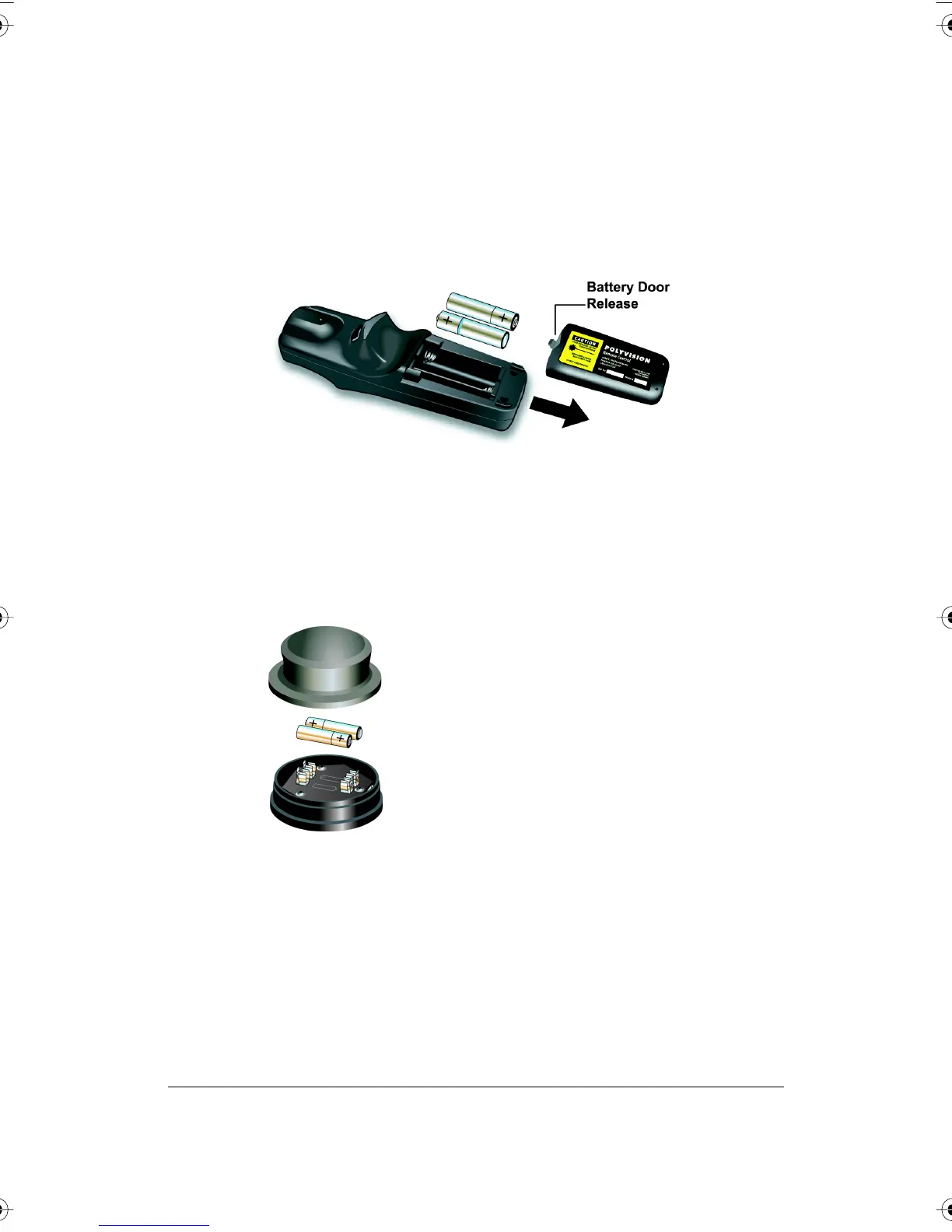
Adding Batteries to the Walk-and-Talk Remote
The Walk-and-Talk infrared remote control uses two AA batteries
(provided).
To add batteries:
• Press down and pull back to release the battery compartment door.
Adding Batteries to the Walk-and-Talk Eraser
The Walk-and-Talk eraser uses two AAA batteries (provided).
To add batteries:
1 Gently peel back the soft eraser handle to expose the battery
compartment.
2 Insert the batteries as marked. Make sure that you place the batteries
in with the positive terminals on the positive (+) side.
PolyVision I&O.book Page 16 Thursday, October 16, 2008 4:18 PM



 To Next Page