Installing Your Walk-and-Talk Whiteboard 9
PolyVision
®
If installing on some other substance such as concrete or brick, use
appropriate anchors.
Mounting the Whiteboard
To mount the wall brackets:
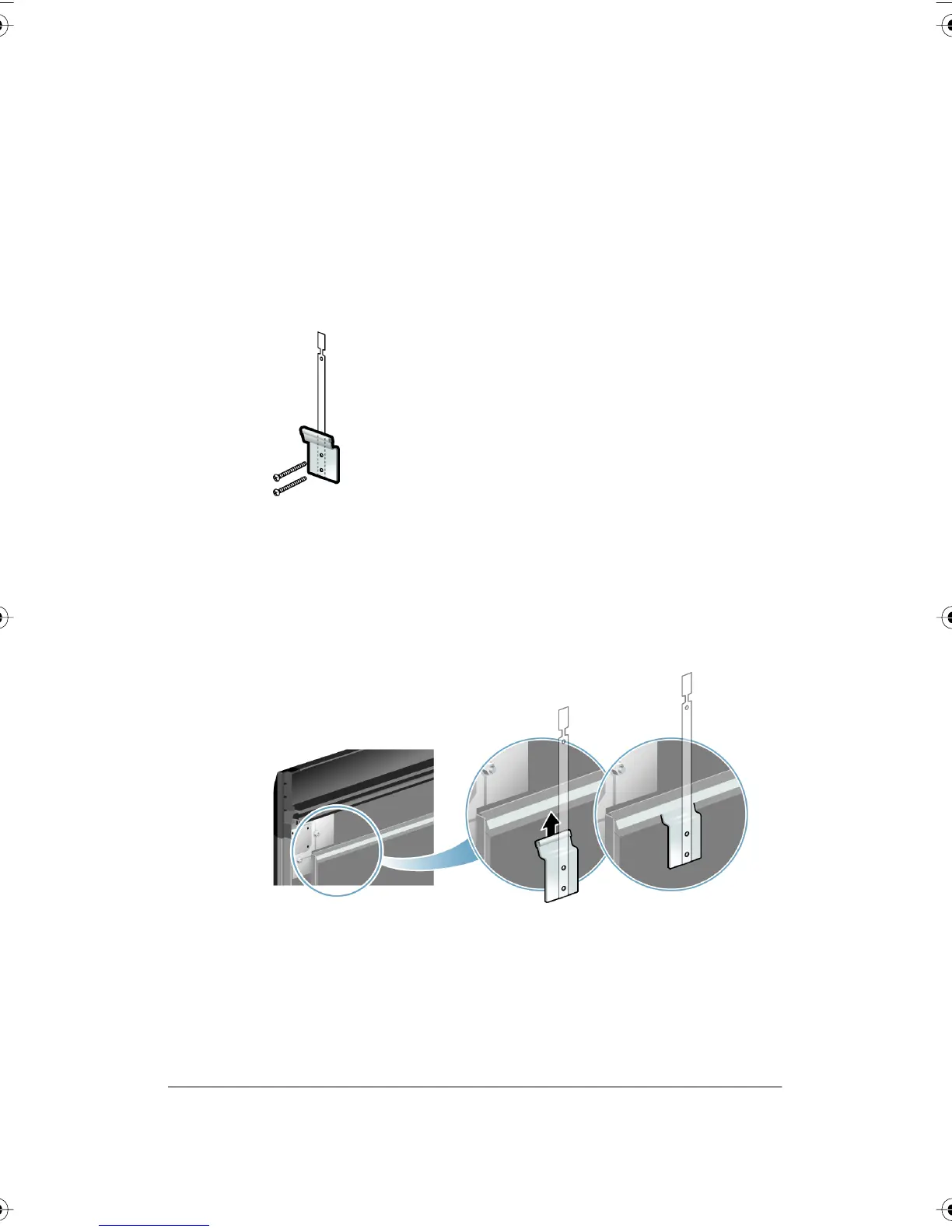
1 Fasten the two top wall brackets to the wall anchors with a safety
strap sandwiched between the wall bracket and the wall.
2 Fasten the bottom wall bracket(s) to the wall.
3 Ensure that the screws are snug.
To mount the whiteboard:
1 With the help of an assistant, lift the whiteboard and hang it on the wall
brackets.
2 Slide the whiteboard carefully to align the safety straps with the holes
in the top of the whiteboard.
PolyVision I&O.book Page 9 Thursday, October 16, 2008 4:18 PM



 To Next Page