10 Installation and Operation Guide
PolyVision
®
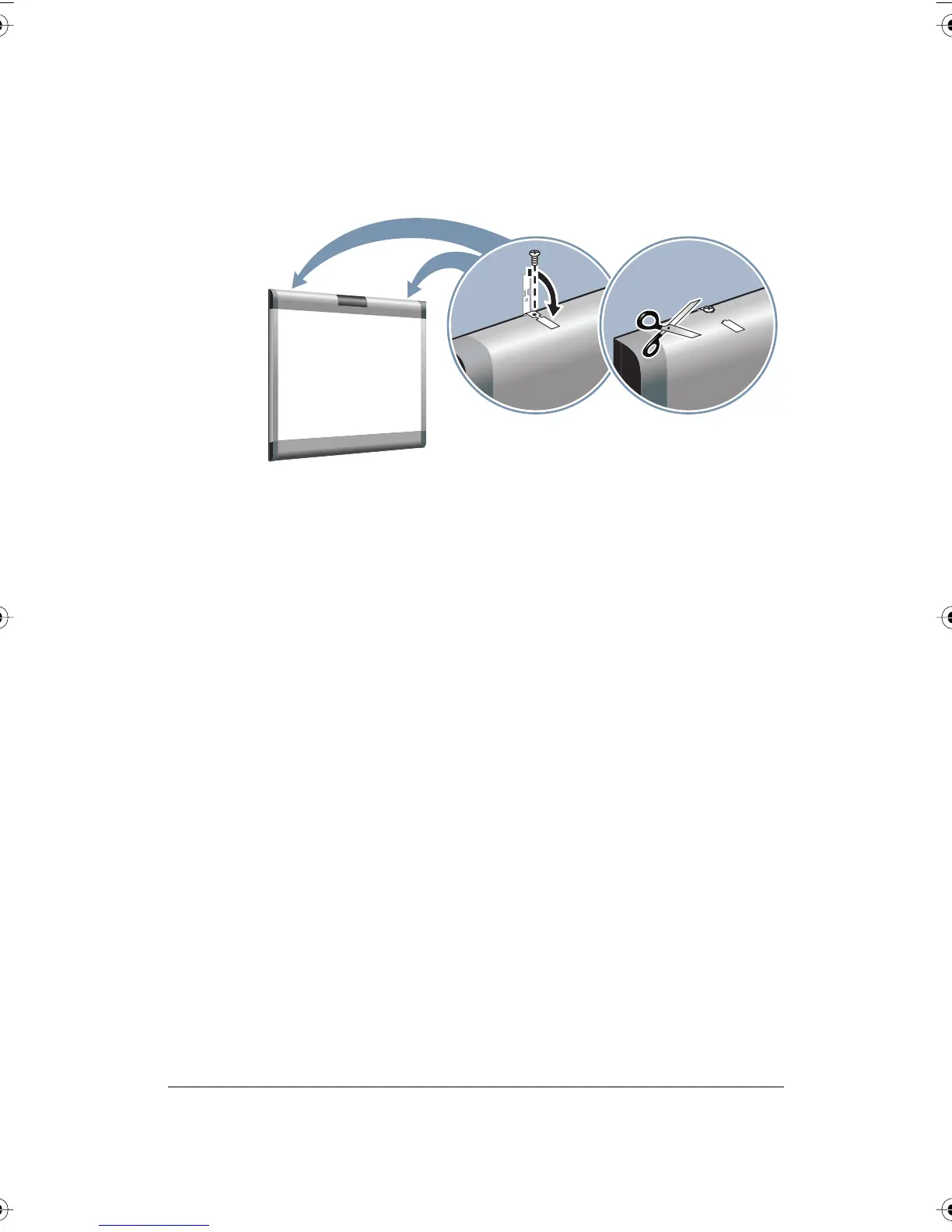
3 Fold over and fasten the two safety straps to the whiteboard using the
screws provided.
4 Using scissors, snip off the safety straps’ finger tabs.
PolyVision Driver Installation (WT Models)
System Requirements
Your Windows-based computer must have:
• Windows 2000, XP, Tablet XP, or Vista
• VGA HD-15 video port
• USB port
Your Macintosh computer must have:
• PowerPC G3 or higher or Intel-based processor
• Mac OS X 10.2 or higher
• VGA HD-15 video port
• USB port
Driver Installation for Walk-and-Talk Models
The PolyVision driver is always close at hand. You need no installation disk
or CD-ROM. Driver installation takes place when you connect the PolyKey
on the Walk-and-Talk USB cable to your computer’s USB port.
PolyVision I&O.book Page 10 Thursday, October 16, 2008 4:18 PM



 To Next Page