Installing the TS or TSL Whiteboard 19
PolyVision
®
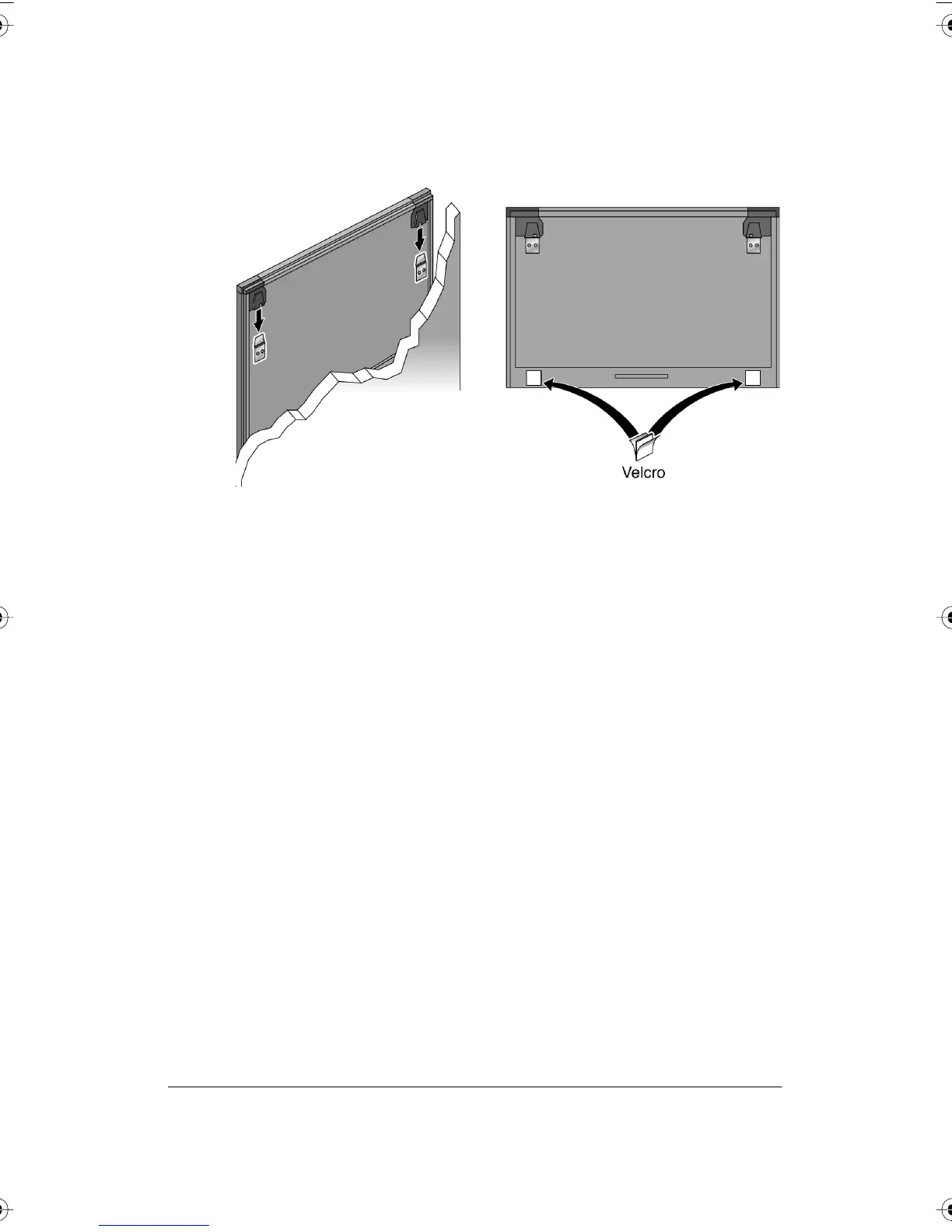
6 With the help of an assistant, lift the board and hang it on the
mounting plates using the slots at the top corners of the board.
7 Peel the backing off the front and back of the two Velcro strips.
8 Attach Velcro strips to lower right and left corners on the back of
whiteboard and press against the wall.
PolyVision Driver Installation (TS Models)
System Requirements
Your Windows-based computer must have:
• Windows 2000, XP, Tablet XP, or Vista
• VGA HD-15 video port
• USB port
Your Macintosh computer must have:
• PowerPC G3 or higher or Intel-based processor
• Mac OS X 10.2 or higher
• VGA HD-15 video port
• USB port
PolyVision I&O.book Page 19 Thursday, October 16, 2008 4:18 PM



 To Next Page