Installing the TS or TSL Whiteboard 17
PolyVision
®
Installing the TS or TSL Whiteboard
To mount your whiteboard on an optional mobile stand, see the instructions
included with your mobile stand or visit www.polyvision.com.
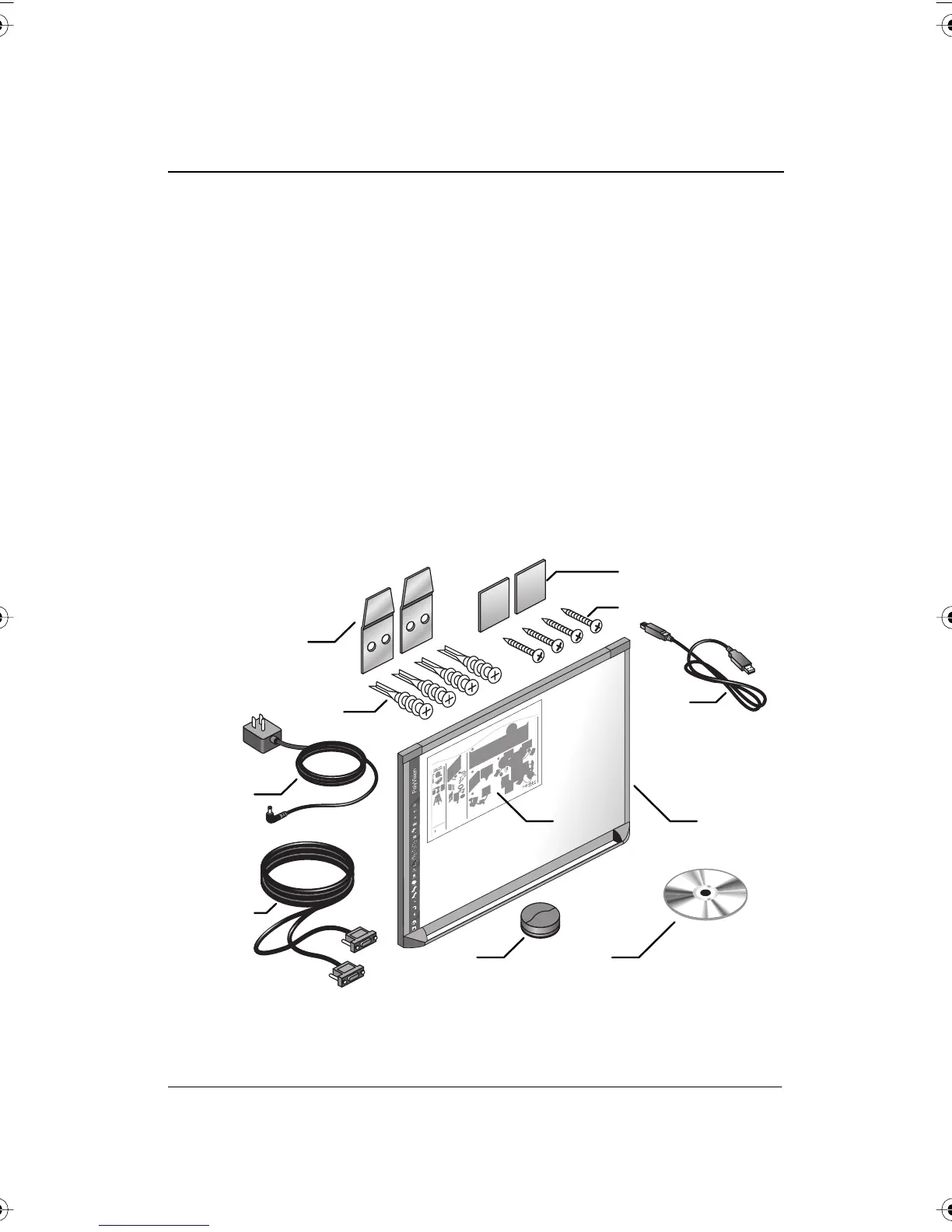
What Comes in the Box (TS or TSL Models)
1 1 whiteboard
2 1 peel-off quick start
3 1 serial port cable (TS 600 models)
4 1 AC power cord (TS 600)
5 4 self-tapping sheet rock anchors
6 4 Phillips screws
7 2 mounting brackets
8 2 Velcro strips
9 1 USB cable (TS 610 or 810 and all TSL models)
10 1 round eraser
11 1 software CD (Mac/Windows)
1
2
3
4
5
6
7
8
9
10
11
12
13
1 whiteboard
1 whiteboard stylus
1 round eraser
4 self-tapping sheet rock anchors (varies by model)
4 Phillips screws
2 mounting brackets
2 Velcro strips
1 AC power cord (TS400, 600, or 800 models)
1 USB cable (TS 410, 610 or 810 and all TS
L
models)
1 serial port cable (TS400, 600, or 800 models)
1 user guide
1 Webster software CD (Mac/Windows)
1 peel-off quick start
2
3
4
5
6
7
8
9
10
11
12
3
/
8
1
2
3
4
5
PolyVision TS Lightning Interactive Whiteboard
Quickstart Installation Guide
800.620.P
O
L
Y
678.542.3100
+32.089.32.31.30
P
N 580-
0140-00
PolyVision TS and TS Lightning Interactive Whiteboard
TM TM
1
1110
7
4
3
9
8
6
5
2
Small E
r
aser
Dashed
P
en
Solid
P
en
Nar
r
ow
P
en
Black
P
en
G
r
e
en
P
e
n
Blue
P
en
Red
P
en
P
en Style
P
en / Cursor
Medium
P
en
Wi
de
P
en
E
r
ase All
P
rint
Sa
v
e
Large E
r
aser
Keyboa
r
d
Next
P
r
e
vious
P
r
ojection
PolyVision I&O.book Page 17 Thursday, October 16, 2008 4:18 PM



 To Next Page