199
5-1. Using the air conditioning system and defogger
5
Interior features
RUSH_OM_General_OMBZ265
■
Adjusting the temperature setting
Turn the “TEMP” dial clockwise to increases the temperature and
turn the dial counterclockwise to decreases the temperature.
If the “A/C” indicator is turned off, the system will blow ambient tempera-
ture air or heated air.
■
Adjusting the fan speed setting
Turn the “ ” dial clockwise to increases the fan speed and turn
the dial counterclockwise to decreases the fan speed.
Press the “OFF” button to turn the fan off.
■
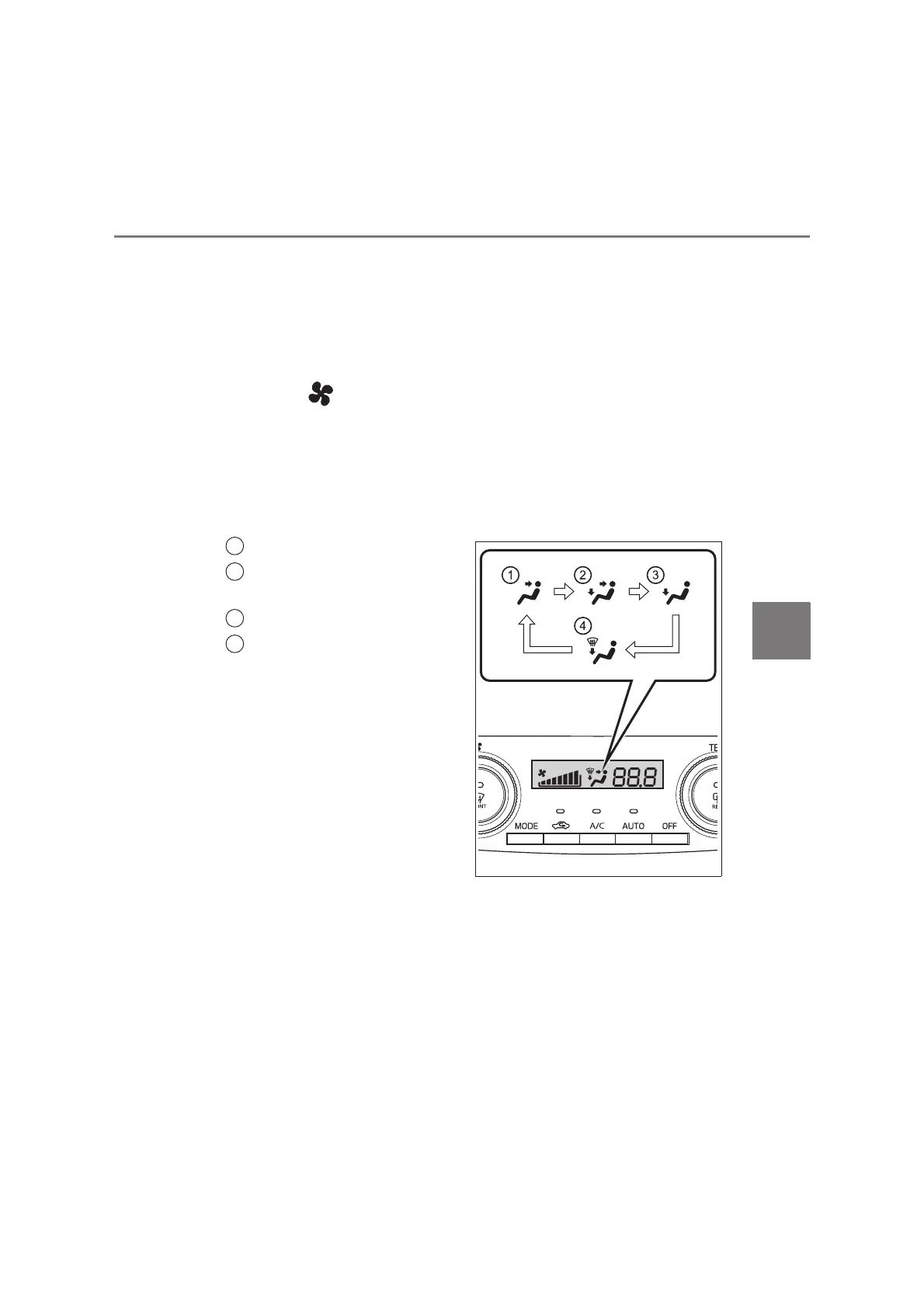
Changing airflow mode (type A only)
To change the air outlets, press “MODE” button.
The air outlets used are switched each time either side the button is
pressed.
Air flows to the upper body.
Air flows to the upper body
and feet.
Air flows to the feet.
Air flows to the feet and the
windshield defogger oper-
ates.
KBTE610123E
1
2
3
4



 To Next Page