92
3-1. Key information
RUSH_OM_General_OMBZ265
Keys
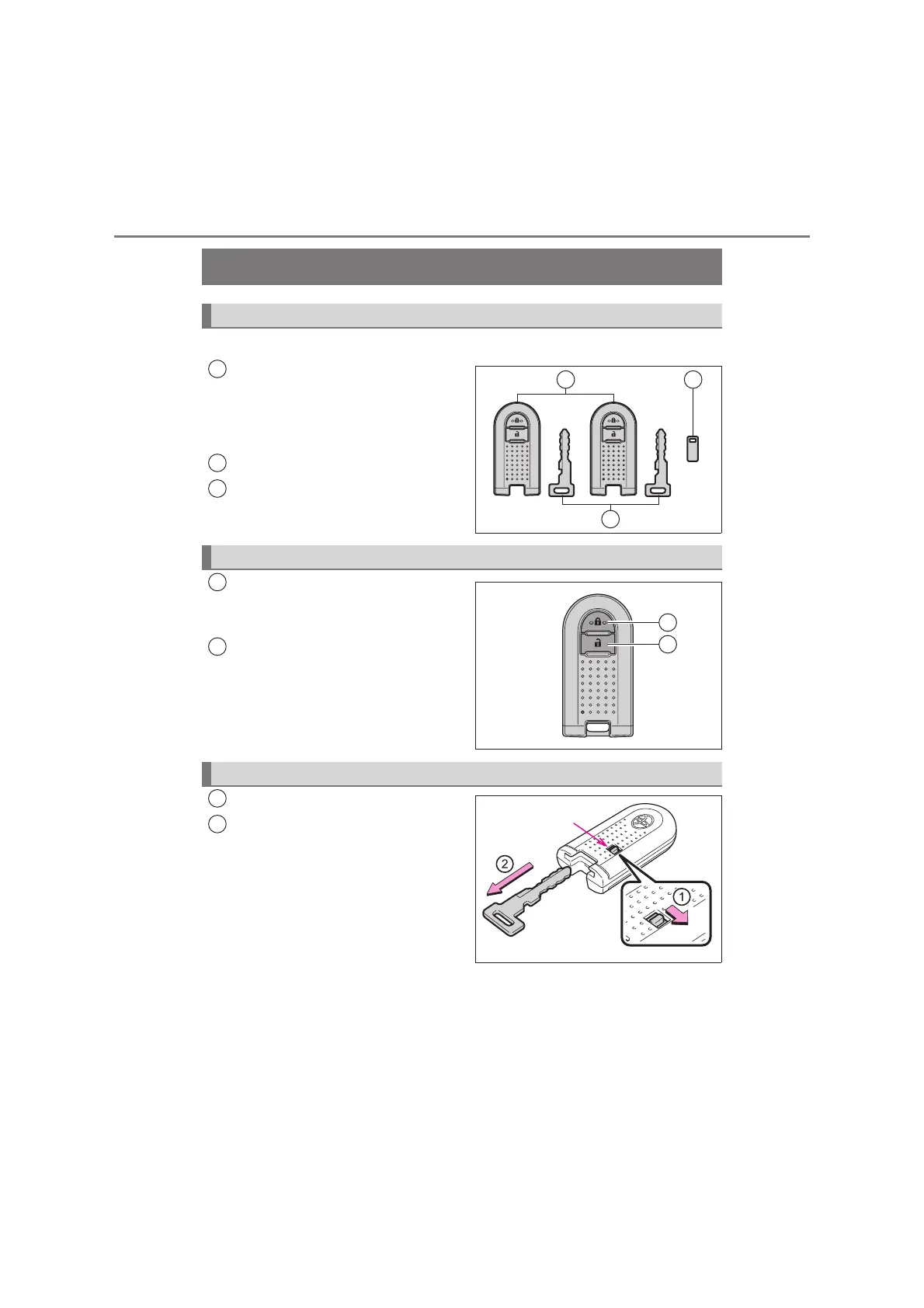
The following keys are provided with the vehicle.
Electronic keys
• Operating the key-free system
(→P. 102)
• Operating the wireless remote
control function
Mechanical keys
Key number plate
Locks all the doors (
→P. 111)
Check that the door is securely
locked.
Unlocks all the doors (→P. 111)
Push the release knob.
Take the key out.
After using the mechanical key,
store it in the electronic key. Carry
the mechanical key together with
the electronic key. If the electronic
key battery is depleted or the key-
free function does not operate
properly, you will need the
mechanical key. (→P. 333)
The keys
1
2
3
Wireless remote control
1
2
KBTE310103
1
2
Using the mechanical key
KBTE310105
1
2


 To Next Page