88
2. Instrument cluster
RUSH_OM_General_OMBZ265
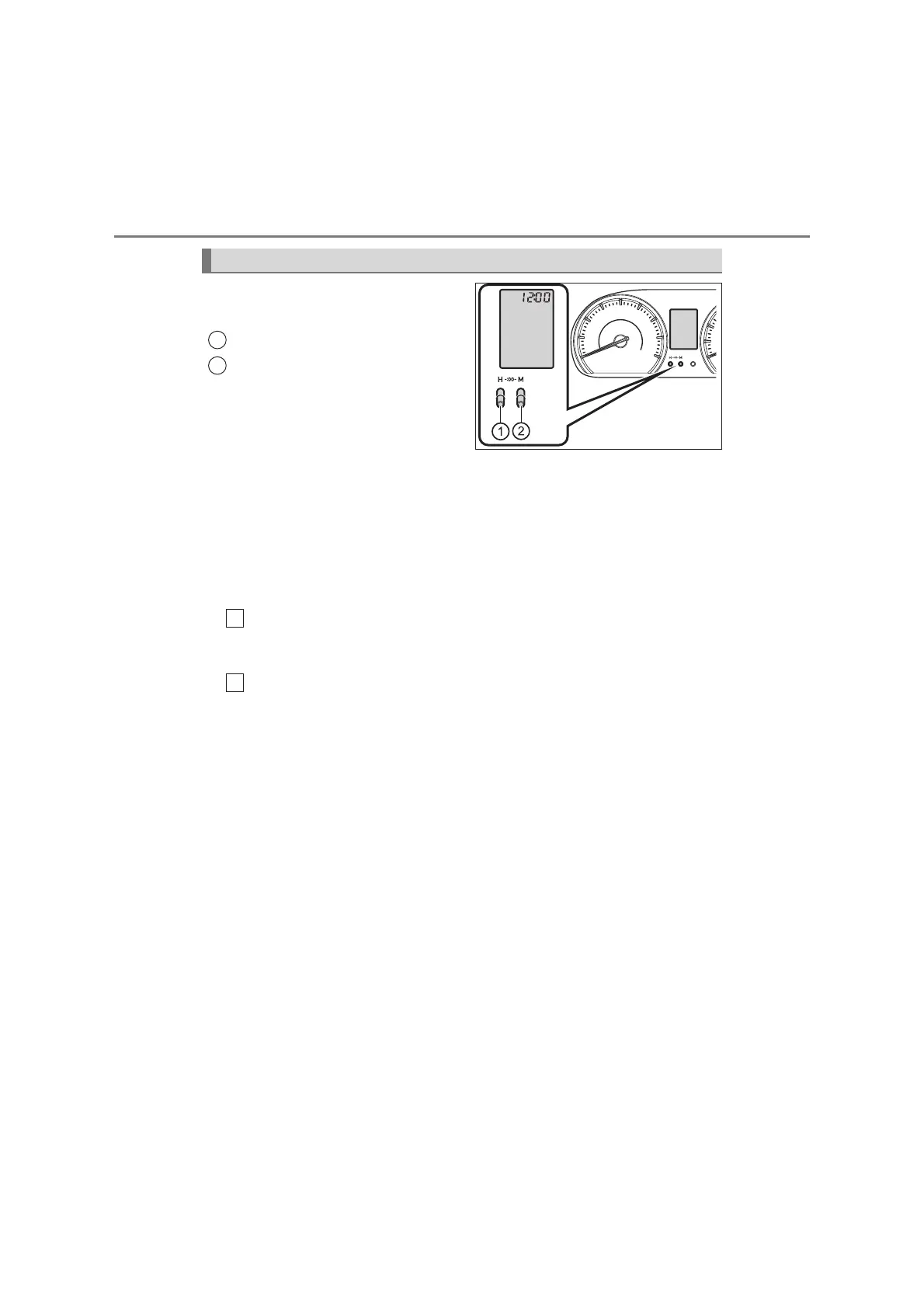
The clock can be adjusted by
clock adjust button.
Hour Adjust Button
Minute Adjust Button
■ Rounding to the nearest hour
Hold down the Hour Adjust Button and Minute Adjust Button simul-
taneously and release the buttons.
The minute values will be rounded to the nearest hour.
*
*
:e.g.1:00 to 1:29 → 1:00
1:30 to 1:59 → 2:00
■
Adjusting the minute and hour indication
Press the Minute Adjust Button to adjust the minute.
When the button is held down, the minute will automatically forward
while the button is held down.
Press the Hour Adjust Button to adjust the hour.
When the button is held down, the hour will automatically forward while
the button is held down.
Clock
KBTE210312
1
2
1
2



 To Next Page