29
Chapter 4
Configure the Router in Wireless Router Mode
4. 2. 7. Dynamic DNS
The router offers the DDNS (Dynamic Domain Name System) feature, which allows the
hosting of a website, FTP server, or e-mail server with a fixed domain name (named
by yourself) and a dynamic IP address. Thus your friends can connect to your server
by entering your domain name no matter what your IP address is. Before using this
feature, you need to sign up for DDNS service providers such as www.comexe.cn,
www.dyndns.org, or www.noip.com. The Dynamic DNS client service provider will give
you a password or key.
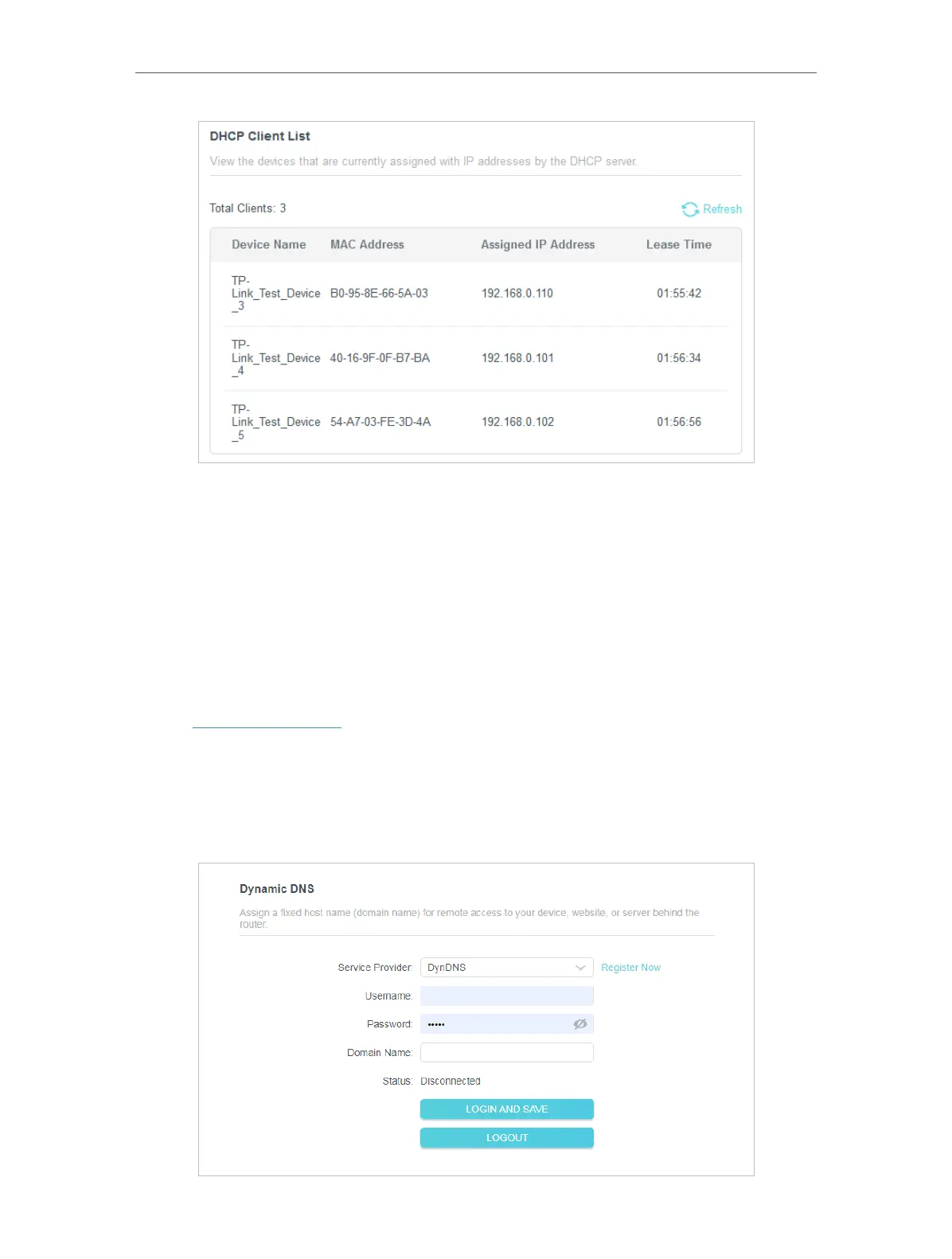
1. Visit http://tplinkwifi.net, and log in with the username and password you set for the
router.
2. Go to Advanced > Network > Dynamic DNS.
3. Select the DDNS Service Provider: NO-IP or DynDNS. If you don’t have a DDNS
account, you have to register first by clicking Register Now.













 To Next Page