4
Chapter 1
Get to Know About Your Router
1. 1. Product Overview
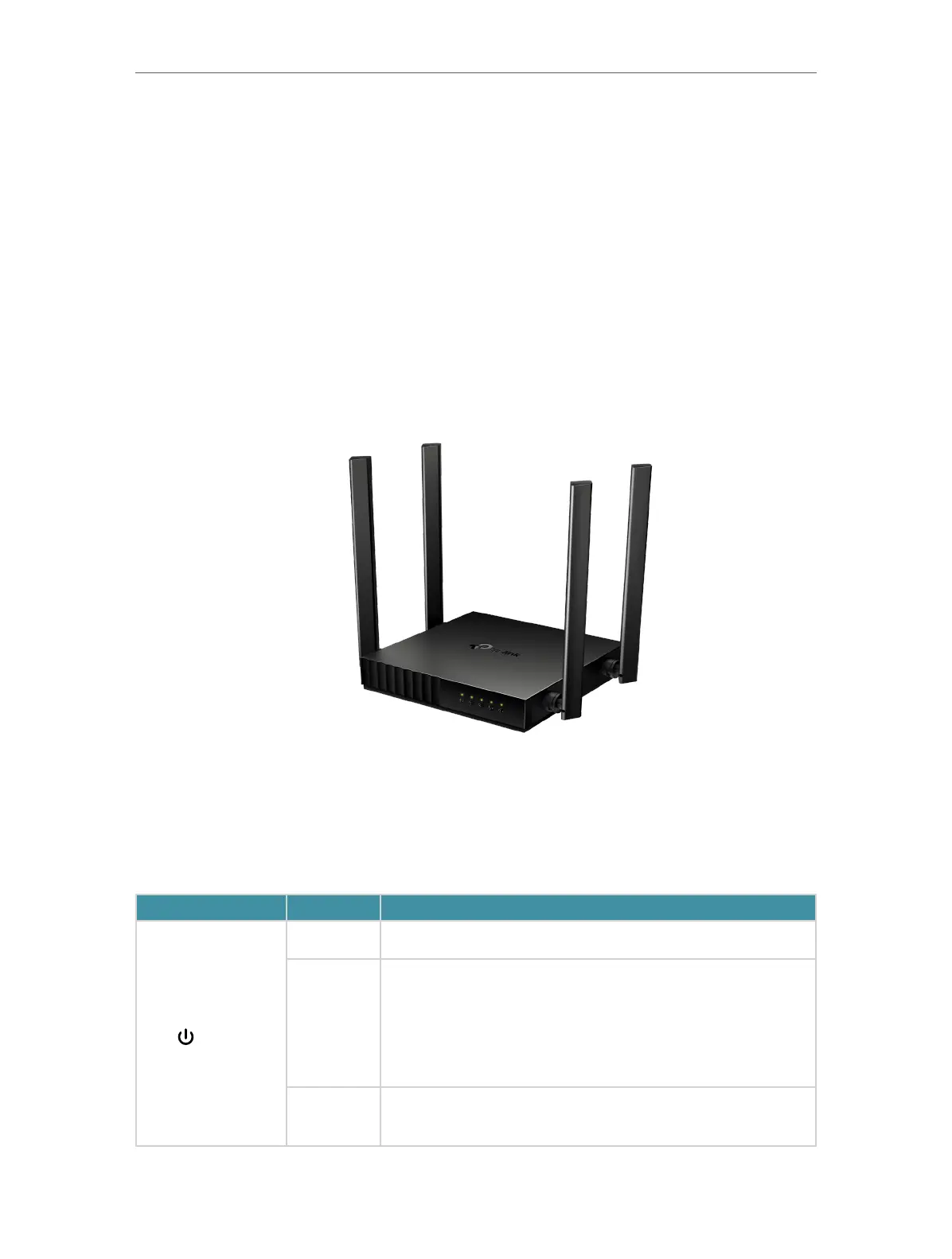
Enjoy internet with the dual-band Wi-Fi and 4 fast LAN ports. Equipped with 4 omni-
directional antennas, Archer C54 generates a 2.4 GHz Wi-Fi across your house and a
fast 5 GHz Wi-Fi, letting the whole family enjoy reliable Wi-Fi on every device.
Moreover, it is simple and convenient to set up and use the TP-Link router due to its
intuitive web interface and the powerful Tether app.
1. 2. Appearance
1. 2. 1. Top Panel
The router’s LEDs (view from left to right) are located on the front. You can check the
router’s working status by following the LED Explanation table.
LED Explanation:
LED Status Indication
(Power)
On Power is on.
Blinking
Blinking slowly:
The system is starting up or firmware upgrade is in progress.
Blinking quickly:
WPS connection is in progress.
Off Power is off.













 To Next Page