82
Chapter 6
Configure the Router in Range Extender Mode
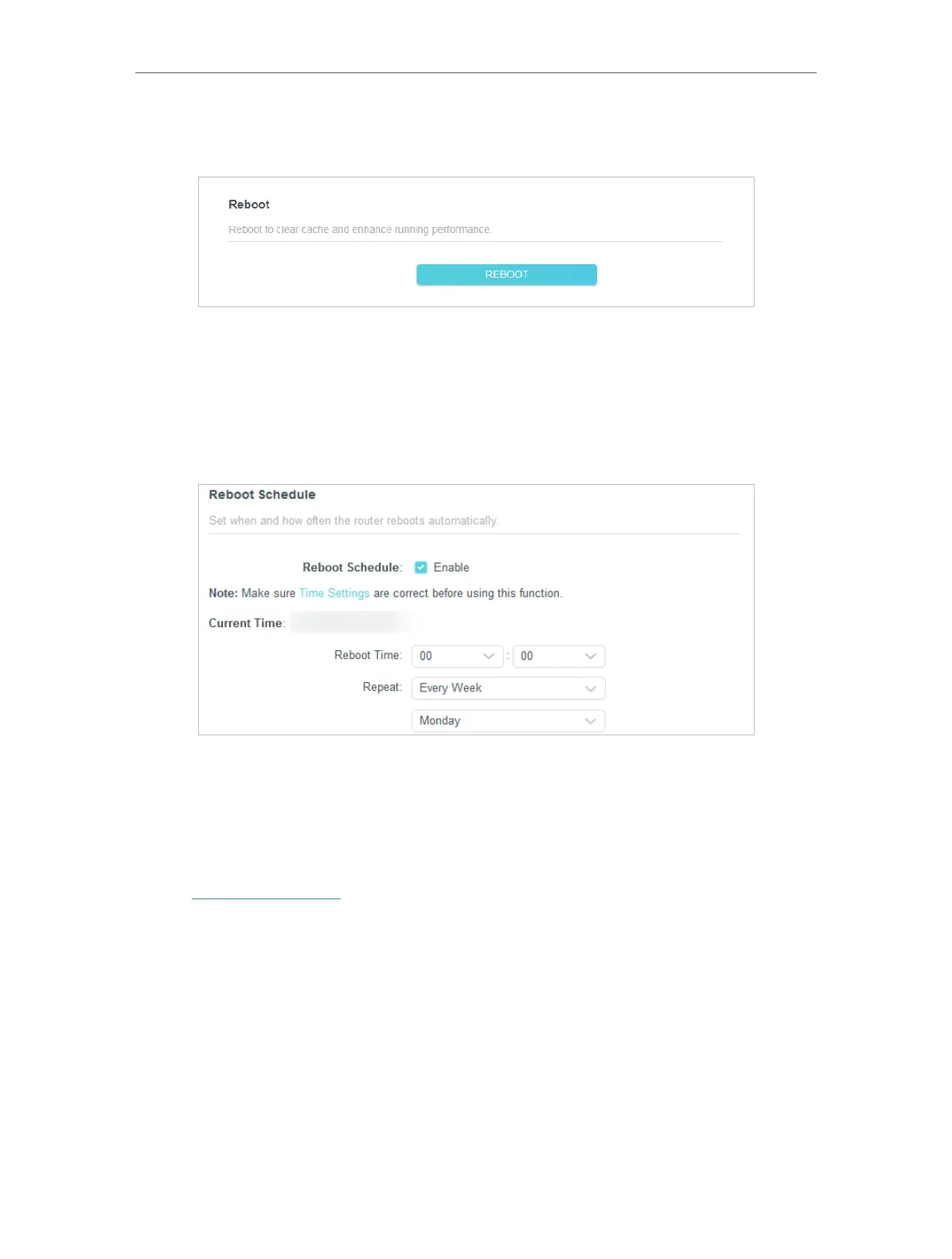
• To reboot the router manually:
Click REBOOT, and wait a few minutes for the router to reboot.
• To set the router to reboot regularly:
1. Tick the Enable box of Reboot Schedule.
2. Specify the Reboot Time when the router reboots and Repeat to decide how often it
reboots.
3. Click SAVE .
6. 8. LED Control
The LED of the router indicates its activities and status. You can enable the Night Mode
feature to specify a time period during which the LED is off.
1. Visit http://tplinkwifi.net, and log in with the password you set for the router.
2. Go to System > LED Control.
3. Enable Night Mode.













 To Next Page