32
Chapter 4
Configure the Router in Wireless Router Mode
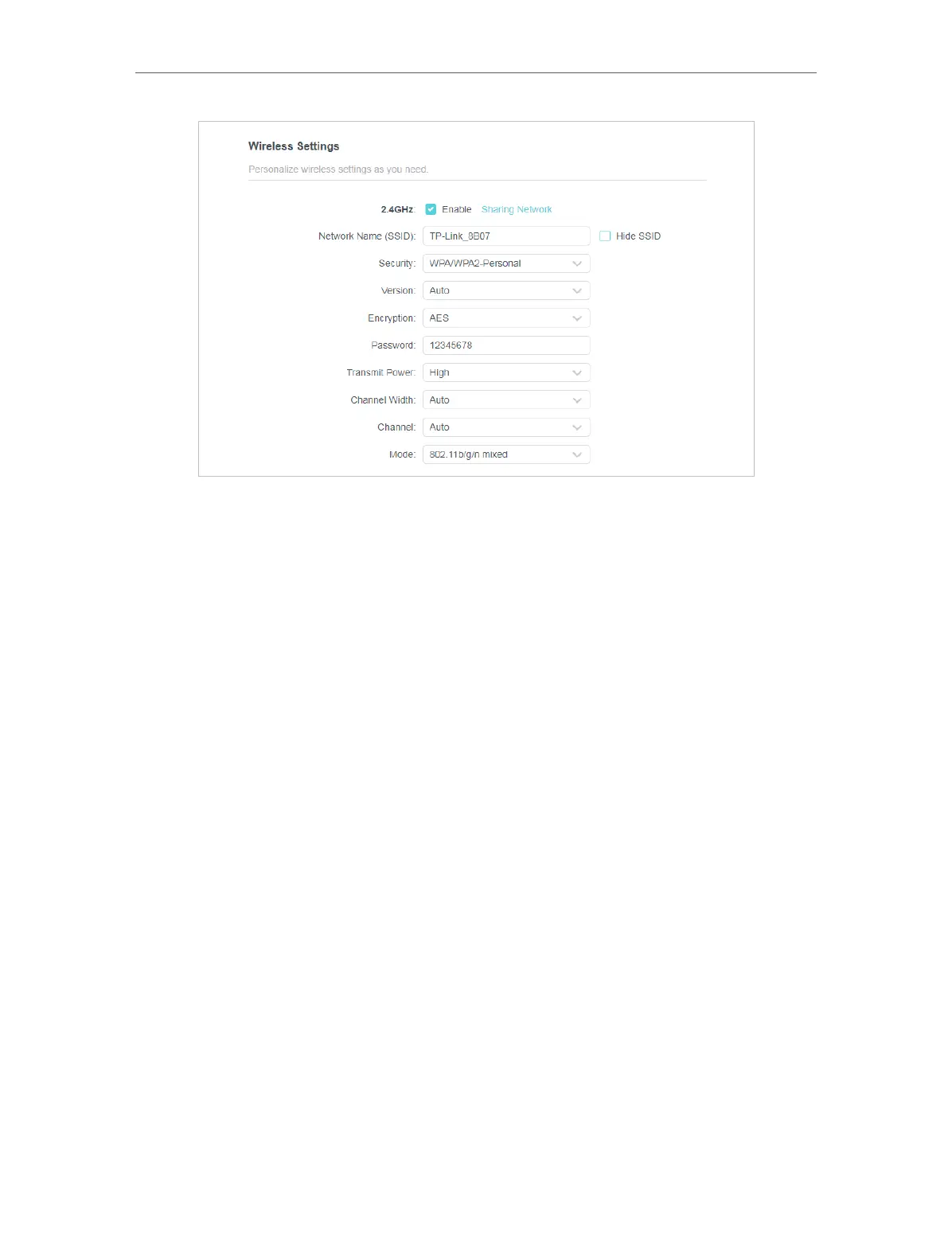
• 2.4GHz/5GHz - Select this checkbox to enable the 2.4GHz/5GHz wireless network.
• Network Name (SSID) - Enter a value of up to 32 characters. The same Name (SSID)
must be assigned to all wireless devices in your network.
• Hide SSID - Select this checkbox if you want to hide the 2.4GHz network name (SSID)
from the Wi-Fi network list. In this case, you need to manually join the network.
• Security - Select an option from the Security drop-down list.
• None - No security. It is highly recommend you enable the wireless security to
protect your wireless network from unauthorized access.
• WPA-PSK/WPA2-Personal - It’s the WPA/WPA2 authentication type based on
pre-shared passphrase. It’s also the recommended security type.
• WPA /WPA2-Enterprise - It’s based on Radius Server.
• WEP - It is based on the IEEE 802.11 standard.
• Version - Keep default version value.
• Encryption - Select Auto, TKIP or AES. We recommend you keep the default settings.
• Transmit Power - Select High, Middle or Low to specify the data transmit power. The
default and recommended setting is High.
• Channel Width - Select a channel width (bandwidth) for the wireless network.
• Channel - Select an operating channel for the wireless network. It is recommended to
leave the channel to Auto, It is not necessary to change the wireless channel unless
you notice interference problems with another nearby access point.
• Mode - You can choose the appropriate “Mixed” mode.













 To Next Page