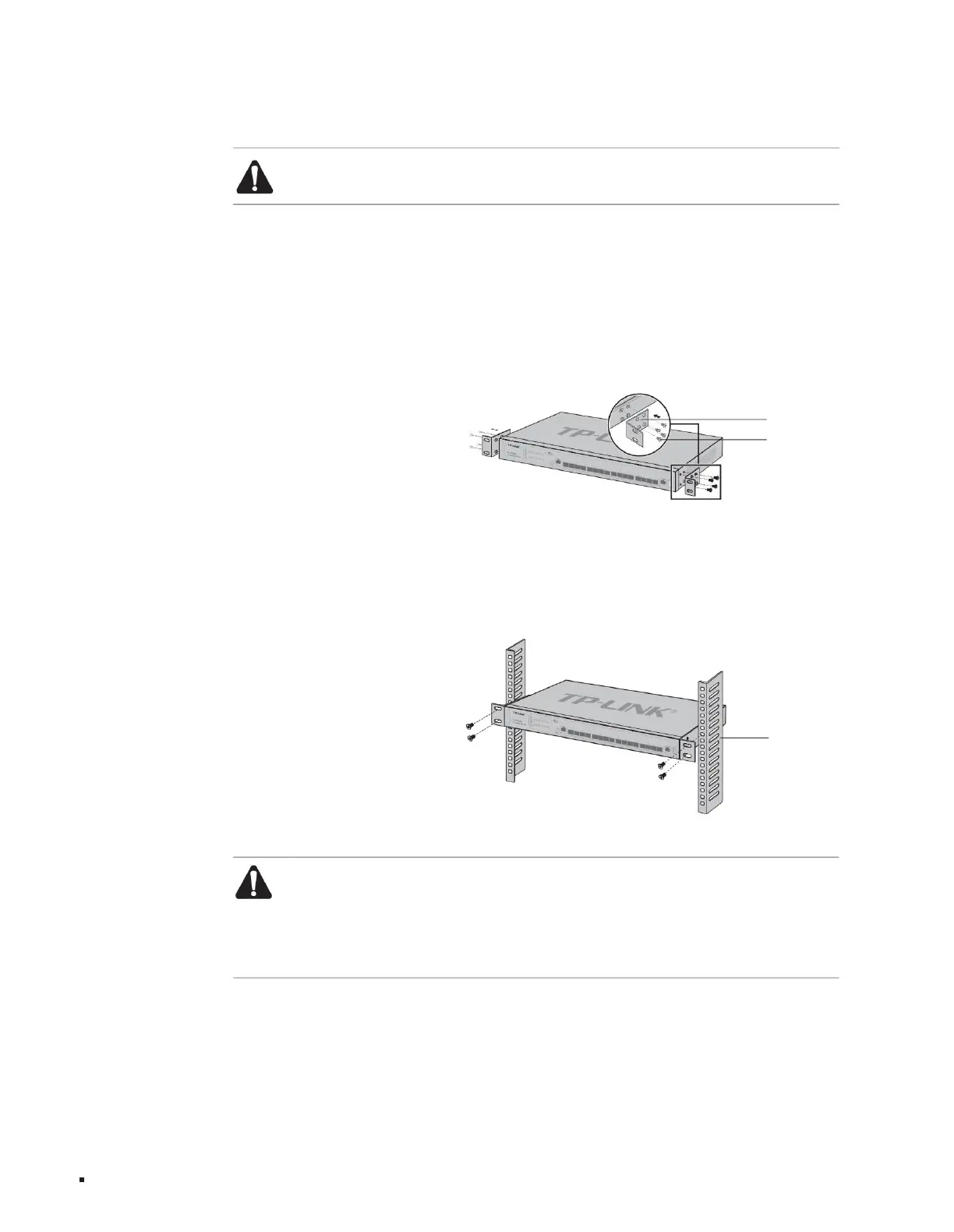
2. Install the two L-shaped angle irons in the accessories on both sides of the switch panel and secure them with the screws provided in the accessories.
3. Place the switch in an appropriate position in the rack and support it on the bracket;
determined, as shown in the figure below;
1. Check the grounding and stability of the rack;
3. Turn the switch over and place it firmly on the table.
This series of switches is designed according to the size of a 19-inch standard rack and can be easily installed on the rack. The specific installation steps are as
follows:
on the rack, as shown in the figure below.
4. Use screws to fix the L-shaped angle iron to the guide grooves fixed at both ends of the rack to ensure that the switch is installed stably and horizontally.
ÿ Installed on 19-inch standard rack
frame
screws
L-shaped angle iron
Product installation
Layer 3 managed switch installation manual
11
Figure 2-3 Schematic diagram of rack installation
Note:
Leave a 5-10cm gap around the switch case to ensure heat dissipation and air circulation. Avoid placing other heavy objects on the surface of the switch.
Figure 2-2 Angle iron installation diagram
ÿ Install the equipment
in the rack from bottom to top to avoid overload installation; ÿ Avoid placing other heavy objects on the
surface of the switch to avoid accidents; ÿ Ensure heat dissipation and air circulation.
Note:
ÿGood grounding of the rack is an important guarantee for the equipment’s anti-static, anti-leakage, lightning protection, and anti-interference, so please ensure that the rack is grounded
Machine Translated by Google



 To Next Page