ÿ Front panel
Layer 3 managed switch installation manual
01
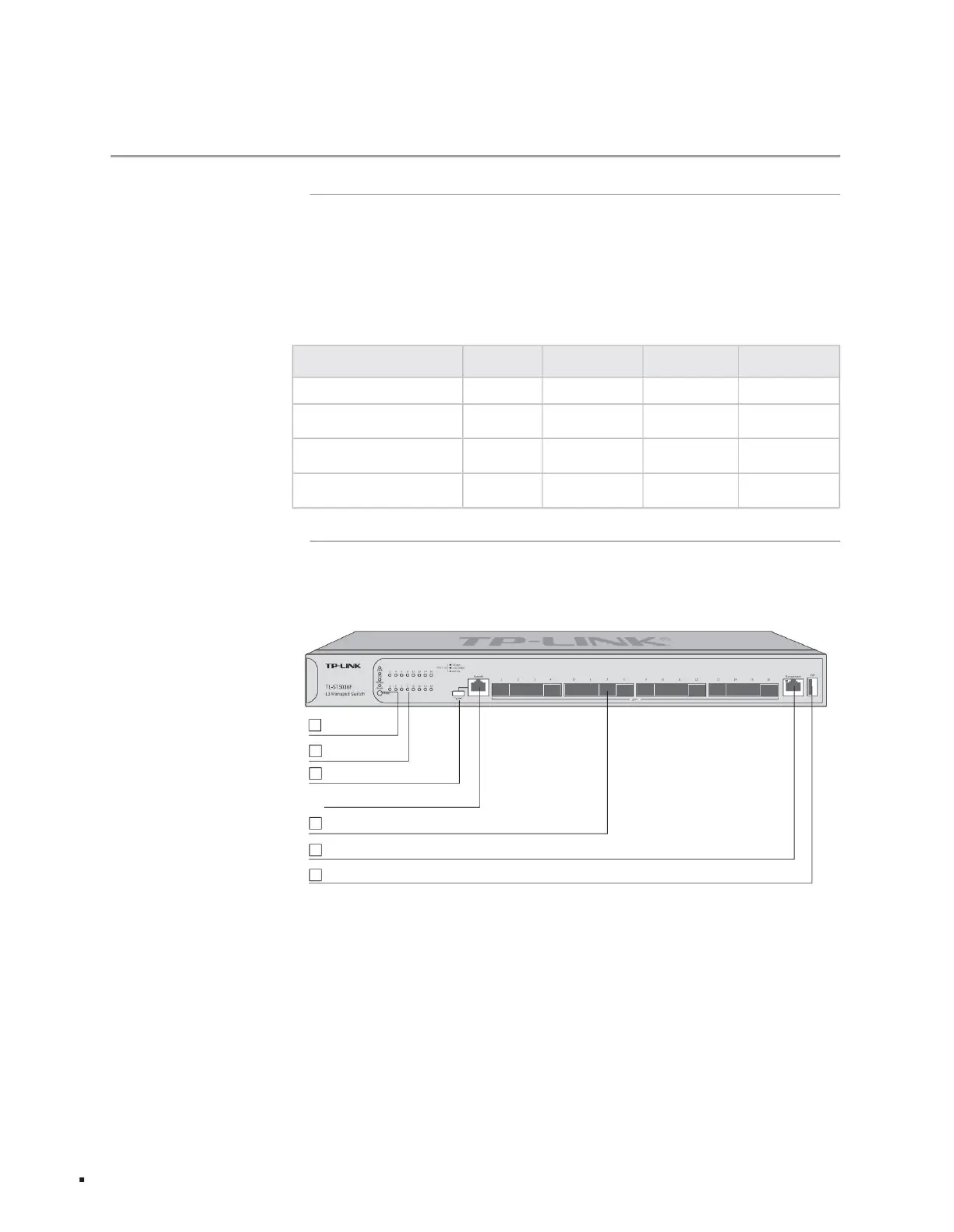
Figure 1-1TL-ST5016F front panel diagram
16
0
0
0
12
0 0
Full 10 Gigabit Layer 3 managed switch TL-ST5016F
Full 10 Gigabit Layer 3 managed switch TL-ST5012F
0
Full 10 Gigabit Layer 3 managed switch TL-ST5008
0
type
8 0
12
Product model Gigabit RJ45 port 10 Gigabit RJ45 port 10 Gigabit SFP+ port
Full 10 Gigabit Layer 3 managed switch TL-ST5012
1 Type-C Console port
16 10Gbps SFP+ ports
1 RJ45 Console port
1 RJ45 Management port
Pulian Technology Co., Ltd. independently developed and designed the 10G series three-layer network managed switches, which support static routing and dynamic routing.
The current specific models of switches are as follows:
It is used in usage scenarios such as small and medium-sized enterprise networks, campus networks, hotels, and Internet cafes.
The RIP protocol provides a complete security protection mechanism, complete QoS policies and rich and practical VLAN functions.
The front panel of TL-ST5016F is shown in the figure below.
With excellent performance and friendly management, it can fully meet users' needs for higher bandwidth, stronger performance, and cost-effectiveness.
3
1 mode switching button
4
6 1 USB port
2 indicator lights
product description
5
1.2 Product appearance
1.1 Product introduction
Chapter 1 Product Introduction
Machine Translated by Google



 To Next Page