Appendix A Common Troubleshooting
Question 3. Unable to log in to the switch WEB management interface.
Problem 1. Forgot the switch username and password (how to restore factory settings).
Problem 2. The power indicator light displays abnormally.
Problem 4. The configuration disappears after power failure.
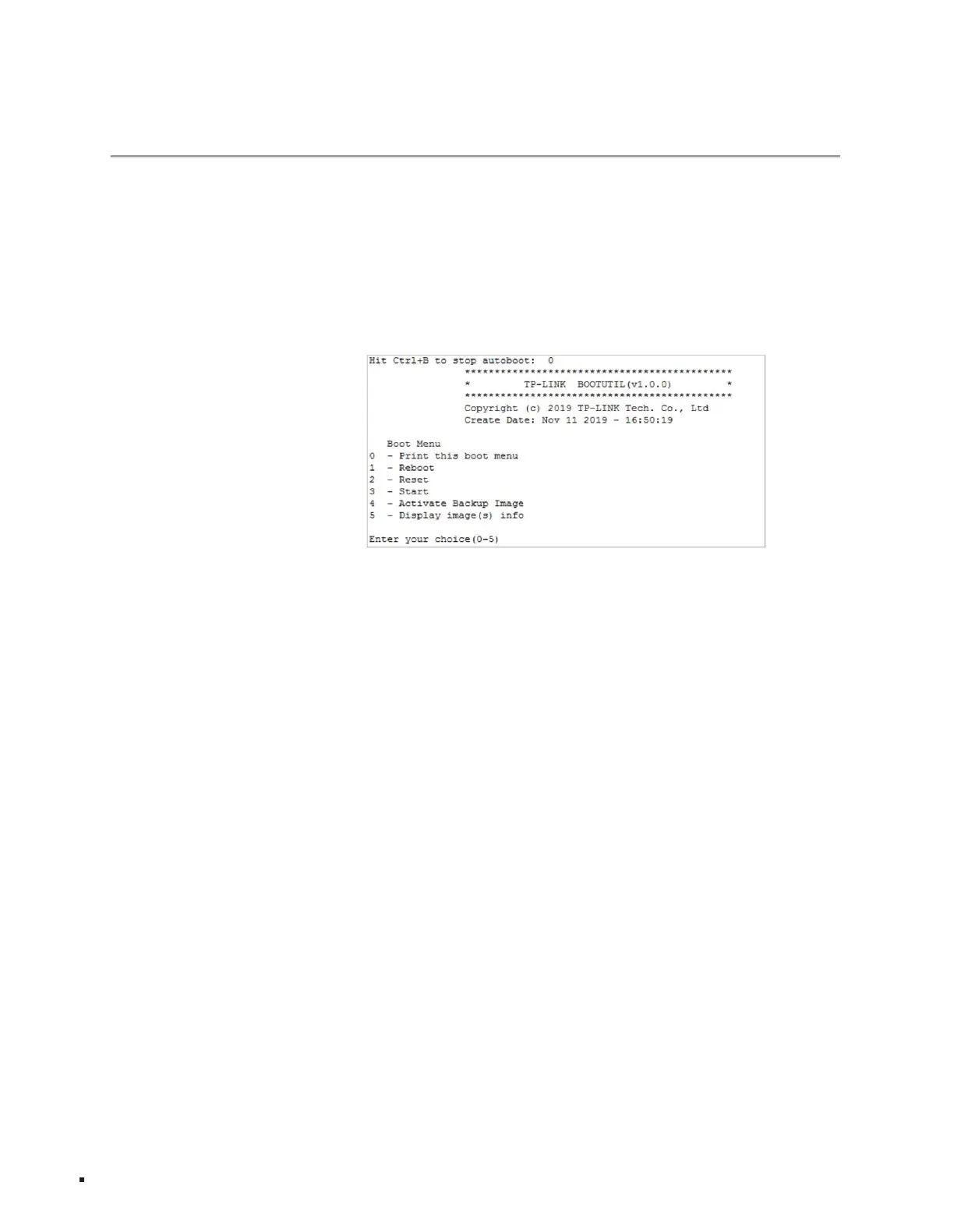
3. Enter "2" to perform software reset. After reset, restore to factory default settings. Log in to the switch.
The username and password are both admin.
The machine IP parameters are in the same network segment;
3. If you are managing the switch through a local computer, make sure the IP address of the local computer is the same as the switch
2. Power off the switch and restart it. When the prompt message Press CTRL-B to enter the bootUtil appears in the HyperTerminal
interface, press the Ctrl key and the b letter key at the same time to enter the bootUtil menu, as shown in the figure below;
50/60Hzÿ
level terminal;
If it is disabled, you can log in to the switch through another physical port;
When the power system is working normally, the power indicator light should remain on. If the power indicator light does not light up,
please perform the
following checks: 1. Whether the switch power cord is connected correctly, and ensure that the power cord plug has been fully
inserted into the switch power socket; 2. Whether the power supply matches the power required by the switch, and the power input is 100- 240V~
The switch configuration takes effect in real time, but you must click Save Configuration before powering off.
Please follow the steps below: 1. Connect the serial port of
the configuration computer to the Console port of the switch, and open the successfully configured hypervisor.
Please check through the following aspects: 1.
If the switch has enabled the HTTP management user limit function in security management, and the current number of users has
reached the preset maximum, access will be restricted. It is recommended to try again later; 2. Observation Check
the status of the indicator light, check whether the corresponding port cable is connected normally, and confirm that the port is not
4. Check the network connection through the Ping command. Enter the "cmd" command through "Start" ÿ "Run" and click "OK" to open
the command window. Enter ping 127.0.0.1 to check whether the computer's TCP/IP protocol is installed; enter ping 192.168.0.1
(the current IP address of the switch) to check whether the connection between the computer and the switch is normal.
21Common troubleshooting
Layer 3 managed switch installation manual
Machine Translated by Google



 To Next Page