4.3 Remote login
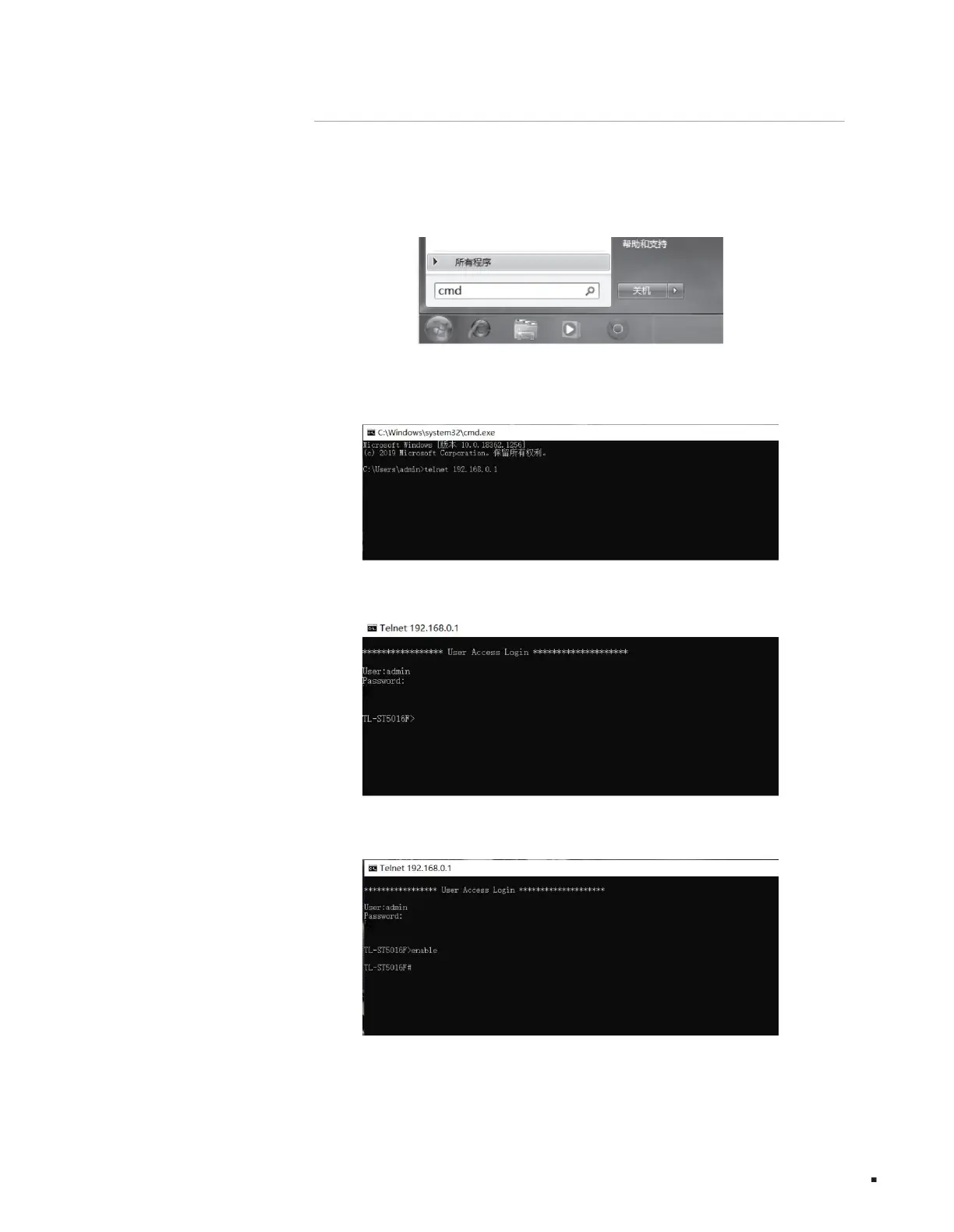
1. Click Start, enter "cmd" in the search box, and press Enter;
3. Enter the login username and password and press Enter to log in, as shown in the figure below;
4. Enter enable and press Enter to enter privileged mode, as shown in the figure below.
The CLI can be accessed by logging into the switch remotely using a telnet connection through the Ethernet port. To connect to the switch via
telnet, please refer to the following steps:
2. Enter the telnet login command in the cmd window: telnet 192.168.0.1;
Configuration Guide
Layer 3 managed switch installation manual
18
Figure 4-7 Connecting the switch
Figure 4-6 Open the command line window
Figure 4-9 Entering privileged mode
Figure 4-8 Logging in to the switch
Machine Translated by Google



 To Next Page